47
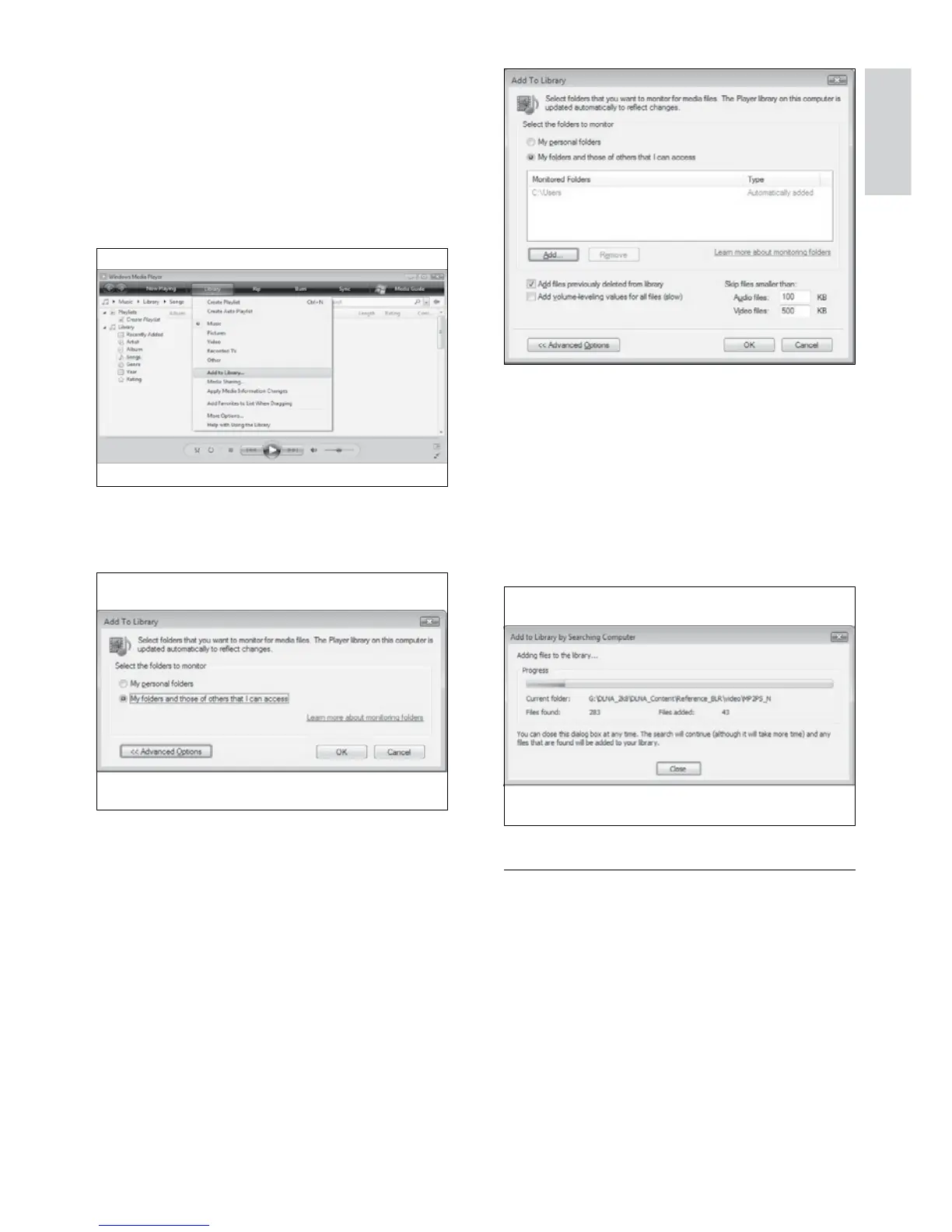
4 Click Add.
The » Add Folder window appears.
5 Select a folder to share and click OK.
6 When all folders are added, click OK in
the Add To Library window.
Folders are added to the library, and »
are ready to be accessed from the TV.
In TVersity v0.9.10.3 (Microsoft
Windows)
Enable media sharing
1 In Microsoft Windows, start TVersity.
TVersity appears. »
2 Click the Settings tab.
The TVersity settings appear. »
11 Click OK.
Add folders for media sharing
1 In Windows Media Player, click Library ->
Add to Library... .
The » Add To Libary window appears.
2 Click My folders and those of others that
I can access.
3 Click Advanced Options.
Advanced options appear in the » Add
To Library window.
English
EN



 To Next Page