Alignments
EN 100 EJ2.0U LA8.
When such equipment is not available, use “method 2”.
Method 2 (without color analyzer):
If you do not have a color analyzer, you can use the default
values. This is the next best solution. The default values are
average values coming from production (statistics).
1. Select a COLOUR TEMPERATURE (e.g. COOL,
NORMAL, or WARM).
2. Set the RED, GREEN and BLUE default values according
to the values in the "Tint settings" table.
3. When finished press STORE (in the SAM root menu) to
store the aligned values to the NVM.
4. Restore the initial picture settings after the alignments.
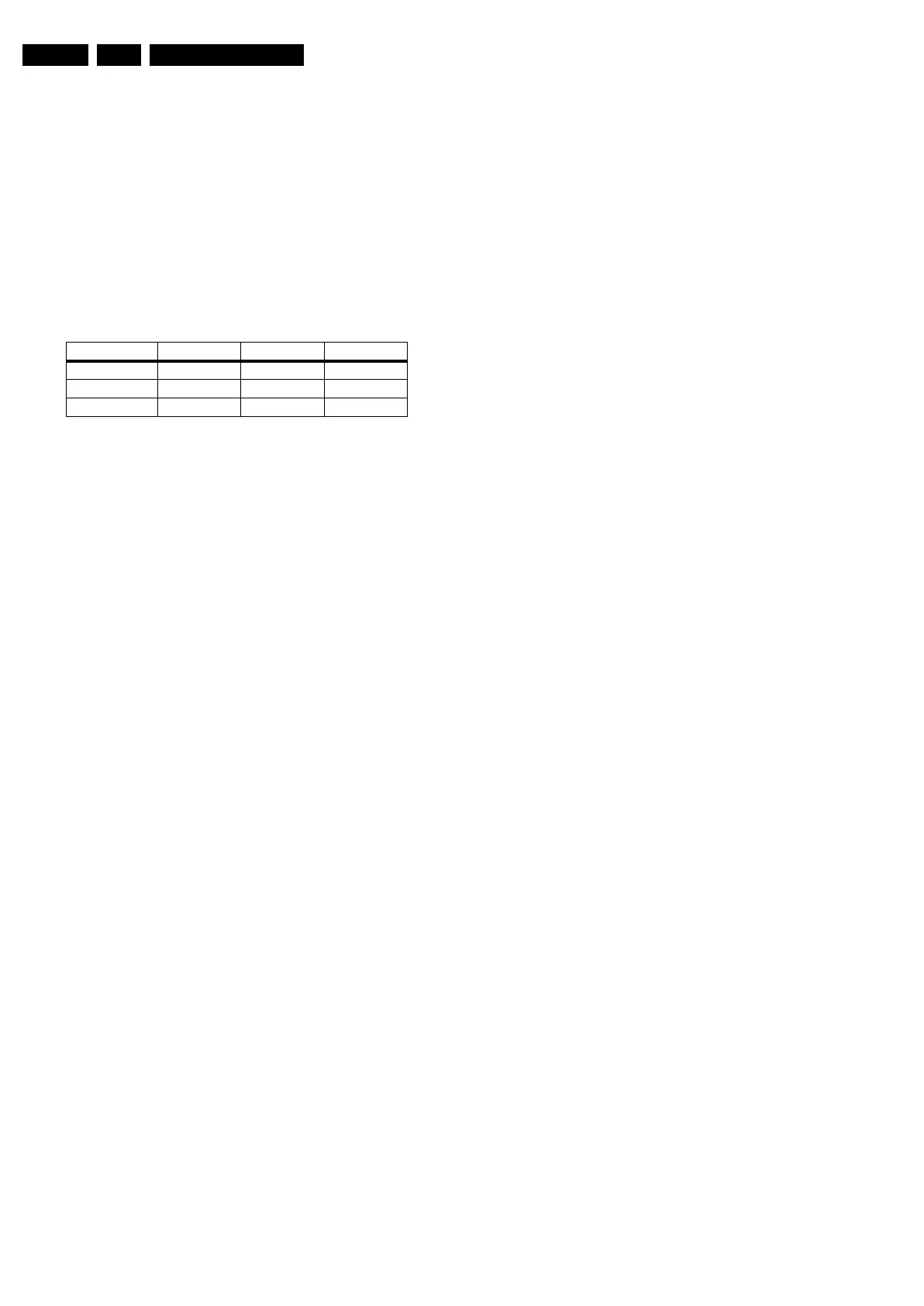
Table 8-2 Tint settings
Colour Temp. R G B
Cool 113 116 118
Normal 126 121 118
Warm 124 107 83



 To Next Page