13
English
Watching connected devices
o watc
connecte
evice
Switch on the connected device
he picture from your connected device might appea
automat
ca
y on t
e
screen
2 Use the remote control of the device to select channels
If the picture does not appear
ress SOURC
repeate
y to se
ect t
e connecte
ev
ce an
wa
t
a few seconds for the picture to appear.
Use the remote control of the device to select channels
utomatic Power Shut Off
If there is no in
ut si
nal and no o
eration for 15 minutes, the unit will
urn off automaticall
Watching a Blu-ray disc
o watc
a
u-ray
isc
nsert a
u-ray
sc
nto your p
aye
.
ress
p
a
)
on the remote control of the Blu-ra
Disc
la
e
.
e
u-ray
sc m
g
t automat
ca
y p
ay on t
e
If the picture does not appear
ress SOURC
repeate
y to se
ect t
e
u-ray
sc p
ayer an
ait a few seconds for the picture to appea
.
Use the remote control of the Blu-ray Disc player to play the disc
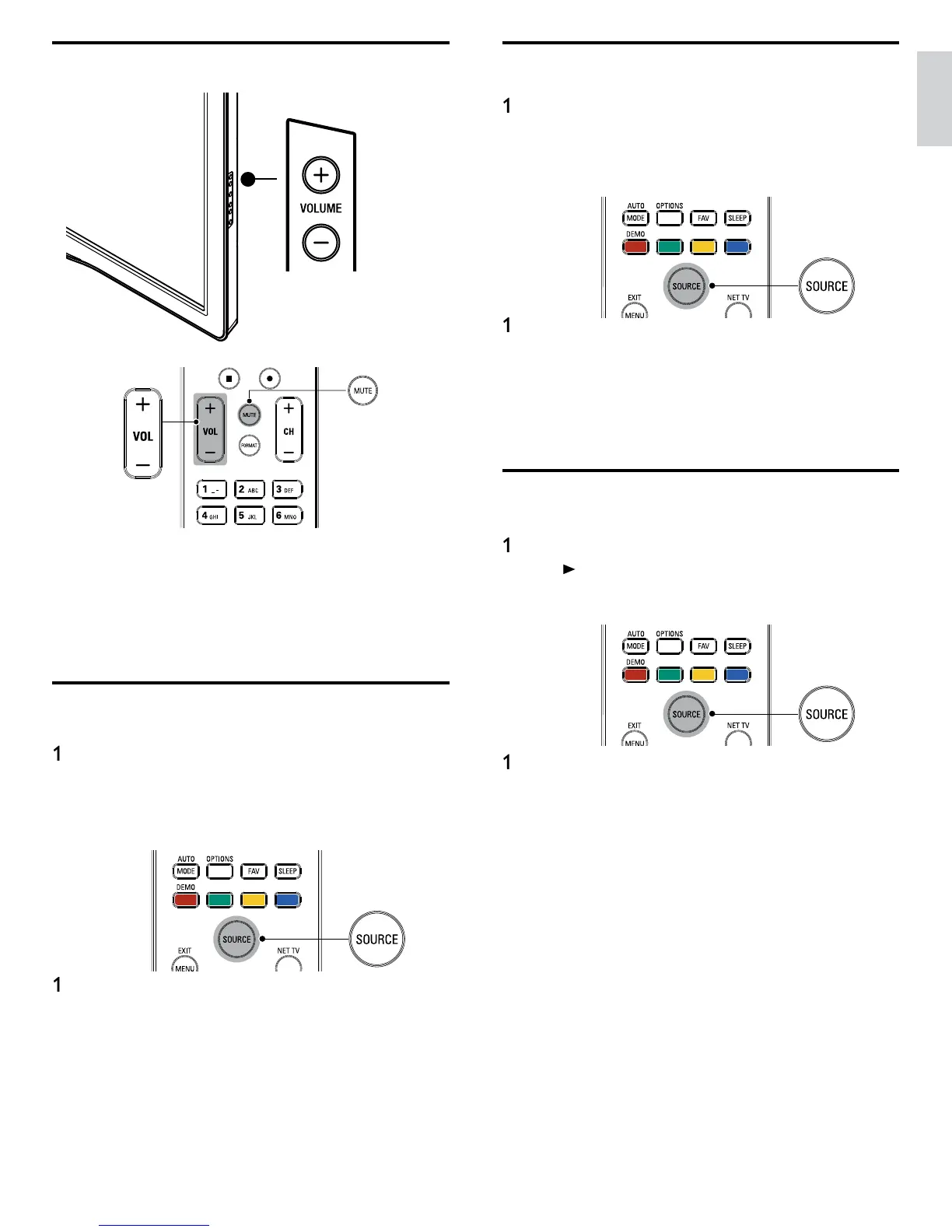
Adjusting volume
o increase or
ecrease vo
ume
ress
OL + / − on t
e remote contro
or press
OLUME + / − on
he side of the TV
o mute or unmute soun
ress
on t
e remote contro
to mute t
e soun
ress
aga
n o
VOL + / − to recover t
e or
g
na
soun
Watching channels from a set-top box
To watch channels from a set-top bo
Switch on the set-top box
he
icture from
our set-to
box mi
ht a
ear automaticall
n t
e
screen
Use the remote control of your set-top box to select channels
If the picture does not appear
ress SOURC
repeate
y to se
ect t
e set-top
ox an
wa
t a
few seconds for the picture to appea
.
Use the remote control of
our set-to
box to select channels












 To Next Page