22
Setting item
escription
ctive control
ff
ets Active control to off
n with
ig
t
Sensor
djusts backlight for the best picture quality by
ynam
ca
y a
ust
ng t
e
ac
g
t
ntens
ty
n
accor
ance w
t
g
t
ng con
t
on
n t
e room
n without
ig
t
Sensor
djusts backlight
or best picture quality based
n t
e
ncom
ng v
eo s
gna
icture forma
utomatic
Refer to ‘Summar
of
icture formats’ on
a
e 23
Super zoom
4:3
ovie
expand 14:9
ovie
expand 16:9
i
e
screen
nsca
e
o
e se
ection
urns off ima
e enhancement features which
ma
es t
e
to act
ure
as a mon
to
.
Enables image enhancement features to
mprove p
cture qua
ty
uto adjustmen
he horizontal / vertical position, clock and
phase of the PC screen are automatically
a
uste
lock
ettin
to stabilize the PC screen
ase
etting to improve the clarity of the PC screen
Horizontal shift
djusts the horizontal position of the picture
for PC screen
Vertical shif
d
usts the vertical
osition of the
icture fo
C screen
ress
to ex
t
Note
o
e se
ection
w
not
e
sp
aye
w
en
ncom
ng s
gna
s are ot
er t
an
20 x 480p 60Hz, 1280 x 720p 60Hz and 1920 x 1080p 24 / 30 / 60Hz
Changing picture and sound settings
ou must set
ome
n
ocation
. (Refer to page 30.)
therwise, personalized picture and sound settings will not be
memorized after the unit goes to standby mode
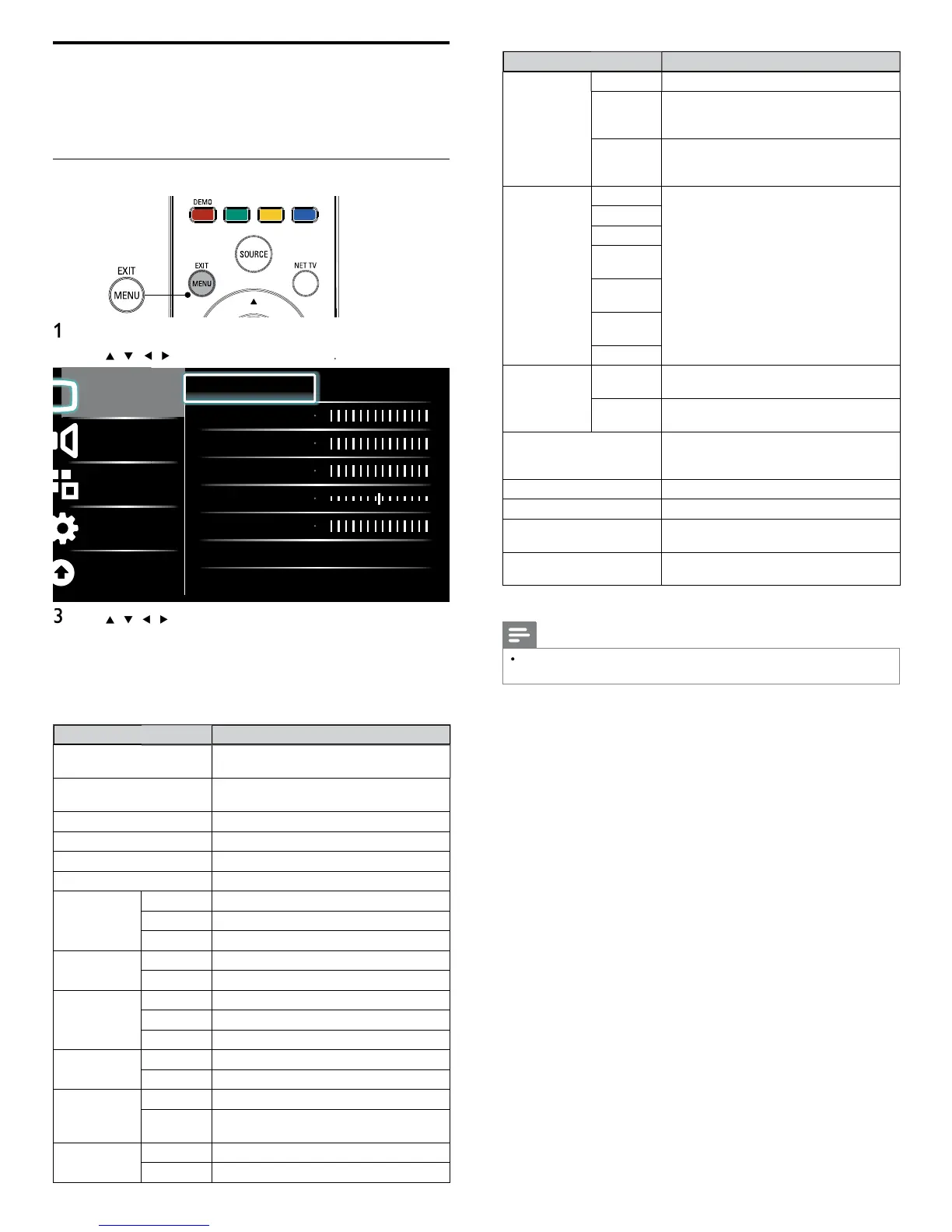
Changing picture settings
ress
on t
e remote contro
se
/
/
/
to se
ect
Setu
icture
Picture
Sound
Features
Installation
Software update
Settings assistant Start now
Contrast
Brightness
Color
Tint
Sharpness
Color temperature Cool
Dynamic contrast Off
se
/
/
to select one of the picture settings, and press
o enter t
e sett
n
Ad
ust the
icture
ualit
he following picture settings can be confi gured. Depending on
he format of the picture source, some picture settings are not
ava
a
e
Setting item
escription
Settings assistan
se
Settings assistan
to gu
e you t
roug
t
e
est p
cture an
soun
sett
ngs
ontras
djusts the intensity of bright areas, keeping
ar
areas unc
ange
rig
tnes
d
usts the intensit
and details of dark areas
olor
d
usts color intensit
in
djusts the color balance in an image
Sharpnes
djusts the level of sharpness in image details
olor
empera
ure
ool
ore
ue tones
orma
tandard tones
rm
ore orange tones
ynamic
con
ras
ff
ets Dynamic contrast to off
n
utomatically enhances contrast in an image
igita
atura
otion
ff
ets Digital Natural Motion to off
inimum
a
es an
ma
e smoot
e
.
aximum
a
es an
ma
e smoot
est
oise
e
uction
ff
ets Noise reduction to off
n
e
uces no
se
n an
ma
e
MPEG artifact
e
uction
ff
ets MPEG artifact reduction to off
n
e
uces a
oc
ness an
a
urr
ness an
judder by digital filter.
olor
en
ancemen
ff
ets Color enhancement to off
n
a
es co
ors more v
v
r
g
t co
ors












 To Next Page