38
9 Connect devices
his section describes how to connect various devices with different
onnectors and supplements examples provided in the Quick Start Guide
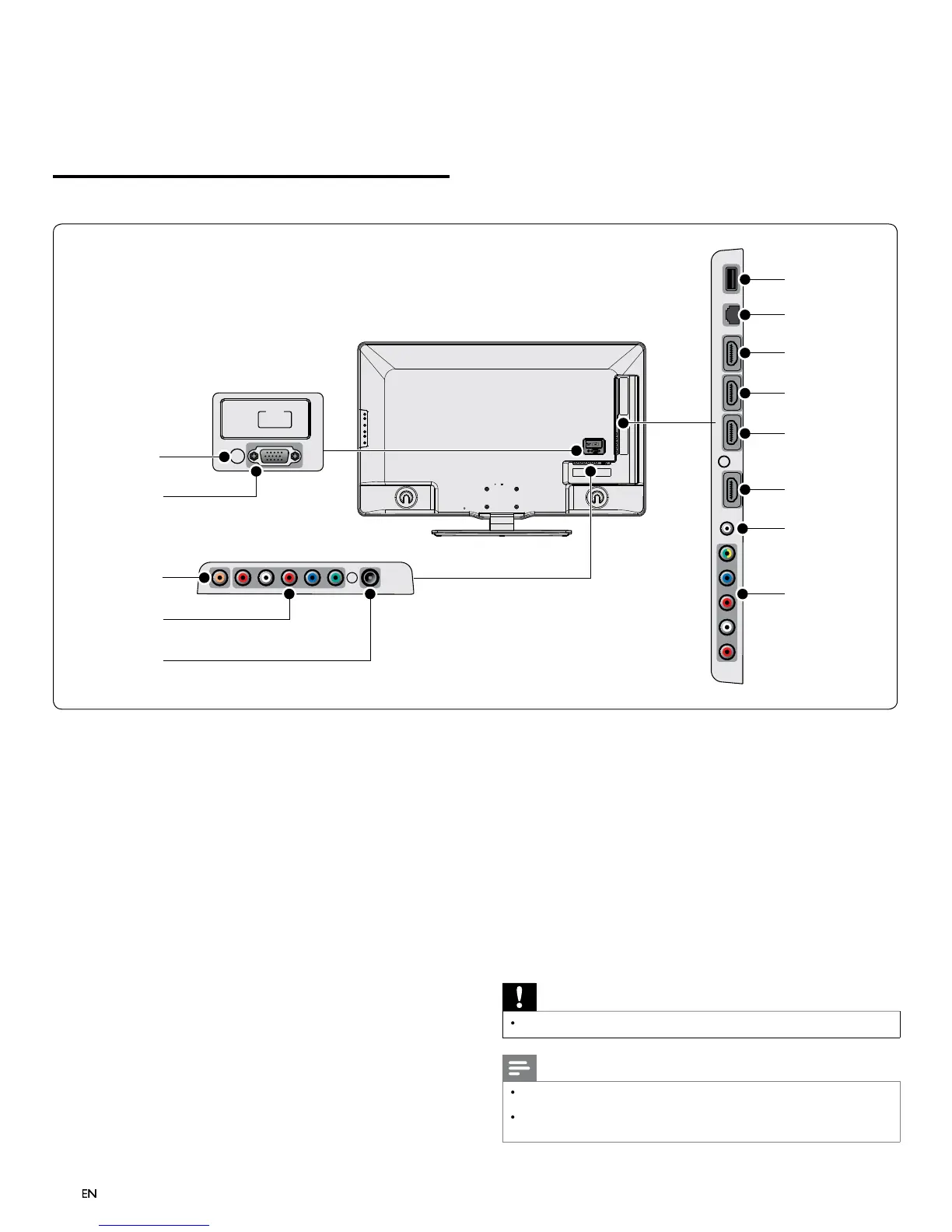
Connection overview
PC
-
IN
RGB
SERVICE
ONLY
b
e
g
h
i
j
k
l
c
a
d
f
*
PC input jack
GA cable connection for PC
igita
au
io output jac
ta
au
o out
ut to
ome t
eaters an
ot
er
ta
au
o
s
s
ems
Component 1 video and audio input jack
ideo in
ut from analo
devices such as DVD, receiver,
ame
onso
e, etc.
s connector
s use
w
t
au
o
nput
ntenna input jack
ignal input from an antenna, cable or satellite
USB terminal
Data input from USB storage devices or to connect the supplied
SB wireless LAN adapter. Do not connect any other device to
s term
na
suc
as;
g
ta
camera,
ey
oar
, mouse, etc
t
ernet por
or internet connection usin
an Ethernet cable with a RJ-45
onnec
o
.
HDMI 4 input jac
ourt
n connecto
.
Digital audio and video input from high defi nition digital devices
suc
as
u-ray p
ayers
HDMI 3 input jac
r
n connector.
HDMI 2 input jac
econd HDMI in connecto
.
HDMI 1 input jac
rst
n connecto
.
Audio input jack for HDMI 1 and P
Component 2 video / composite video and audio input jac
ideo input from analog devices such as DVD, receiver, game
onso
e, etc.
s connector
s use
w
t
au
o
nput
service only
or use
serv
ce
ersonne
on
Caution
Disconnect the AC power cord before connecting devices
Note
Do not use an extension cord and USB Hub to connect devices to this unit. Alwa
s insert
he USB fl ash memor
or the su
lied USB wireless LAN ada
ter in to this unit directl
Different t
es of connectors ma
be used to connect a device to
our TV, de
endin
n ava
a
t
an
our nee
s












 To Next Page