18
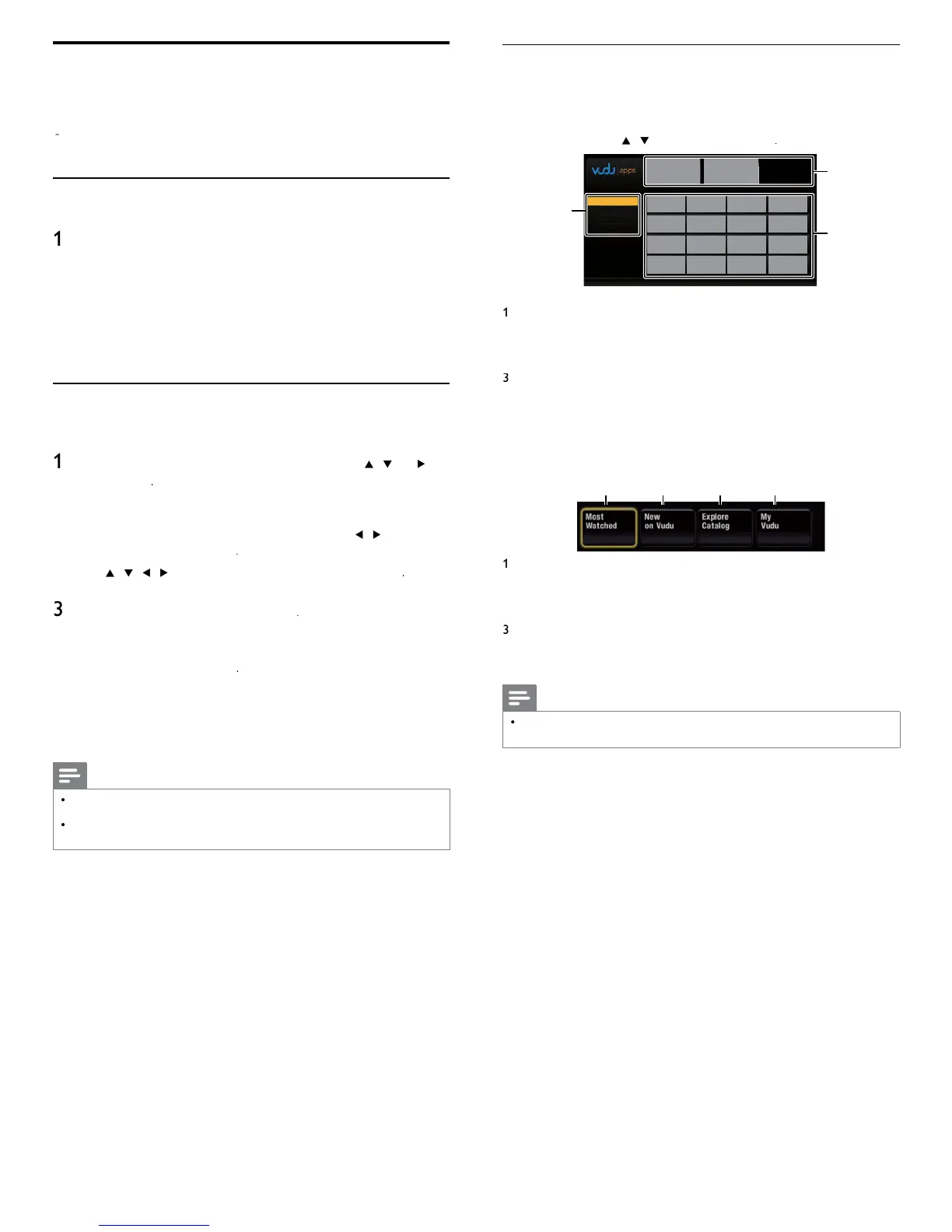
Guide to VUDU menu screen
Home Scree
Home Screen is the entr
oint to VUDU a
lications includin
mov
es.
o ca
up t
e screen, press
contro
an
t
en use
/
Í
/
Æ
o se
ect
u
u
1
2
3
MY FAVORITES
MY FAVORITES
MOST POPULAR
NEWEST
BROWSE BY GENRE
ew
n
mo
e
List of different viewin
modes for A
Home
a
cat
ons
romot
ona
ra
cs
ace
o
er w
ere
romot
ona
ra
cs are
s
a
e
pplication list
rid of applications in the selected viewing mode
VUDU Movies Home Screen
en you se
ect
movie
in App Home Screen, VUDU movies
ome screen w
appea
.
1
4
2
3
ost
atc
e
o access the list of
o
ular movies / TV shows on
2
ew on
u
u
o access the list of newly available movies /TV
s
ows
Explore Catalog
o access the list of options to search movies / TV
s
ows
y
u
u
o access the list of rented or purchased contents
Note
ou can go
ac
to
mov
es
ome screen
y press
ng
olor buttons (blue)
while you are using VUDU movies features
VUDU operations
Available for DV models only)
With this unit, you can enjoy VUDU HD on-demand movies / TV shows
an
nternet app
cat
ons
or com
ete
nstruct
ons on us
n
serv
ce,
ease v
s
t
www
vu
u
m/
to v
ew an up
ate
n-
ept
on
ne manua
Before activating VUDU
ollow the following procedure before activating VUDU
Connect this unit to the internet
(See ‘Connecting the TV to the internet using an Ethernet cable
r ‘Connectin
the TV to the internet usin
a USB wireless LAN
adapter’ on page 41.)
Broadband internet connection of 8Mbps or faster is required
Set u
the necessar
network connection settin
s
See ‘Network’ on
a
e 30.
Activating VUDU
fter you set up the network connection, you must set up a VUDU
account and activate this unit before watching VUDU movies
ress
on the remote control and then use
/
Í
/
o
se
ect
u
u
UDU A
Home Screen will a
ea
.
or the fi rst time only
etwor
service
isc
aime
screen
ill a
ear. After confi rmin
the content, use
/
to se
ect
gree
, t
en press
se
/
/
/
to se
ect
movie
, t
en
ress
we
come screen w
a
ea
.
Select
SIGN Up No
, t
en
ress
nter t
e e-ma
a
ress you wou
e assoc
ate
w
t
you
UDU account. After you enter your e-mail address correctly
se
ect
one
an
press
ctivation e-mail will be sent to the e-mail address.
You must
have access to the e-mail address to activate VUDU.
o
ow
rect
ons
n t
e act
vat
on e-ma
to comp
ete your account
act
vat
on
Note
ou can
eact
vate t
e connect
on to
sett
n
eactivation
o
e
.
Refe
o
a
e 32.
or quest
ons regar
ng
serv
ce, p
ease contact
customer care at
1-888-554-VUDU
8838
)
or v
s
t www.vudu.com/suppor












 To Next Page