8
4 Get started
Supplied accessories
Remote Control
2 x AAA
1.5V Batterie
M4 x 10 double sems screw x 4
available for 40” and 46” onl
C Power cor
able management tie
SB wireless LAN ada
ter
PH2010A
ser
anua
uick Start Guide
ox-
nsert
Note
Wireless LAN Adapter for Philips models :
55PFL7705DV
55PFL7705D
46PFL7705DV
46PFL7705D
40PFL7705DV
40PFL7705
his wireless device can only be used with a limited number of Philips products. Fo
more
eta
s
o to
www.
hili
s.com/welcom
an
enter
our mo
e
num
e
.
Do not use the su
lied USB wireless LAN ada
ter with devices other than this unit
and a limited number of Phili
s
roducts
he su
lied USB wireless LAN ada
ter is
uaranteed b
manufacture
.
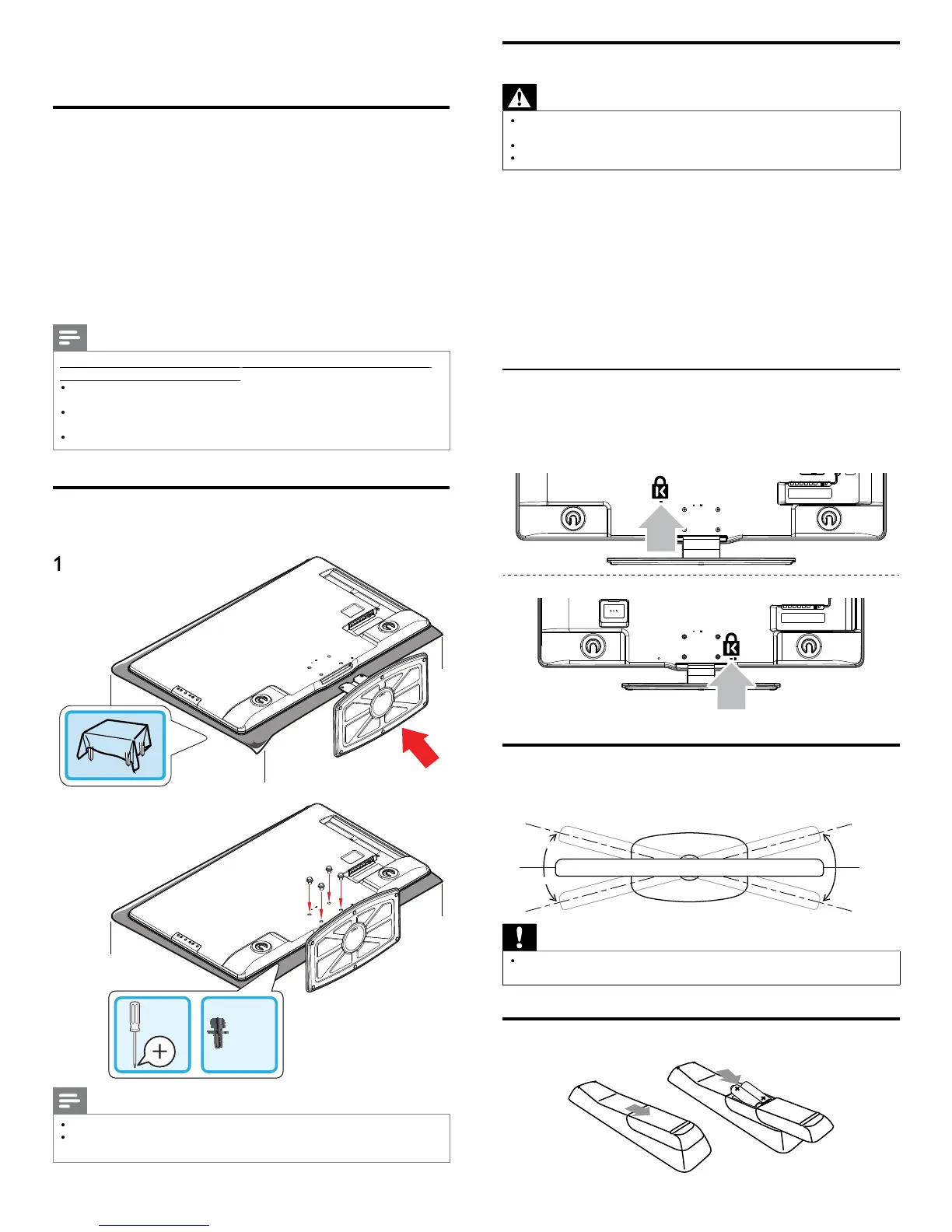
Mounting stand onto TV for 40” and 46”
pplicable to TVs without mounted stands
x 4
2
Note
o wall mount the TV
refer to the addendum
If you lose the stand mounting screws, please purchase 4 Phillips head screws
M4×10
at
our local store
Positioning the TV
Warning
Do not insert the AC
ower cord into the
ower socket outlet before all the
onnect
ons are ma
e
Large screen TVs are heavy. 2 people are required to carry and handle a large screen TV
Before you move the TV, disconnect attached cables to prevent damage to connectors
In addition to reading and understanding safety instructions, conside
the followin
before
ositionin
our TV
Ensure that
ou alwa
s have eas
access to the AC
ower cord o
lu
to disconnect the TV from the
owe
.
If the TV is mounted on a swivel base
ensure that no strain is
laced on the AC
ower cord when the TV is swiveled. Strain on
he AC power cord can loosen connections
he ideal viewing distance for watching TV is three times its screen size
osition the TV where li
ht does not fall on the screen
onnect
our devices before
ou
osition the TV
Using a Kensington lock
here is a Kensin
ton securit
slot on the back of the TV. Prevent theft
oo
n
a
ens
n
ton
oc
etween t
e s
ot an
a
ermanent o
ect
suc
as a
eav
ta
e
5” / 46
40
Adjusting the swivel angle
You can ad
ust the viewin
an
le of
our TV
Top of the uni
Caution
hile adjusting the swivel angle of your TV, hold the base fi rmly to prevent the TV
from tipping over and falling down
Installing the remote control batteries












 To Next Page