19
English
Using internet applications
In addition to VUDU movies,
ou can use various kinds of internet
app
cat
ons
In App Home Screen, use
/
/
/
to se
ect a
es
re
app
cat
on an
press
2 Follow the instructions on screen of the selected a
lication
Note
vailable a
lications ma
chan
e without notice
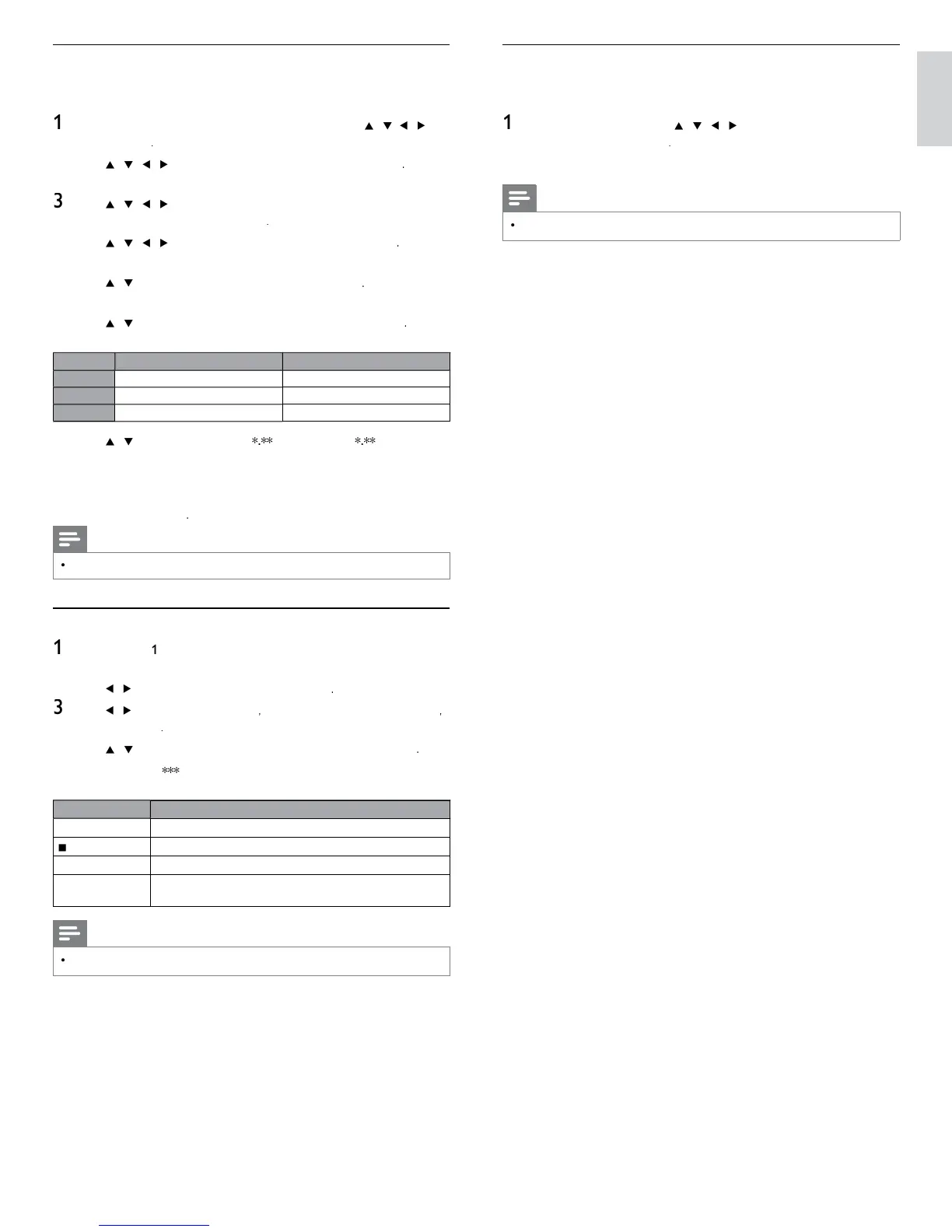
Renting or purchasing VUDU movies / TV episodes
fter activatin
this unit,
ou are read
to
urchase or rent movies / TV
s
ows an
watc
rect
y on your
ress
on the remote control and then use
/
/
o
se
ect
u
u
2
se
/
/
/
to se
ect
movie
, t
en
ress
mov
es
ome screen w
appea
.
se
/
/
/
to se
ect
ost
atc
e
ew on
u
u
o
Explore Catalog
, t
en
ress
se
/
/
/
to se
ect t
e
es
re
t
t
e, t
en
ress
itle details screen of the selected title will appea
.
se
/
to se
ect
en
o
uy
, t
en press
heckout screen will a
ea
.
se
/
to se
ect a
es
re
qua
ty opt
on, t
en press
elect the
ualit
o
tion that best suits
our network environment
i
eo
eso
ution
inimum
itrate
S
480p
Mbp
20 2.25 Mb
080p 4.5 Mbp
se
/
to se
ect
Rent for
o
Buy for $
, t
en
ress
to confi rm your rental or purchase
8 Select
atc
o
to start
la
in
the movie / TV show
If
ou want to return to the
MOVIE DETAILS
se
ect
atc
ater
Note
vailable
ualit
o
tions differ de
endin
on the content
Watching rented or purchased VUDU movies / TV episodes
o
ow steps
o 2 in ‘Renting or purchasing VUDU movies / TV
episodes’ on page 19
se
/
to se
ect
y vu
u
, t
en press
se
/
to se
ect
y
enta
y
ovie
o
My TV Show
en
ress
se
/
to select a desired movie / TV show, then press
Select
atc
to start watchin
the movie / TV show
During playback, use following buttons to control the playback
utton
ction
Δ
Resume the playback / Pause the playback
top the playback
/
ast-backward or forward the
la
back
olor buttons
yellow)
Display the info banner which shows the playback
nformation
Note
vailable buttons and actions ma
sub
ect to chan
e without notice












 To Next Page