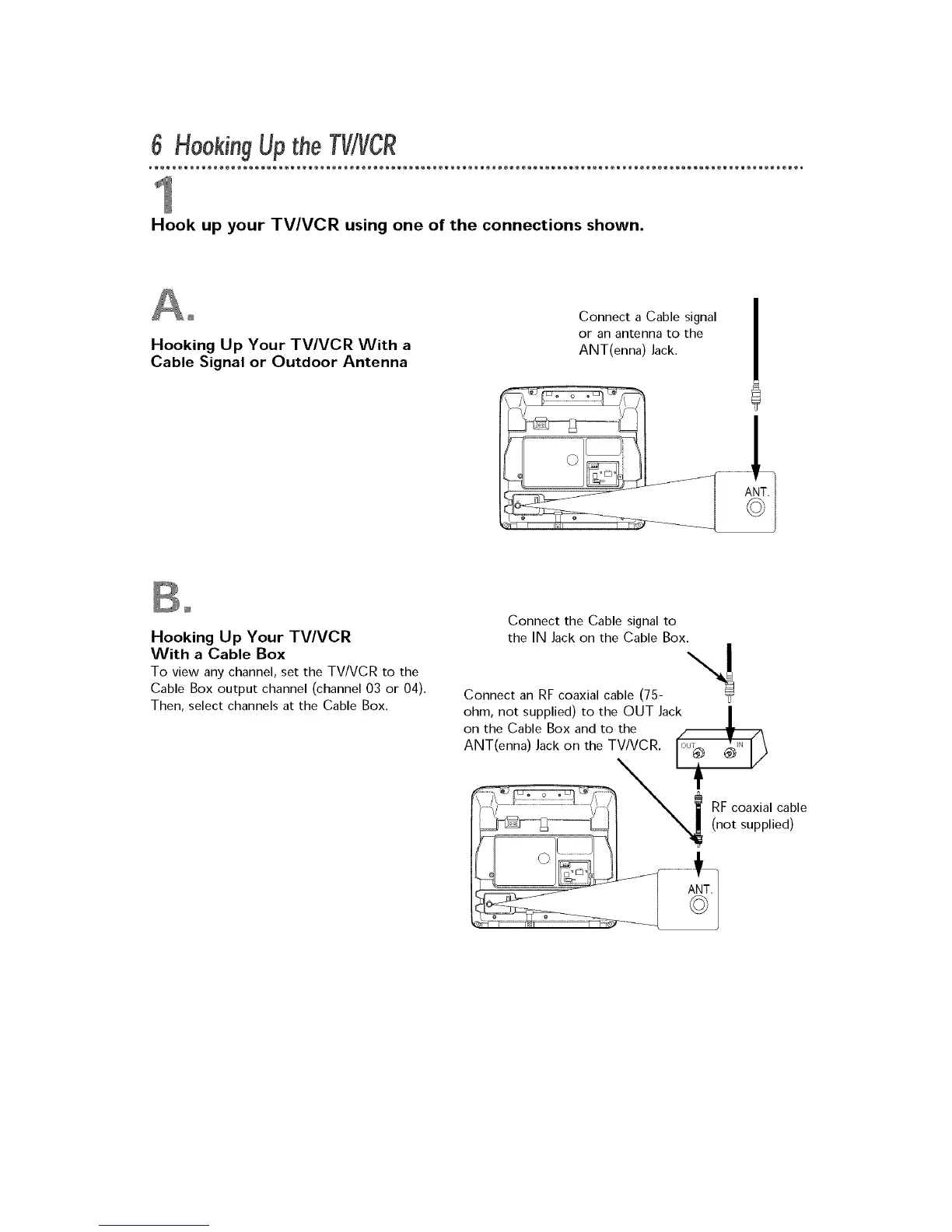
Hook up your TV/VCR using one of the connections shown.
Hooking Up Your TV/VCR With a
Cable Signal or Outdoor Antenna
Connect a Cable signal
or an antenna to the
ANT(enna) Jack.
Hooking Up Your TV/VCR
With a Cable Box
To view any channel, set the TV/VCR to the
Cable Box output channel (channel 03 or 04).
Then, select channels at the Cable Box.
Connect the Cable signal to
the IN Jack on the Cable Box.
\1
Connect an RF coaxial cable (75- "_
ohm, not supplied) to the OUT Jack |
on the Cable Box and to the
.I.
ANT(enna) Jack on the TV/VCR. ou _.










 To Next Page