14 EN
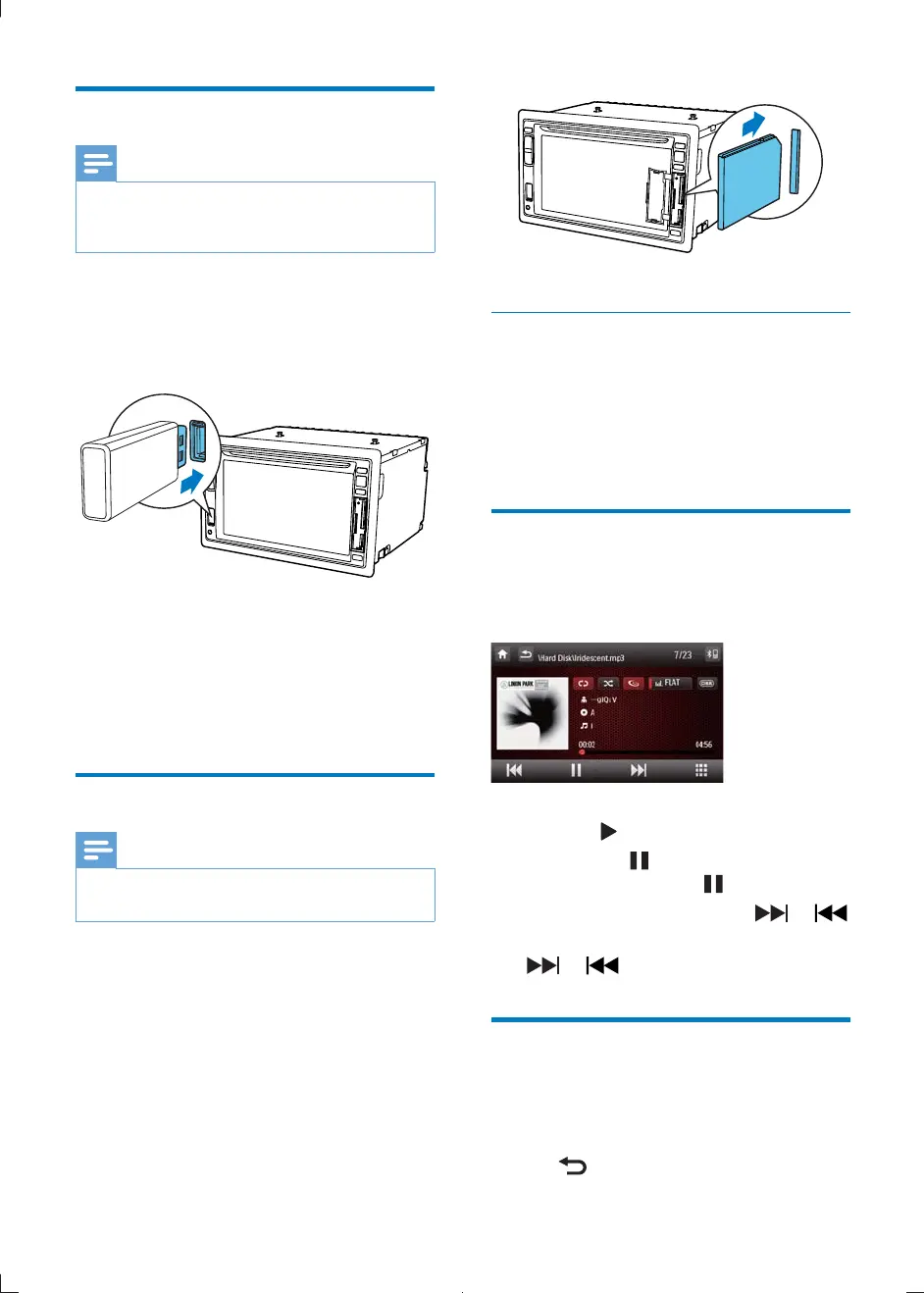
Connect USB device
Note
Ensure that the device contains playable content.
For detail information on supported video format, see
"Product Information" chapter.
1
2 Insert the USB device into the USB slot .
»
3 To remove the USB device, switch the car
take off the USB device.
» When USB devise is disconnected, it
plays the previous source.
Insert SD/MMC card
Note
This device supports Secure Digital High Capacity
(SDHC) card.
1
2 Insert the SD/MMC card into the SD/
MMC card slot.
» Play starts automatically.
Remove the SD/MMC card
1 Switch to another source.
2 Press the card until you hear a click sound.
» The card is now disengaged.
3 Remove the SD or MMC card.
Play/Pause
1 Once a disc, USB or SD/MMC card is
inserted, play starts automatically.
For DVD movie, if a menu appears,
press
to start play.
2 To pause, tap .
To resume play, tap
again.
3 To skip forward/backward, tap or .
4 To fast forward/backward, tap and hold
or .
Browse
During play from USB device or SD card, you
can browse through the listed audio, video or
1 Tap to return to playlist menu.
CID2780_98_UM_V1.1.indb 14 2012/3/19 10:42:58



 To Next Page