7
English
EN
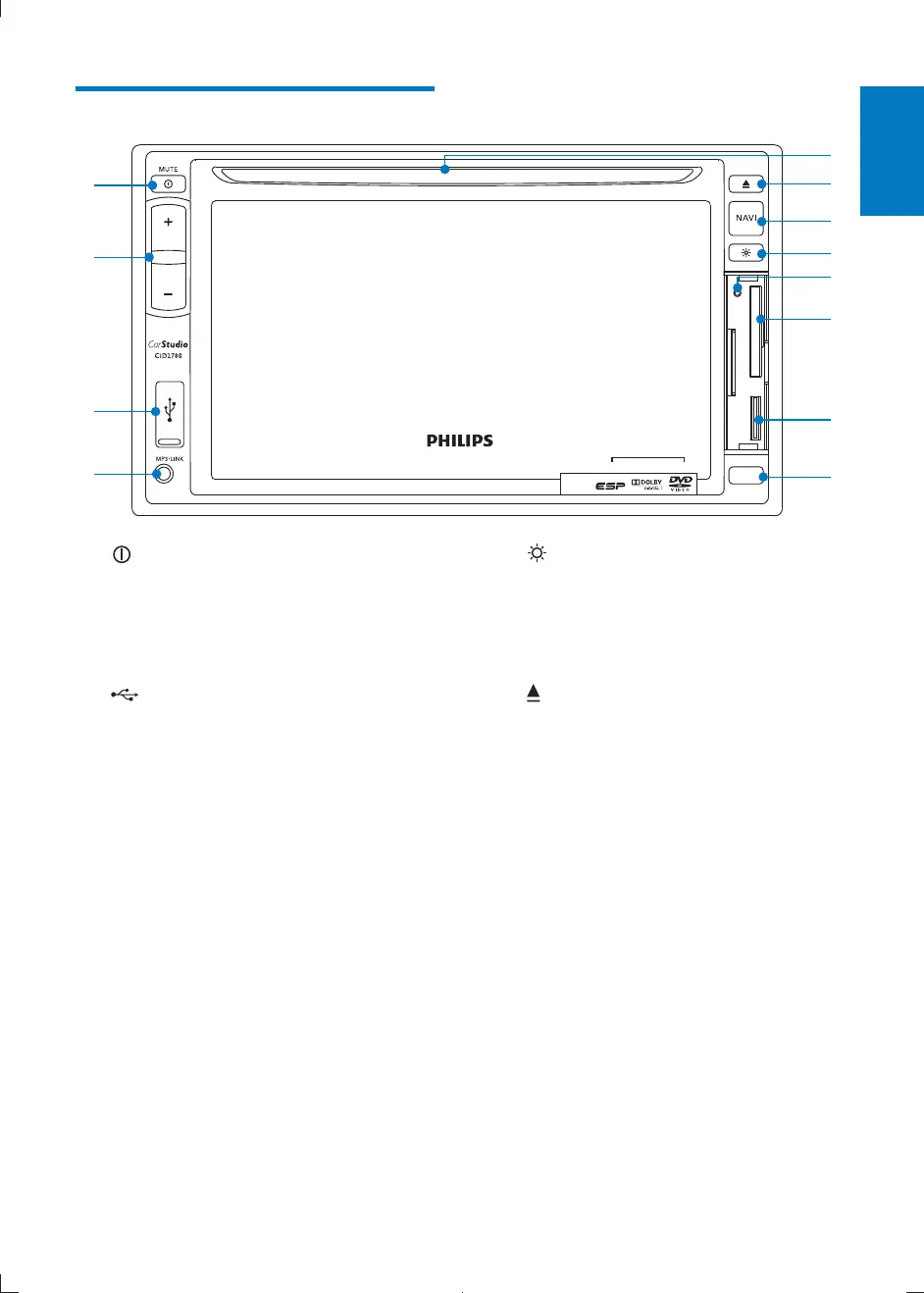
Overview of the main unit
a /MUTE
Turn the unit on or off.
Mute or unmute.
b VOL -/+
Adjust volume.
c
USB socket
d AV IN
External audio/video socket.
e Remote control sensor
Detects signals from the remote
control. When using the remote
control, point it directly at the IR
sensor.
f Map card slot
g SD/SDHC/MMC card slot
h RESET
Reset the unit when it hangs up.
a
c
d
k
j
i
l
h
g
f
e
b
i
Adjust display brightness.
j NAVI
Enter the GPS navigation system or
exit.
k
Eject disc.
l Disc slot
CID2780_98_UM_V1.1.indb 7 2012/3/19 10:42:50



 To Next Page