25
English
EN
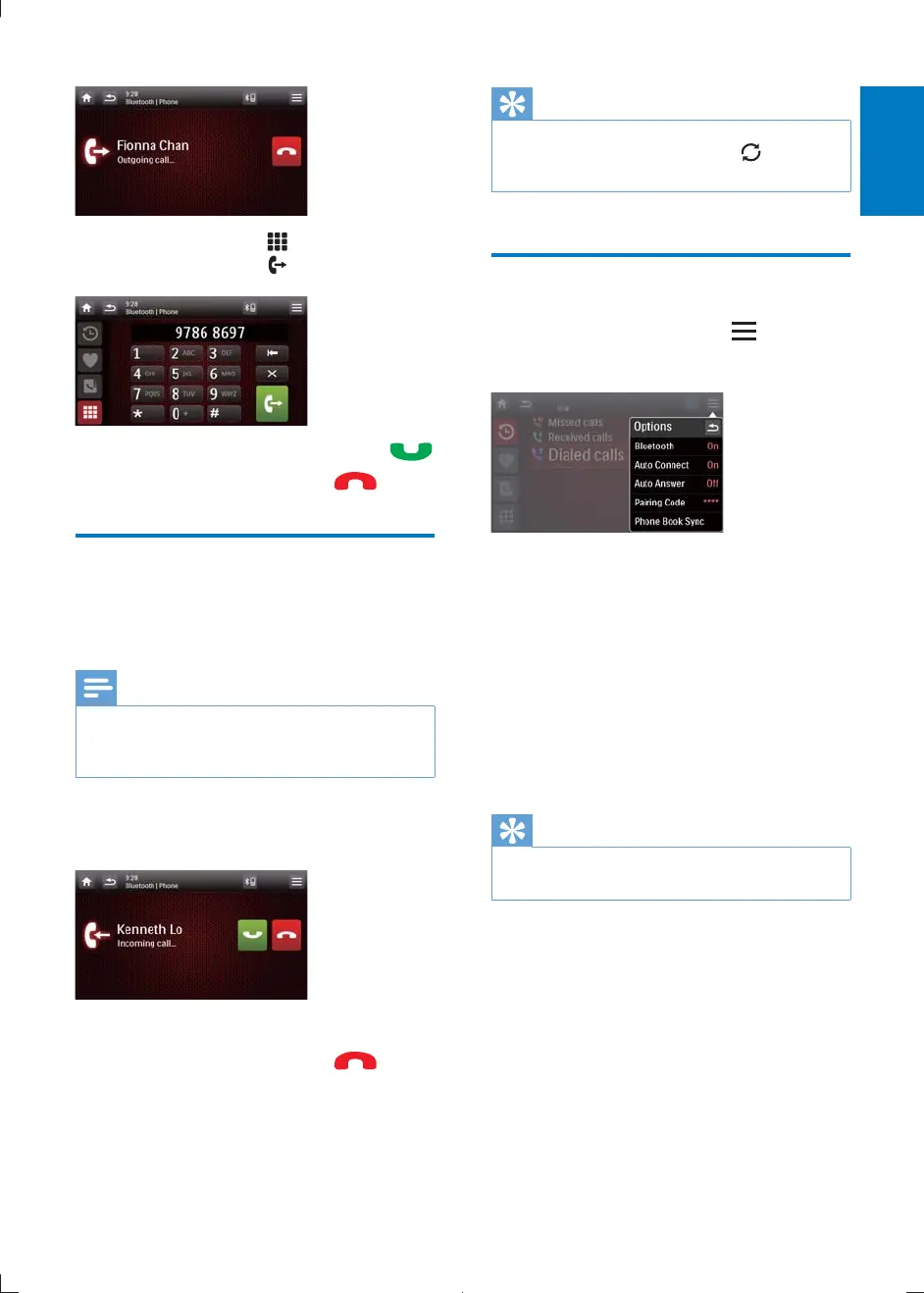
You can also tap to dial number
directly, then tap
to start calling.
If connection failed, tap to re-dial .
7 When conversation ends, tap .
Receive call
By default, all incoming calls are received
automatically.
Note
You can select to receive calls manually by set [Auto
answer] to [Off] status. For details, refer to "Adjust
Bluetooth settings".
1 If there is an incoming call, [Incoming
call...]
2 Speak into the microphone.
3 When conversation ends, tap to
terminate the call.
Tip
During the conversation, if you do not want your
conversation being heard, you can tap
to switch the
call to the mobile phone.
Adjust Bluetooth settings
1 In the Bluetooth menu, tap .
» The option menu is displayed.
[Bluetooth]: to turn the "Bluetooth"
function on or off.
[Auto connect]: to turn the "Auto
connect" function on or off.
[Auto answer]: to turn the "Auto
answer" function on or off.
[Pairing code]: to set paring code
[Phone Book Sync]: to synchronize
phone book
2 Tap an option to change the setting.
Tip
You can also adjust Bluetooth settings in the "Settings"
menu.
CID2780_98_UM_V1.1.indb 25 2012/3/19 10:43:12



 To Next Page