34 EN
Listen to other devices
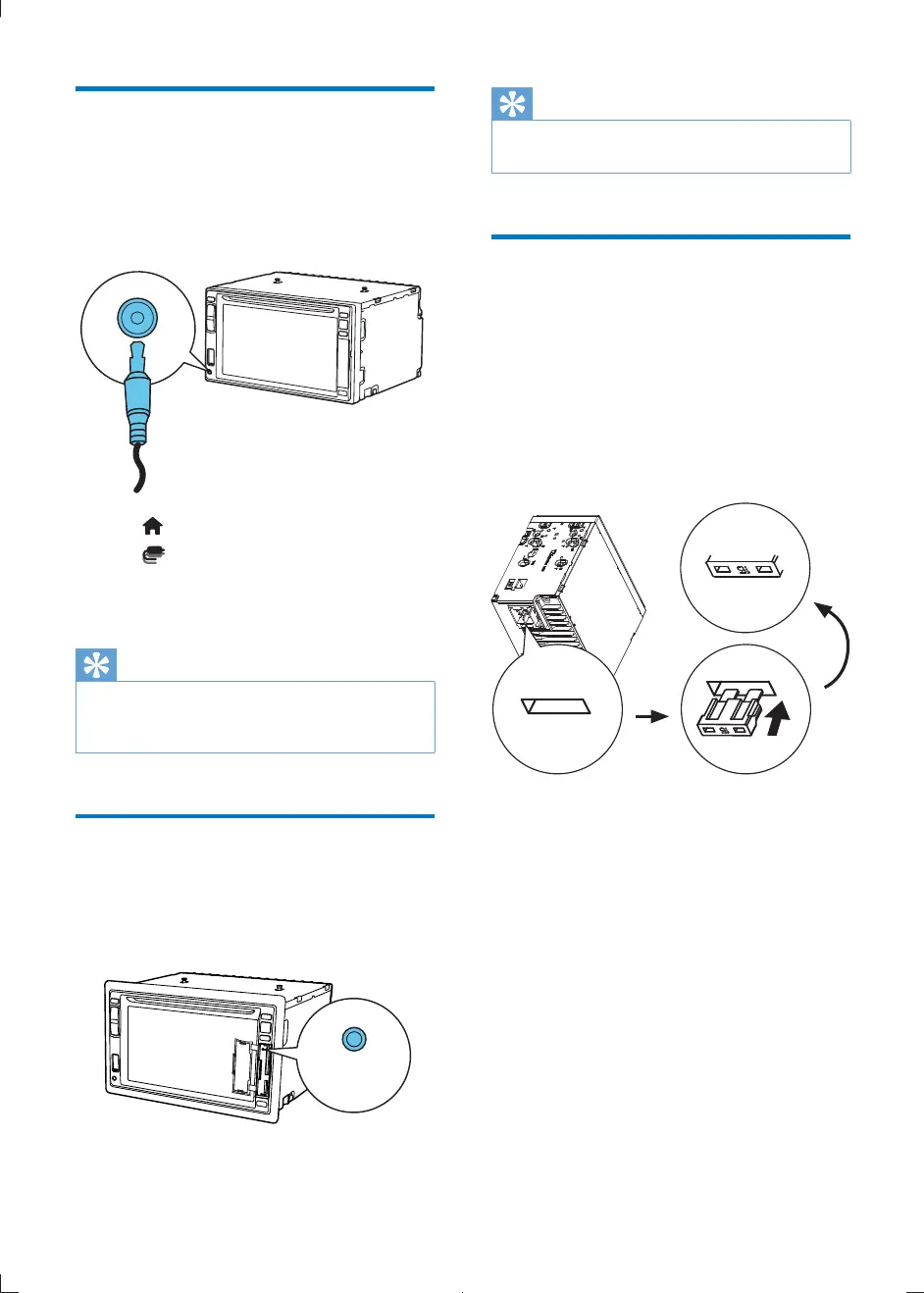
You can connect an external audio/video device
to the car audio system.
1 Connect the car audio to the device with
the supplied AV cable.
2 Tap to display the main menu.
3 Tap [AV-IN1].
4 Operate the connected the device (see
the device's instructions manual).
Tip
If you connect the system to other audio devices
through the REAR OUT L/R connector (see "Wiring
Diagram" section), tap [AV-IN2] to listen to that device.
Reset
When the unit hangs up, you can reset it.
1 Press RESET with a ball-point pen or
similar tool.
AV IN
RESET
Tip
When the unit is reset, all the settings remain
unchanged.
Replace fuse
If there is no power, the fuse may be damaged
and need to be replaced.
1 Take out the unit from dashboard.
2 Check the electric connection.
3 Buy a fuse that matches the voltage of the
damaged fuse (15A)
4 Replace the fuse.
If the fuse breaks immediately after it has been
replaced, there may be an internal malfunction.
In this case, consult your Philips dealer.
CID2780_98_UM_V1.1.indb 34 2012/3/19 10:43:21



 To Next Page