21
English
EN
18
CHILDREN
Children’s programs
19
SOCIAL
Social Affairs
20
RELIGION
Religion
21
PHONE IN
Phone In
22
TRAVEL
Tr avel
23
LEISURE
Leisure
24
JAZZ
Jazz Music
25
COUNTRY
Country Music
26
NATION M
National Music
27
OLDIES
Oldies Music
28
FOLK M
Folk Music
29
DOCUMENT
Documentary
30
TEST
Alarm Test
31
ALARM
Alarm
6 Use navigation
system
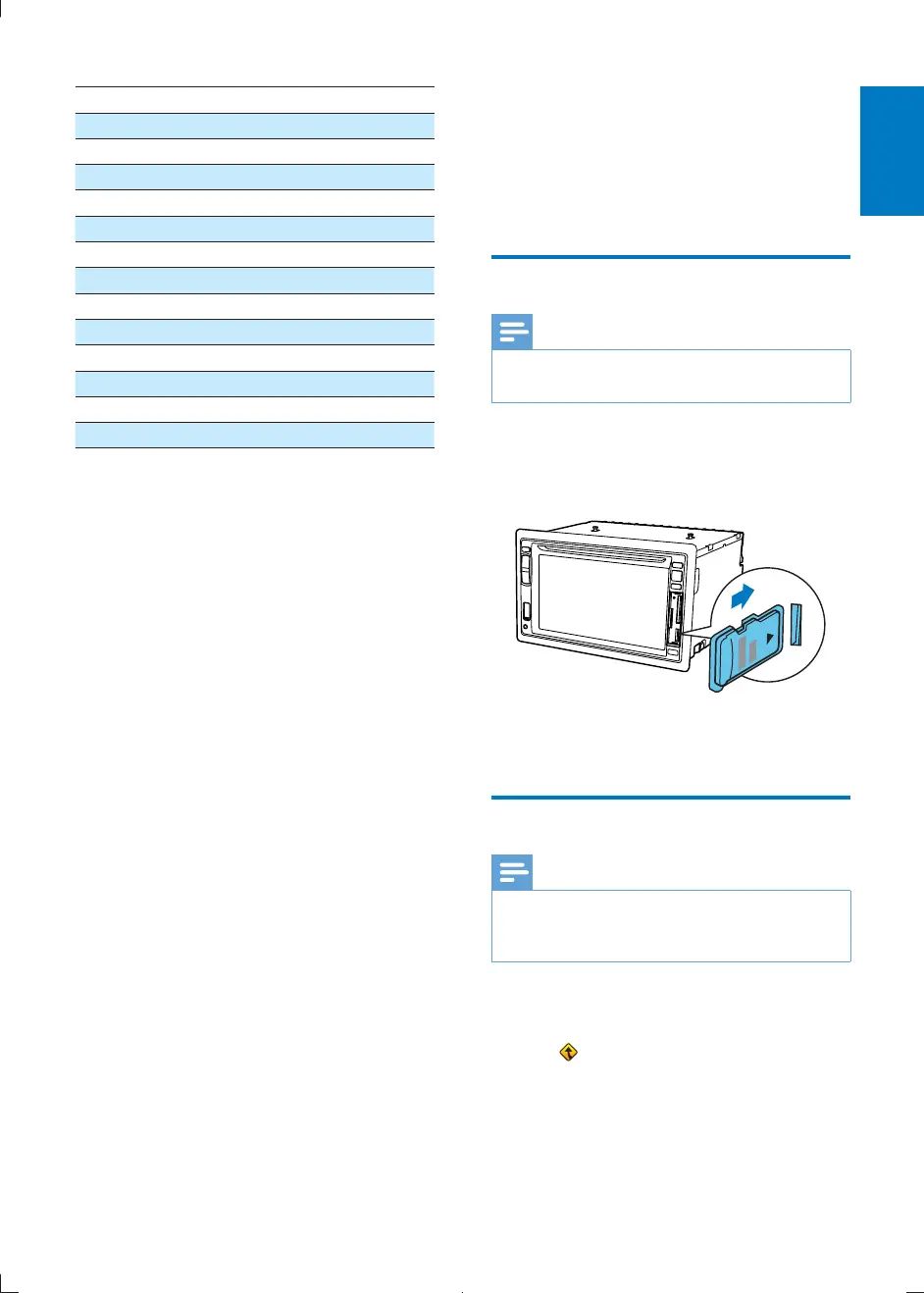
Insert map card
Note
Navigation map card is not included in the packaging of
the car entertainment system.
1 Open the card door.
2 Insert the map card into the map card slot.
3 Close the card door.
Use map
Note
You might need to upgrade the navigation map (sold
separately) before using it. See "Upgrade the map"
section
1 Tap the upper left corner to display main
menu.
2 Tap .
» The navigation menu is displayed in a
few seconds.
CID2780_98_UM_V1.1.indb 21 2012/3/19 10:43:07



 To Next Page