32 EN
[Disc
menu]
[English]
Select DVD menu
language. Options
available depends on
the DVD.
[
ኘ
ˊஔ
]
[
ጆ
ˊஔ
]
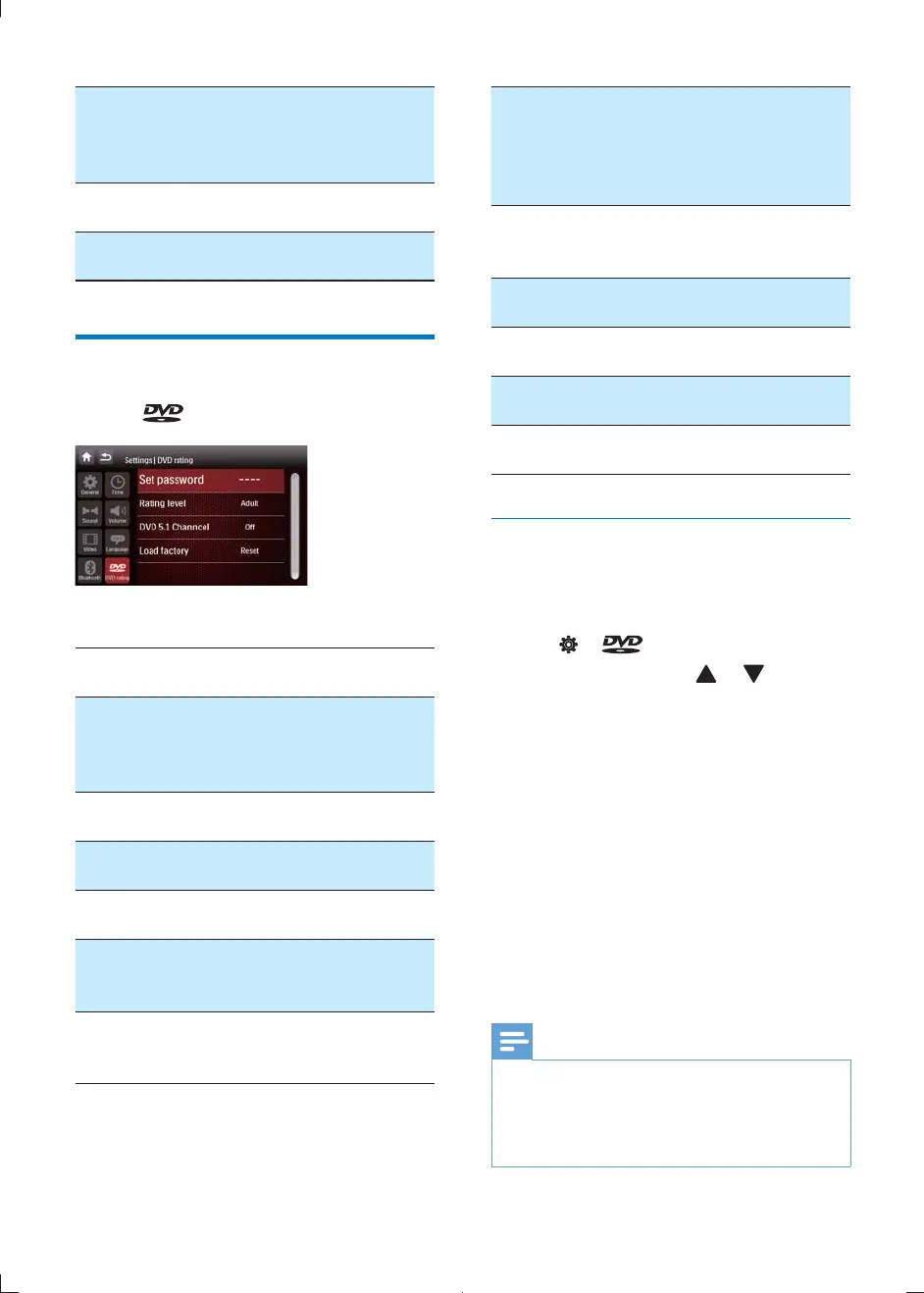
Adjust DVD rating
1 Tap .
2 Tap a a setting to make an adjustment.
DVD
rating
Options Description
[Set
password]
Set password to
restrict access. The
default password is
0000.
[Rating
level]
[Kid safe] Acceptable for
children.
[G] Acceptable for
general viewers.
[PG] Parental guidance
suggested.
[PG-13] Unsuitable for
children under age
13.
[PG-R] Parental guidance is
advised for children
under 17.
[R]
Restricted. Shouldn't
be viewed by
children under 17
without parental
consent.
[NC-17]
Unsuitable for
children under age
17.
[Adult]
Acceptable for adults
only.
[DVD 5.1
Channel]
[On]
Turn on DVD 5.1
channel.
[Off]
Disable DVD 5.1
channel.
[Load
factory]
Restore to default
settings.
Restrict access
You can restrict disc access to children or play
alternate scenes. Once you selected an access
level, discs with higher levels cannot be played.
1 Tap > .
2 Tap [Rating level] and or to select
level.
3 Tap [Set password].
» Password setup menu is displayed.
4 Enter your password and tap [OK]
» A lock symbol is displayed.
Once password is set, the rating level can't be
changed.
To change rating level:
Tap [Set password] and enter correct
password.
» The lock symbol disappear. Now you
can change rating level.
Note
The ratings are country-dependent. To allow all discs to
play, select '8'.
Some discs have ratings printed on them but are not
recorded with ratings. This function has no effect on
such discs.
CID2780_98_UM_V1.1.indb 32 2012/3/19 10:43:18



 To Next Page