22
Before You Begin Recording
This section explains the initial camera adjustments and basic camera operations.
Adjusting the Date and Time
The camera records the date and time of every image that is recorded. You should set the
correct date and time when you first begin using your camera, as well as when you travel
to a different time zone.
Note:
• Enter the date in following order: year/month/day.
• The camera uses a 24-hour clock, where 00:00 indicates midnight and 12:00 indicates noon.
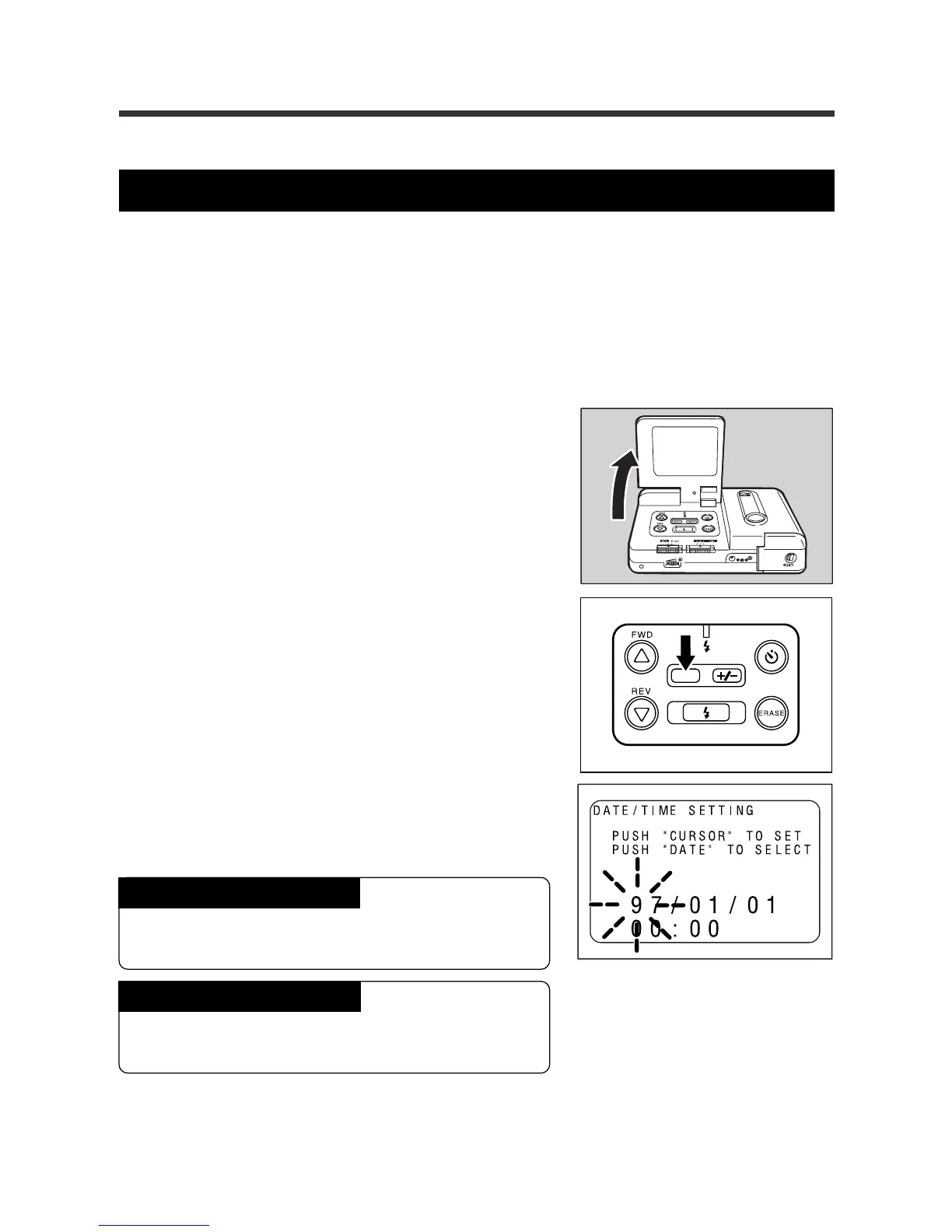
q Open the LCD monitor.
Note:
The REC(ord)/PLAY switch can be set to either REC
or PLAY.
w Press and hold the DATE button for more
than two seconds.
e Press the
UU
UU
U button or the
TT
TT
T button to
change the flashing number (the year, for
example).
To increase the number
Press the U button. Press and hold the button to
rapidly increase the number.
To decrease the number
Press the T button. Press and hold the button to
decrease the numbers rapidly.














 To Next Page