56
Changing a Camera Setting
You may change the camera setting to “Auto Power Off”, “Energy Saving” or “Power-Off
memory” according to the usage.
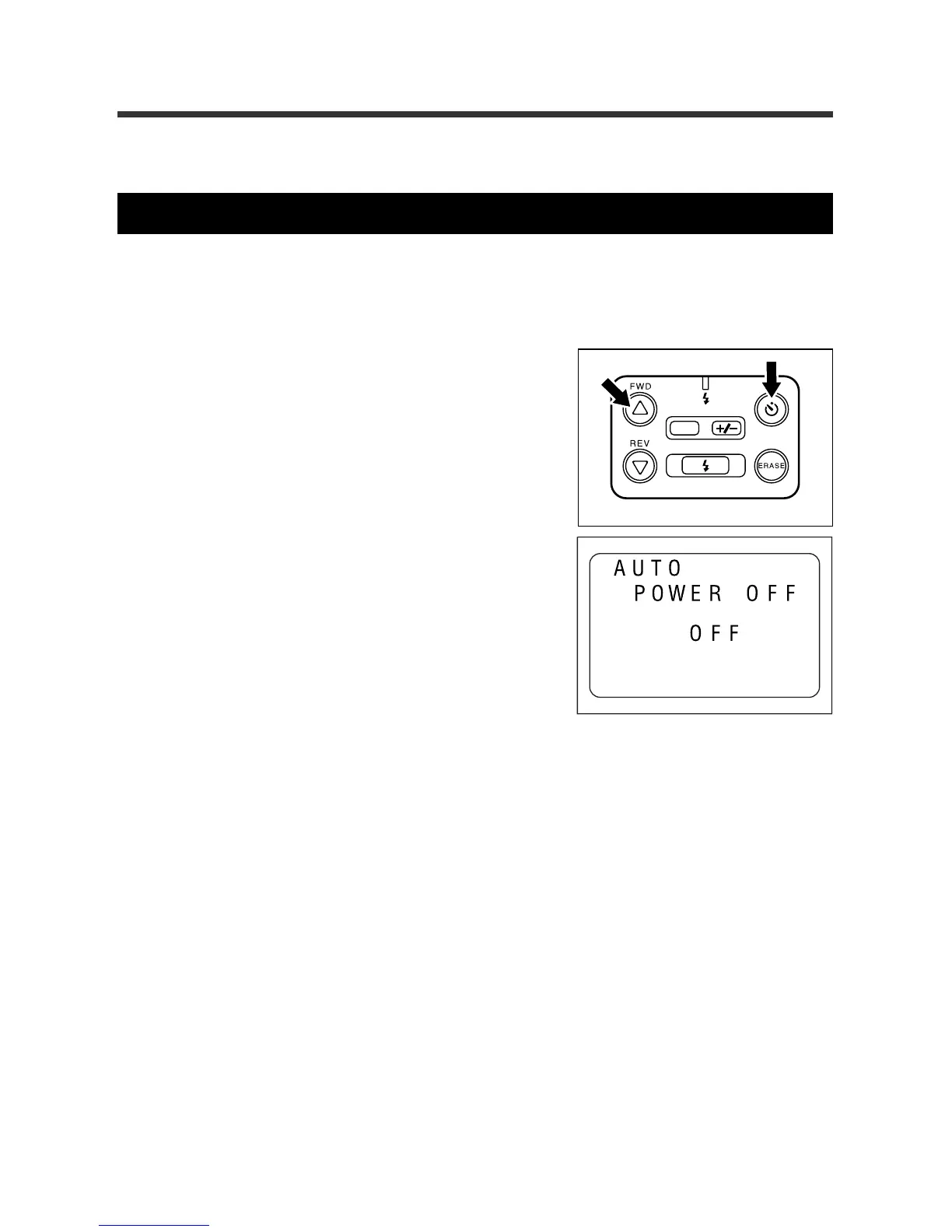
Setting the Auto Power Off mode
If no buttons or switches are operated for five minutes, the Auto Power Off function turns
off the main power in order to conserve power.
q Press the SELF TIMER button while press-
ing the
UU
UU
U button.
The REC(ord)/PLAY switch can be set to either
REC or PLAY. Auto Power Off is enabled.
w Within three seconds, press the
UU
UU
U or
TT
TT
T
button to turn off the function.
Within three seconds, the Auto Power Off will be
disabled.
Note
:
When the Auto Power Off feature turns off the LCD
monitor, you may turn on the LCD monitor by these
methods: close and reopen the LCD monitor, slide
the REC(ord)/PLAY switch, or press the Release but-
ton for one second or more.
DATE














 To Next Page