7
Basic Operation • Quick Reference
This section describes the basic operations. Refer to the additional pages for further
details.
Preparations
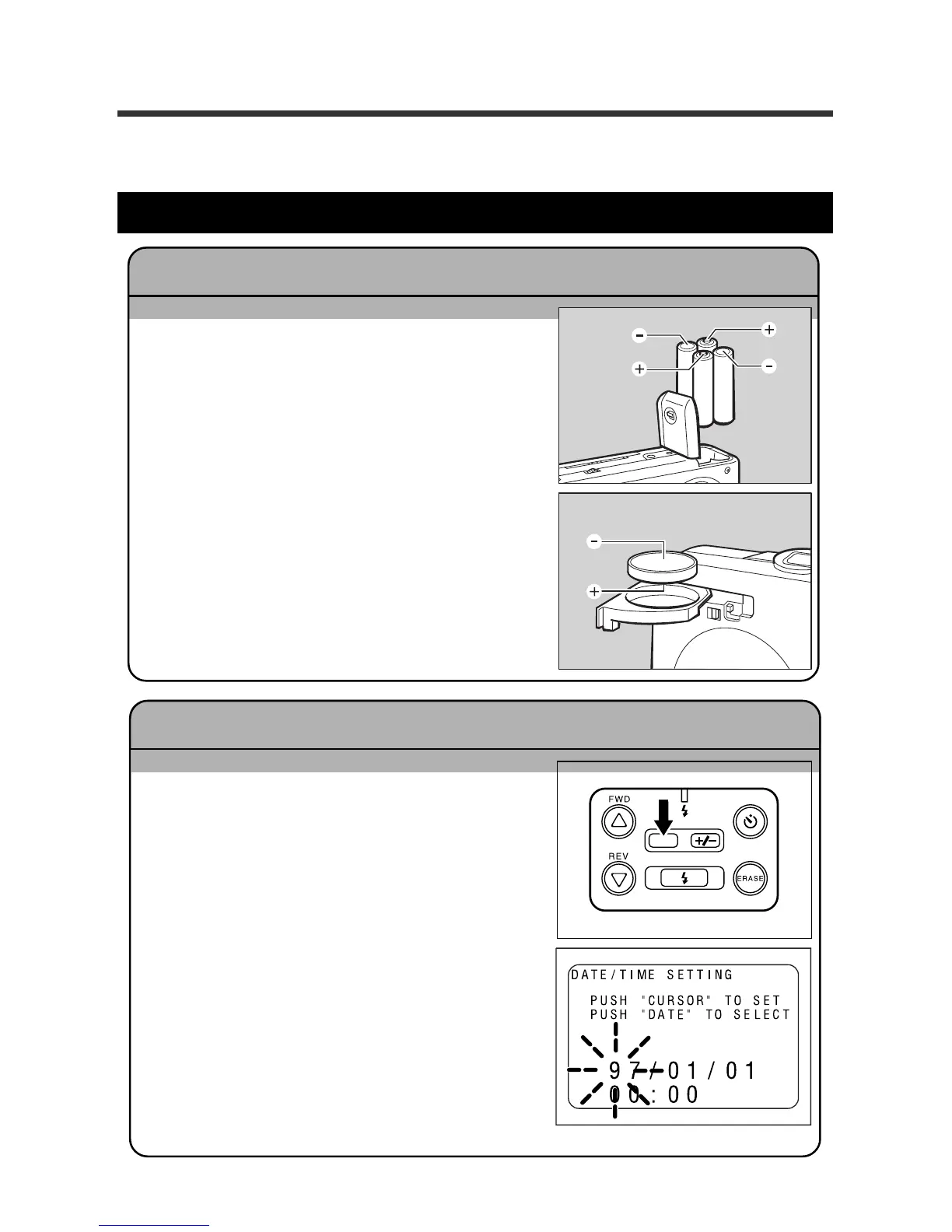
q Insert the batteries.
* When using the AC adaptor, connect the AC
adaptor to the camera, then connect the
adaptor to the wall outlet. See pages 19 -
20.
q Open the LCD monitor.
w Press and hold the DATE button for more than
two seconds.
e Press the FWD U button or the REV T button
to change the information.
Each time the DATE button is pressed, the next
position starts flashing.
* Press the DATE button repeatedly to set (in
order) the year, month, date, hour, and minute.
When the selected date or time area is flash-
ing, press the U button or the T button to set
the correct numbers.
r Start the clock.
When the information is correct, press the DATE
button again to start the clock.
Setting the Date and Time Pages 22 - 23
Inserting the batteries Pages 17 - 21
DATE














 To Next Page