EasyManua.ls Logo

Philips GC 8930 - User Manual

Philips GC 8930
37 pages
Print Icon
To Next Page IconTo Next Page
Loading...
Published by Philips Consumer Lifestyle 1 | P a g e For internal use only
Document No. : CSW-07-081-18111
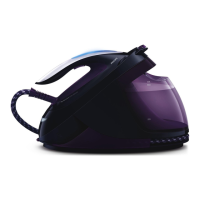
PERFECT CARE EXPERT PLUS
STEAM GENERATOR
GC 8930
GC 8940
GC8942
GC8950
GC8952
GC 8960
GC 8962
GC 4541
GC 4564

Questions and Answers

  • J
    Jasmin NicholsAug 18, 2025
    What to do if my Philips Iron is leaking water?
    • M
      Martha NolanAug 19, 2025
      If you notice water leaking from your Philips Iron, it could be due to a connection issue within the water path. Try reconnecting and retesting the iron. Other potential causes include a faulty inlet coupling seal, a damaged inlet coupling assembly, a problem with the water tank assembly, the soleplate assembly, or the boiler assembly. Consider changing these parts.
  • J
    James LongAug 21, 2025
    Why is the empty tank LED always blinking on my Philips GC 8930?
    • K
      kevinharrisonAug 21, 2025
      If the Empty Tank LED is always blinking on your Philips Iron, it could be due to a faulty Water Tank Assy or Hall Sensor Assy. Consider replacing these parts.
  • T
    Terri KellyAug 23, 2025
    How to stop water from leaking from the De-Calc area of my Philips Iron?
    • J
      Jeffrey WallaceAug 23, 2025
      If your Philips Iron is leaking water from the De-Calc area, first ensure the Rinse Cap Assy is properly engaged. Tighten and retest it. If the leaking continues, the Rinse Cap Assy or the Rinse Bush Assy may need to be replaced.
  • X
    xedwardsAug 26, 2025
    How to fix a jammed lock on a Philips GC 8930?
    • T
      Tricia FranklinAug 26, 2025
      If the lock on your Philips Iron is jammed, the issue might be with the Front Lock Bracket Assy or the Front Lock Slider Assy. Consider replacing these parts.
  • T
    Todd Cameron DDSAug 28, 2025
    How to fix a Philips Iron when the LED does not light up?
    • W
      William JonesAug 28, 2025
      If the Iron LED on your Philips Iron does not light up, the issue could stem from the Hose Cord Assy wiring. Try to reconnect and retest. If that doesn't work, the problem might be with the Iron LED Assy or the Hose Cord Assy itself. Another possible cause is a problem with the Power PCBA. In such cases, consider replacing the affected components.
  • H
    Heather HillAug 30, 2025
    What to do if the steam trigger is not detected on my Philips GC 8930 Iron?
    • S
      Sandra PopeAug 30, 2025
      If pressing the steam trigger on your Philips Iron doesn't seem to be detected, start by checking the Hose cord Assy connection; reconnect and retest it. If the issue persists, the Iron LED Assy, the Hose Cord Assy, the E-Valve, or the Trigger might be faulty and need replacement. Another potential cause could be a problem with the Power PCBA, which would also require replacement.
  • R
    Ryan MendozaSep 1, 2025
    Why does the Philips Iron heater power not meet expectations?
    • T
      Thomas BrooksSep 1, 2025
      If the iron heater power does not meet expectations in your Philips Iron, it could be because the iron is too hot. Allow it to cool down and then retest. Alternatively, there might be an issue with the Soleplate Assy or the PCBA. Consider replacing these components.
  • D
    Danielle ButlerSep 3, 2025
    What causes the boiler heater power to not meet requirements in a Philips Iron?
    • S
      Stephen DiazSep 4, 2025
      If the boiler heater power is insufficient in your Philips Iron, ensure the boiler isn't overheating; let it cool down before retesting. If the problem continues, the Boiler Assy might be the issue and you should change Boiler Assy & Inox Clamp. Alternatively, the PCBA could be the cause.
  • G
    Gregory Knox DVMSep 6, 2025
    What causes a boiler temperature sensing circuit error in a Philips GC 8930 Iron?
    • P
      padillamadisonSep 6, 2025
      If you're encountering a boiler temperature sensing circuit error with your Philips Iron, first check the connection and reconnect and retest. If the error persists, it could be due to a faulty Boiler Assy, which means you should change Boiler Assy & Inox Clamp, or a problem with the Power PCBA.
  • M
    mullinsjohnSep 8, 2025
    What to do if my Philips GC 8930 Iron shows an iron temperature sensing circuit error?
    • C
      Carla MatthewsSep 8, 2025
      If you're experiencing an iron temperature sensing circuit error with your Philips Iron, begin by checking the connection and reconnect and retest. If the error continues, the Power PCBA might be the cause.

Summary

Important Repair Instructions

Soleplate Temperature Check

Verify soleplate temperature meets IEC requirements at maximum setting.

Leakage Current and Functionality Tests

Perform leakage current checks and verify product functionality post-repair.

Self-Check and Factory Mode Test

Procedures for self-checks and resetting to Factory Mode Test.

Self Check Mode Process Details

Detailed process and technician actions for executing self-check mode.

Product Information

Product Model Matrix

Table listing specifications for different product models.

Features and Functionalities Overview

Detailed overview of product features and functionalities.

Wiring Diagrams

Schematics illustrating the internal wiring of the iron and stand units.

Troubleshooting Guide

Common Problems and Solutions

Lists common issues, their root causes, and recommended solutions.

LED Blinking Error Signal Interpretation

Interprets LED blinking patterns for error signals and system status.

Disassembly Instructions

Iron Disassembly

Steps for removing screws, LEDs, trigger, chassis, and hose cord from the iron.

Stand Disassembly

Steps for removing water tank, screws, tray, rinse parts, hoses, and PCBA from the stand.

Stand Disassembly Continued

Steps for removing screws, spacers, boiler, inlet coupling, and mainscord from the stand.

Lock Assy Disassembly

Steps for lifting and removing the spring and lock assembly.

Reassembly Instructions

Iron Reassembly

Steps for reassembling rubber bung, hose cord, screws, mica washer, and wiring.

Iron Reassembly Continued

Steps for assembling rubber support, wiring, LED Assy, inlay, and final screws.

Stand Reassembly

Steps for assembling cord clamp, mainscord, pump, boiler, wiring, and hoses.

Stand Reassembly Continued

Steps for connecting hoses, assembling spacers, PCBA, inlet coupling, and lock components.

Stand Final Reassembly

Steps for assembling tray, rinse parts, and water tank.

Special Reassembly Procedures

Instructions for crimping INOX clamp, replacing electrovalve, and PCBA/pump.

Service Parts Information

Part Number Listing

Comprehensive list of service parts and their corresponding part numbers by region.

Iron Exploded View and Parts

Exploded diagram of the iron showing parts and assembly.

Stand Exploded View and Parts

Exploded diagram of the stand showing parts and assembly.

Document Revision History

Revision Log

Log of changes, updates, and new versions of the service manual.

Philips GC 8930 Specifications

General IconGeneral
BrandPhilips
ModelGC 8930
CategoryIron
LanguageEnglish

Related product manuals