MOLTIO 05 SERVICE MODE
2/13
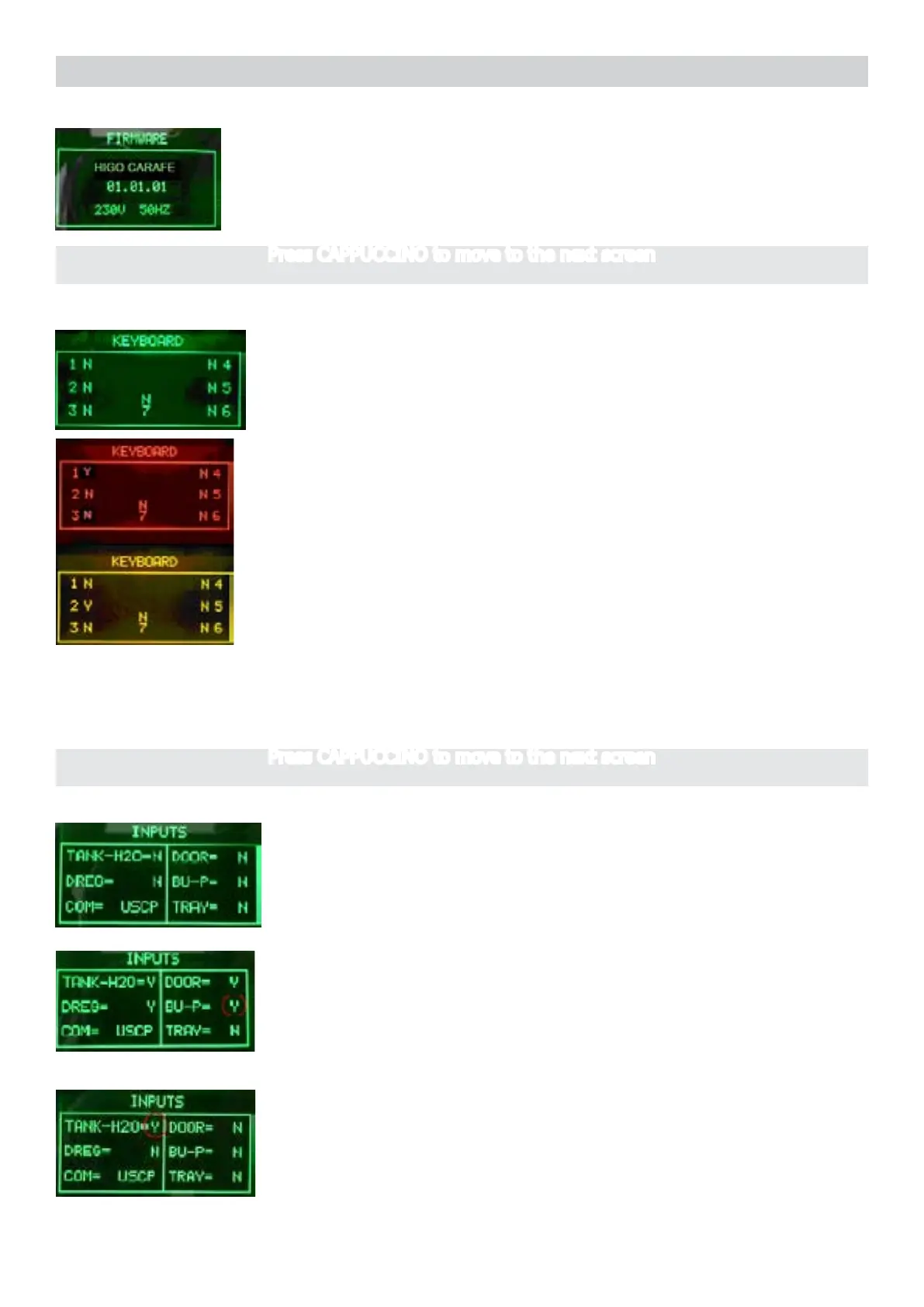
Firmware Software version
Firmware version on the display.
The machine model is shown (Higo Carafe).
The voltage of the main supply “230V/120V”
The frequency of the main supply is shown (50 or 60 Hz)
Press buttons from 1 to 6
When a button is pressed the letter next to it varies from N to Y.
Pressing button 1 the backlight color changes from GREEN to RED.
Pressing button 2 the backlight color changes from GREEN to YELLOW.
The button 4 is pressed at the end because it takes you to the next page
ERROR:
The letters do not change from Y or N and Y are always, in this case need to check the at cabe
communication with the CPU-Power, but if it does not change color also need to check the wiring
JP4.
Start condition
Start condition
Operationalcheck–keys
Press CAPPUCCINO to move to the next screen
Press CAPPUCCINO to move to the next screen
InsertafullWaterTank
The indication TANK-H20 changes from “N” to “Y”.
NOTE: the switching from “N” to “Y” requires about 1-2 seconds.
ERROR: The indication TANK-H2O doesn’t change; check the
capacitive sensor (xing) and the wiring (JP23)
Insert the BrewUnit
The indications BU-P changes from “N” to “Y”.
NOTE: removing the BrewUnit the indication from “Y” to “N” requires
about 2-3 seconds to switch.
ERROR: Check the BU presence Microswitch and the wiring (JP16).
Operationalcheckmicroswitchesandsensors




 To Next Page