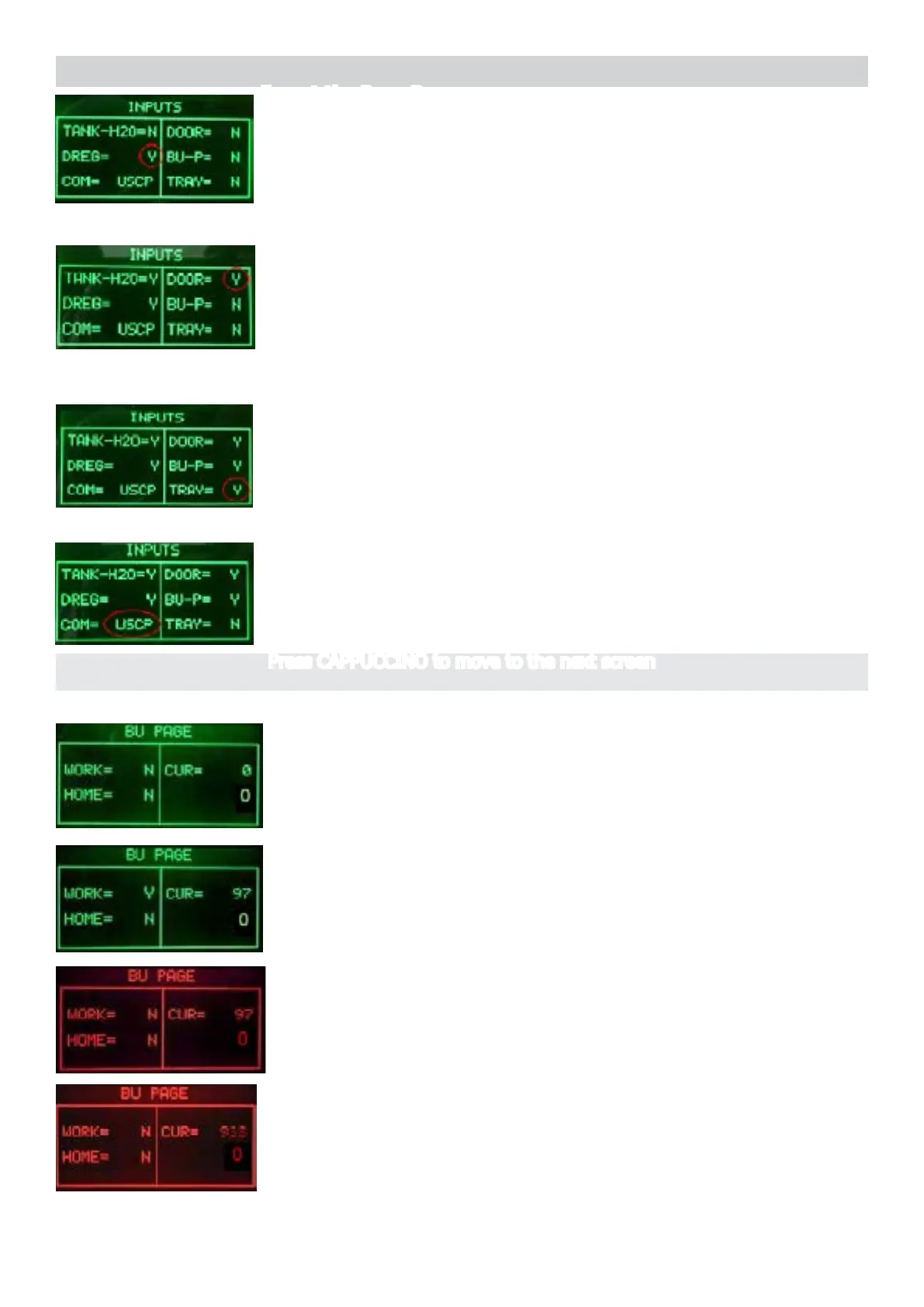
MOLTIO 05 SERVICE MODE
3/13
Start condition
Press CAPPUCCINO to move to the next screen
Insert the drip tray.
The indication TRAY change from “N” to “Y”
ERROR: The indication TRAY does not change; check the Microswitch
for the door and the wiring (JP14). NOTE: Check if the drip tray is cor-
rectly inserted
The indicatin COM must remain on USCP
Close the Door (the Dreg Drawer should be inserted)
The indication DOOR change from “N” to “Y”
ERROR: The indication DOOR does not change; check the
Microswitch for the door and the wiring (JP14).
NOTE: without the Dreg Drawer correctly inserted the DOOR indication
cannot change !
Insert the Dreg Drawer
The indication DREG change from “N” to “Y”
ERROR: The indication DREG does not change; check the
Microswitch for the DREG and the wiring (JP16).
Operationalcheck–brewingunit
PresstheESPRESSObuttontomovetheBUtoWork
When the BU reaches the work position the indication WORK
changes from “N” to “Y”, the number of the current is minus than
200mA (without BU) or 300mA (with BU).
ERROR: The indication WORK doesn’t change and remain “N”, the
display backlight changes from green to red; Check the work
microswitch (broken?), the BU motor (blocked?) and the wiring (JP16)
and (JP14)
ERROR: (Without BU) The absorbed current is more than
200mA,
the display backlight changes from green to red; check the BU and
the motor.




 To Next Page