General information
DYou can switch on with the STOP h button, the
0-9 buttons or by putting in a cassette.
DIf you do not use the videorecorder for a few
minutes, it willswitch to standbyautomatically.
Please read the section’Automatic switch-off(tuner
mode)’ in chapter ADDITIONALFUNCTIONS.
DIf you have switched the videorecorder off withthe
TV/STANDBYm button, the time will show inthe
display, for instance, ’18:00’.
If the clock hasnot been set, ’--:--’ willappear.
DKeep your video recorder connected tothe mains at
all times to ensurethat programmed recordingscan
be made and that the televisionworks normally.
DWhen the video recorder is notplugged into the
mains, it willusually store TV channelsfor a year,
and date and timer informationfor seven hours.
Saving energy
There are two waysto switch to standby.
Switching to standbywith clock display:Switch to standby
using the TV/STANDBYm button. The time will be displayed.
To save energy: Pressthe TV/STANDBYm button twice. The
time will disappearfrom the display.
Emergency interrupt
You can use the TV/STANDBYm button on the video recorder
or the remote controlto interrupt any function.
So if you are havingoperating problems, you canjust interrupt
the function and startagain.
And you can practise operatingyour set withoutany worries.
No matter which buttonsyou press, youcannot damage it.
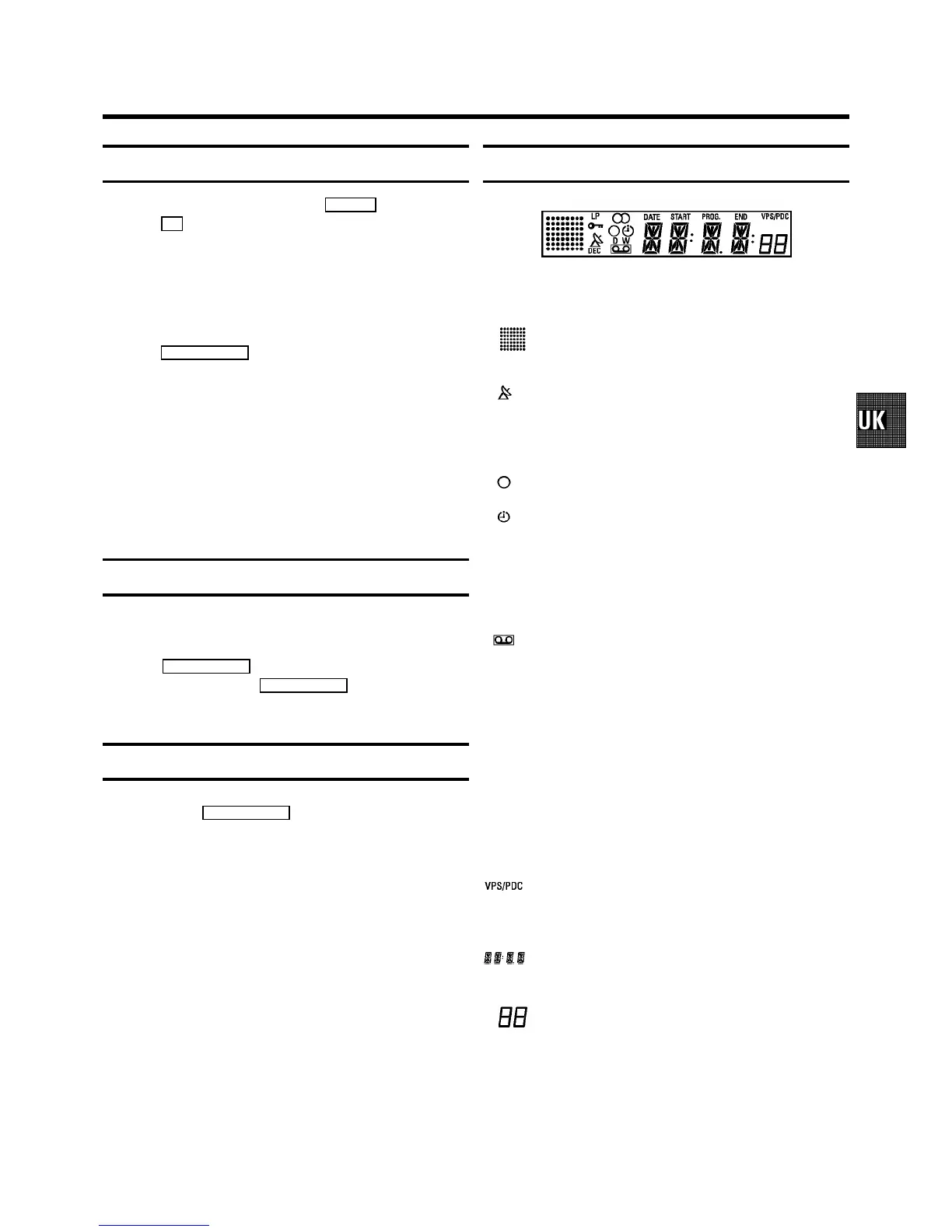
The symbols on your video recorder display
These symbols can lightup on your video recorderdisplay:
This is where thecurrent operating mode isshown
as a symbol.
When a satellite recordinghas been programmed.
DEC When a decoder has been allocatedto the TV
channel you have currentlyselected.
When you are recordinga progamme.
When you have programmeda recording or when a
programmed recording isbeing made.
D When you have programmeddaily recordings.
W When you have programmed weeklyrecordings.
When you have put a cassettein the video recorder.
DATE When the date of the programmed recordingis
shown.
START When the start time of the programmedrecording is
shown.
PROG. When the programme numberof the programmed
recording is shown.
END When the end time ofthe programmed recording is
shown.
Video programming system/ programme delivery
control: when a VPS orPDC code is being
transmitted.
Display of programmenumber / tape position/
channel name / function.
Tape position in seconds,but only if the display
mode ’LINEAR COUNTER’ has been selected.
3. IMPORTANT NOTES FOR OPERATION
11



 To Next Page