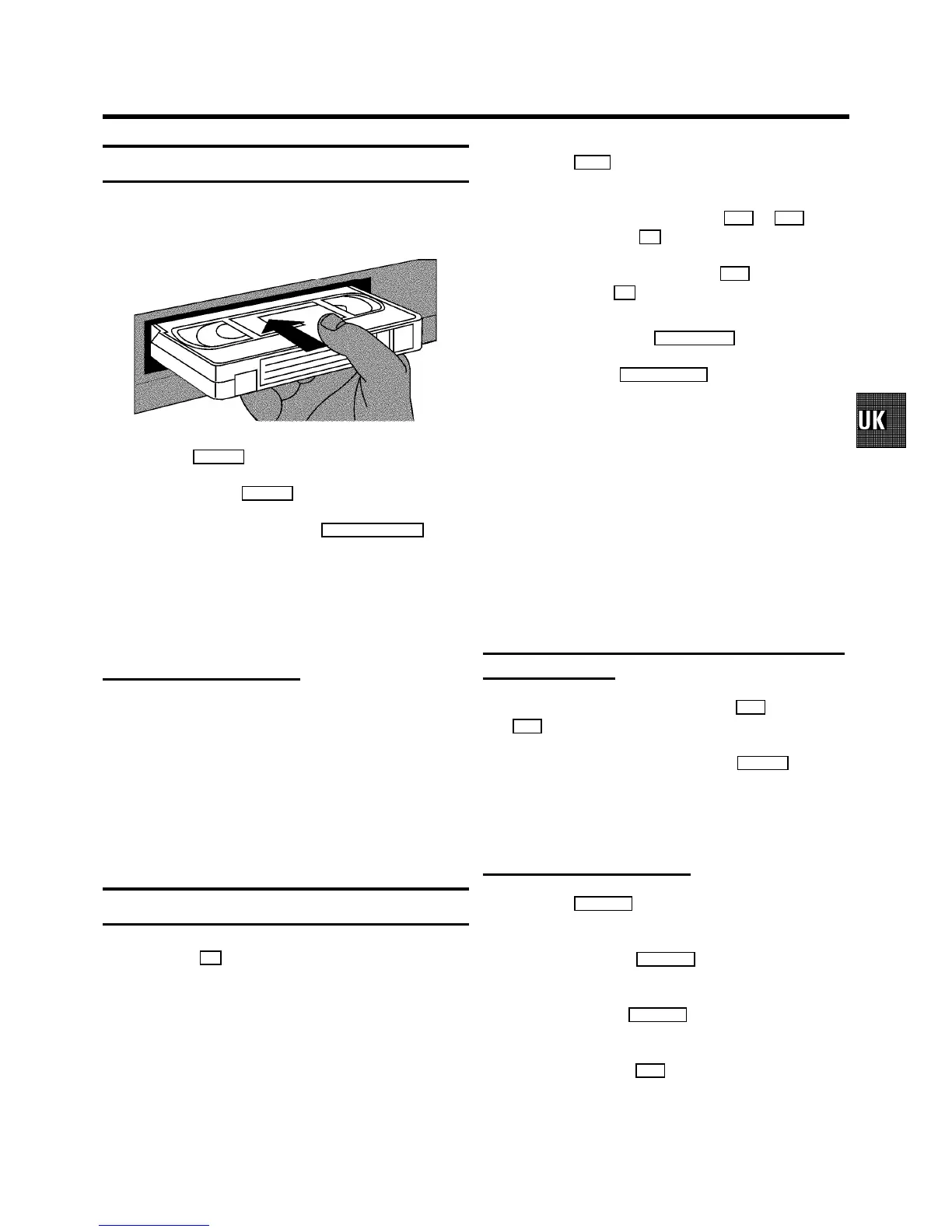
Playing a cassette
a Put a cassette intothe cassette slot.’v’ will appear on
the display.
b Press the PLAY G button.
c To stop, press the STOP h button.
d To eject the cassette,press the STOP/EJECT ? button
on the video recorder.
DSome functions switch offautomatically after a
while (for example,pause, still picture,picture
search). This helpsto protect the cassetteand
avoids wasting power.
Playing NTSC cassettes
With this setyou can playback cassettesthat have been
recorded on another video recorderin the NTSC standard (for
example, American cassettes).But this only works for
PAL-televisionsets which are suitablefor a picture frequency
of 60 Hz.
DSome special features (forexample, still picture)are
not possible whileyou are playing an NTSC
cassette.
Tape position indication
By pressing the OK button, you can showthe present tape
position on the TV screen.
If you want to seethe tape position, youcan select ’LINEAR
COUNTER’ (to show the presentposition on the tape in hours,
minutes and seconds)or ’TIME LEFT’.
DWhen you play an NTSC cassette,the video
recorder will onlyshow ’LINEAR COUNTER’.
a Switch on the TV set.If required, selectthe programme
number for the videorecorder.
b Press the MENU button on the remote control. Themain
menu will appear.
c Select the line ’COUNTER’ withthe P q or P r button
and confirm with the OK button.
d Select the type ofcounter with the P q button and
confirm with the OK button.
DTo reset the tape position ’LINEAR COUNTER’to
’0:00:00’,press the CLEAR (CL), y button.
e To end, press the TV/STANDBYm button.
DThis video recorder will automaticallyrecognise the
length of the tape.
DWhen you put a cassette inthe video recorder and
you want to see ’TIME LEFT’,the video recorder
must firstcalculate the time played.Therefore, ’-:--’
appears first andonly after the tape hasbeen
running for a few secondsthe playing time willbe
shown.
DIf the video recorder does notfind a recording at a
certain tape positionwith ’LINEAR COUNTER’
switched on, the counterwill stop.
Searching for tape positionwith the picture
(picture search)
a While a cassetteis playing, pressthe [ (reverse) or
I (forward) button once or severaltimes.
b To stop at a certainpicture, press the PLAY G button.
DDuring picture search, the picturequality may not be
so good and there willbe no sound.
Still picture/Slowmotion
a Press the STILL R button. A still picture willappear on
the screen.
b Each time you press STILL R again, the picture will
move on one step.
c When you hold the STILL R button, the tape will be
played in slow motion.
d When you press the I button several times, you have
a choice of several playbackspeeds.
During slow motionthere will be no sound.
4. PLAYBACK FUNCTIONS
13



 To Next Page