How to connect your video recorder to the
TV set
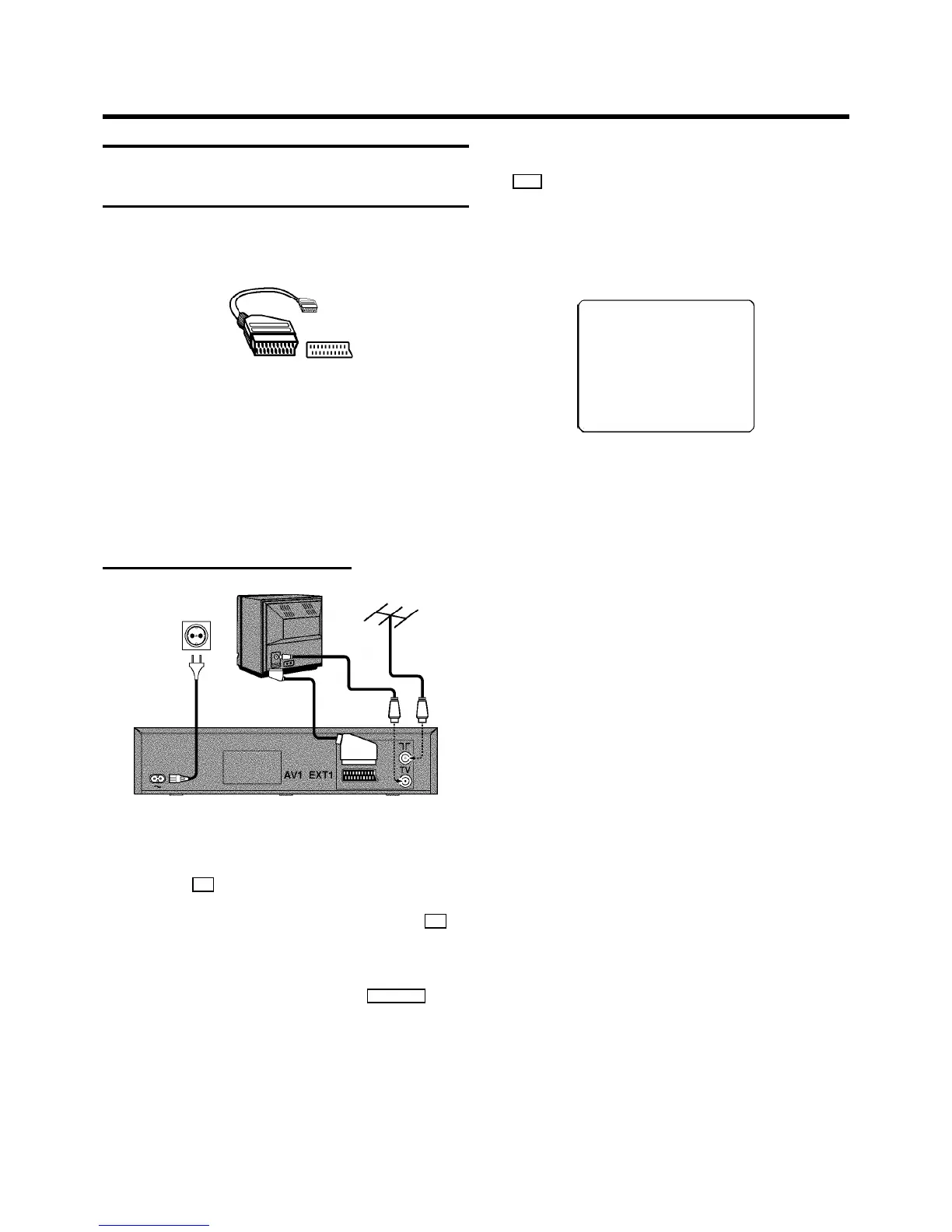
We recommend the use ofa scart cable. This willgive you the
best picture and soundquality.
When you installyour video recorder forthe first time,please
read:
E Ifyour TV set has a scartsocket and you are using a
scart cable, please readthe section ’Connecting witha
scart cable’.
E The section’Connecting without a scart cable’, when you
don’t use a scartcable.
Connecting with a scart cable
a Switch off the TV set.
b Remove the aerial cableplug from your TV setand insert
it into the 2 socket at the back of the videorecorder.
c Plug one end of the aerialcable provided into the 3
socket on the videorecorder and the other end intothe
aerial input socketon your TV set.
d Plug one end of the scartcable into the EXT.1AV 1 scart
socket at the backof the video recorder and theother
end into the scart socketon your TV set (see instruction
manual TV set).
e Switch on the TV set.
f Insert one end of themains cable into the mainssocket
4 at the back of the videorecorder and the other end
into the wall socket.
g When your TV setautomatically switchesto programme
number e.g.: ’EXT’, ’0’,or ’AV’, this text will appearon the
TV screen:
CONGRATULATIONS ON THE
PURCHASE OF YOUR NEW
PHILIPS VIDEO RECORDER
TO CONTINUE PRESS OK
DIf your TV set does notswitch to programme number
e.g.: ’EXT’, ’0’,or ’AV’ automatically,select the
programme number forthe video recorder manually
(see instructionmanual TV set).
h Then read ’Initial installation’in chapter ’INSTALLING
YOUR VIDEO RECORDER’.
1. HOW TO CONNECT YOUR VIDEO RECORDER
4



 To Next Page