Initial installation
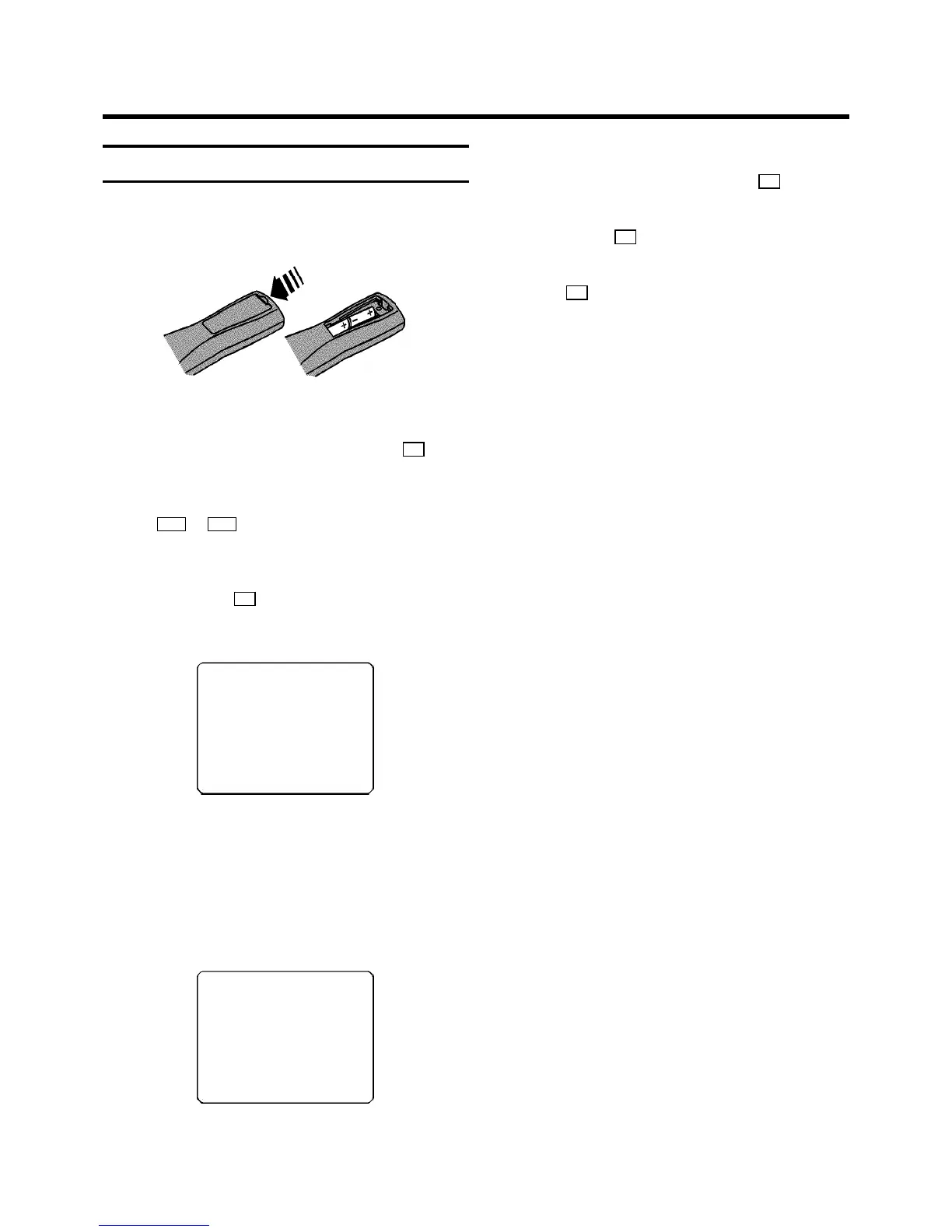
a Open up the battery compartmentof your remote control
and place the batteriesin it as shown in thepicture.
b Close the batterycompartment.
c Confirm the pictureon the TV screen with the OK button
on the remote control.
d Select the language for theon-screen display (OSD)with
the Pr or Pq button.
The display on the videorecorder will only showEnglish
text.
e Confirm with the OK button.
’Automatic TV channel search’starts. Thispicture will
appear on the screen:
SEARCH 00
Wait until all TVchannels have been found. This cantake
several minutes.
f When all TV channels havebeen found, ’READY’ will
appear on the TV screen.
E ’TIME’,’YEAR’, ’MONTH’, ’DATE’ willappear on the TV
screen.
TIME 20:00
YEAR 1999
MONTH 01
DATE 01
------------------------
-/+ 0-9 OK
g Check if the TIMEin line ’TIME’ is correct.If required,
change the time with thenumber buttons 0-9 on your
remote control.
h Confirm with the OK button.
i Check ’YEAR’, ’MONTH’ and ’DATE’. Confirmeach line
with the OK button.
j After you have confirmedthe line ’DATE, the video
recorder will switchto standby.
The initial installationis now complete.
DIf you have connected a decoder, youmust install it
as described in the nextsection.
DIf you have connected a satellitereceiver, please
read the section ’satellitereceiver’.
2. INSTALLING YOUR VIDEO RECORDER
6



 To Next Page