58 EN
7 Music mode
From the main interface, you can choose music mode with “
”or “ ” buttons, and then shortly press the MENU button to
enter; or in the voice mode, use the switch buttons to switch
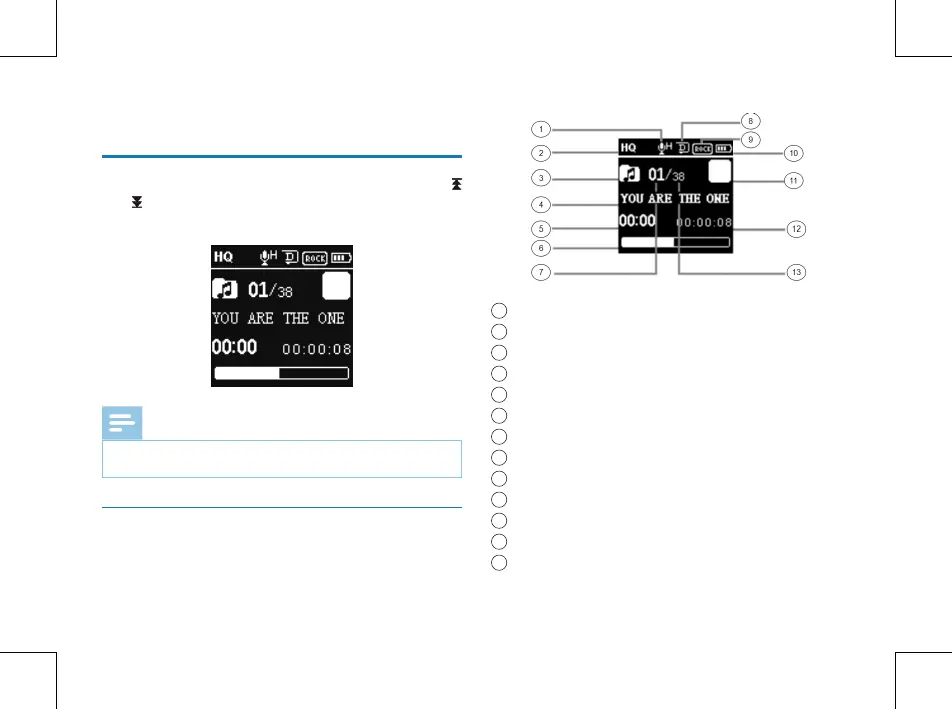
to the music folder. Music playback interface is as follows:
Note
music files can only be played when they are in “MUSIC”
folder.
Music playback Interface illustration
1
Mic gain
2
Record type
3
Music Folder
4
Current File Name
5
Current Time
6
Playback progress bar
7
Current file
8
Circulation Mode
9
EQ
10
Battery
11
Current Play State
12
Total Time
13
The total files















 To Next Page