64 EN
9 Wireless Microphone Mode
Select Wireless Mode on the main interface, press MENU to
enter. Make sure to switch wireless MIC on. There are two
built-in frequency channels available in the system. Please
set the device’s working channel and the working channel of
the wireless microphone to the same channel, for example:
if the device’s working channel is set at Channel 1, then
the wireless microphone’s working channel has to be set at
Channel 1 too. If the channels don’t match, the device cannot
record sound from the wireless microphone.
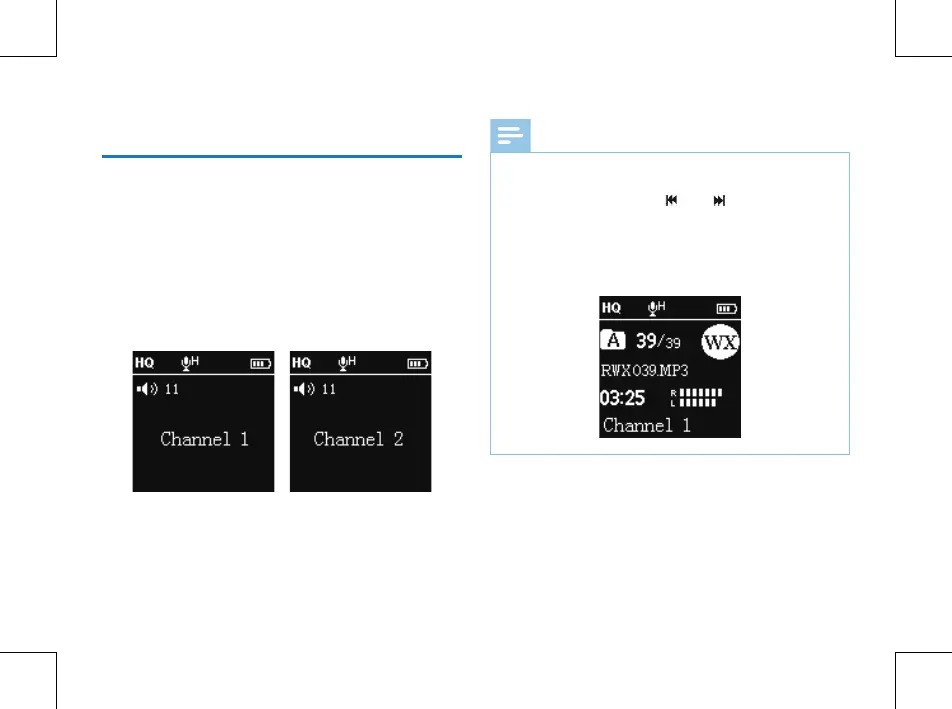
Wireless reception interface picture as follows:
Note
• please plug in the earphones. They allow radio reception.
Sound can only be heard in the earphones.
• On this interface, press “
” or “ ” to switch channel.
After the channel is set, press “PLAY” button to enter
recording mode through wireless reception. In order to
start wireless recording, the wireless microphone must
be working on the same channel with the device. See the
below interface picture of Wireless Mode:
The maximum working range of wireless recording is between
20 to 30 meters. Thus, the wireless recording within this
range is suggested, and please try to avoid any barriers that
may weaken the signal. If wireless recording works beyond
the reception range, or the wireless recording happens in
special occasions nearby radio frequency interference, large
sized working machines or substations are around, recordings















 To Next Page