62 EN
8 Radio Mode
From the main menu select Radio Mode, press MENU button
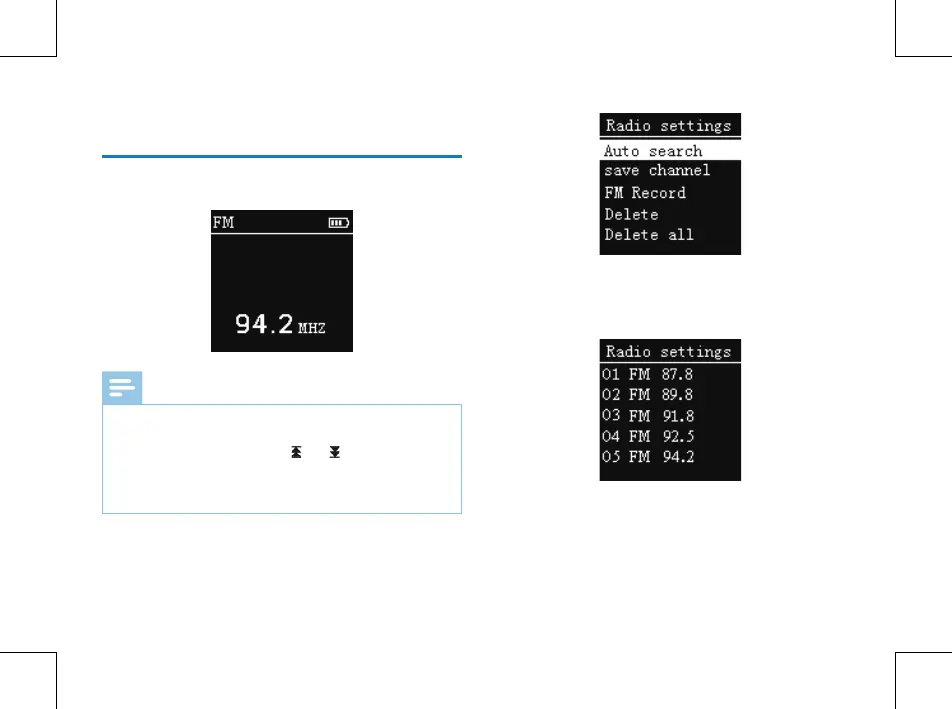
to enter. See the below picture of Radio Mode:
Note
• Please plug in the earphones. They allow radio reception.
Sound can only be heard in the earphones.
• In the Radio Mode, press“
”or“ ”button to choose
radio frequency
;
press MENU button to display the
following menu, including: Auto search, Save Channel, FM
record, Delete, Delete All.
After Auto Search is selected, the system automatically
searches radio channels. When a radio channel is found, the
channel will be saved automatically into radio channel list.
When the automatically channel search is completed, it
shows the interface as below:
You can choose Save Channel to save it. Choose Delete to
delete a current saved channel or Delete all saved channels.
The device can store 40 radio channels at most. After more
than one radio channel is stored, short press “PLAY” or
“STOP” to switch among saved radio channels in sequence.















 To Next Page