EN 53
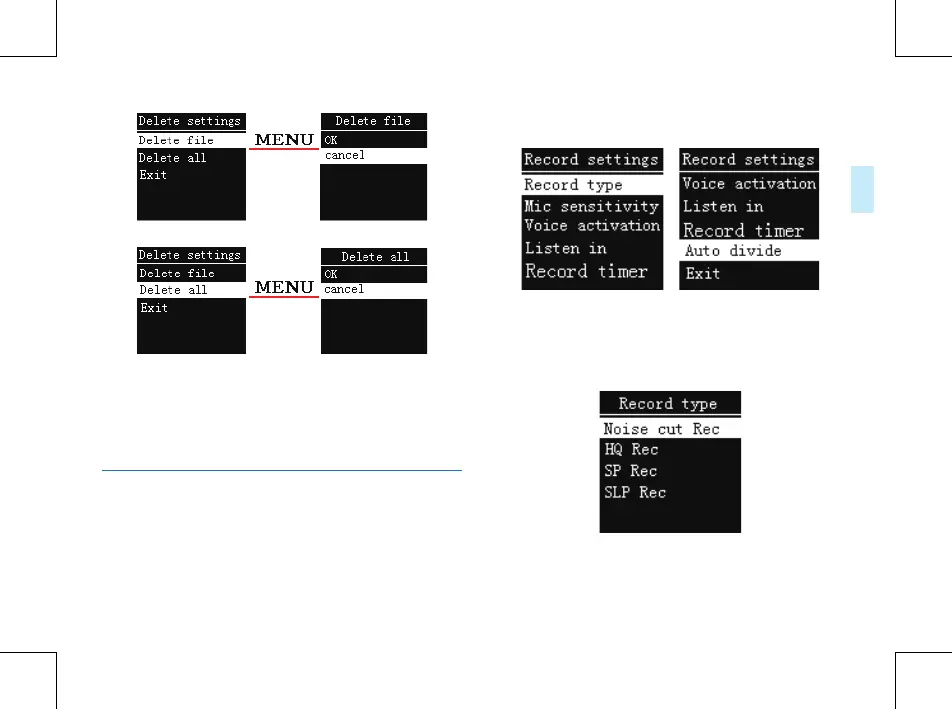
On the left side of the interface, press “+” or “-” button to
select individual or all files; on the right side of the interface,
press “+” and “-” to choose “ok” to confirm deletion, “cancel”
to keep file; press MENU button to execute.
Record Settings
You can change settings according to your preference.
On the stopped playing interface, shortly press the MENU
button to pop up Functions Menu, the functions include:
Record type, MIC sensitivity
,
Voice activation , Listen in,
Record timer, Auto divide. See the below related reference
pictures:
(1)Record type
From the Functions Menu select “Record type”, then press
MENU button to enter Record type Menu, in which there are
four Record types to select: NOISE CUT REC, HQ REC, SP
REC and SLP REC. See the below related reference pictures:
NOISE CUT REC
:
WAV format, bit rate: 384kbps.
HQ REC: MP3 format, bit rate: 128kbps.















 To Next Page