26
English
5. Basic functions
5.6.3 Incredible surround
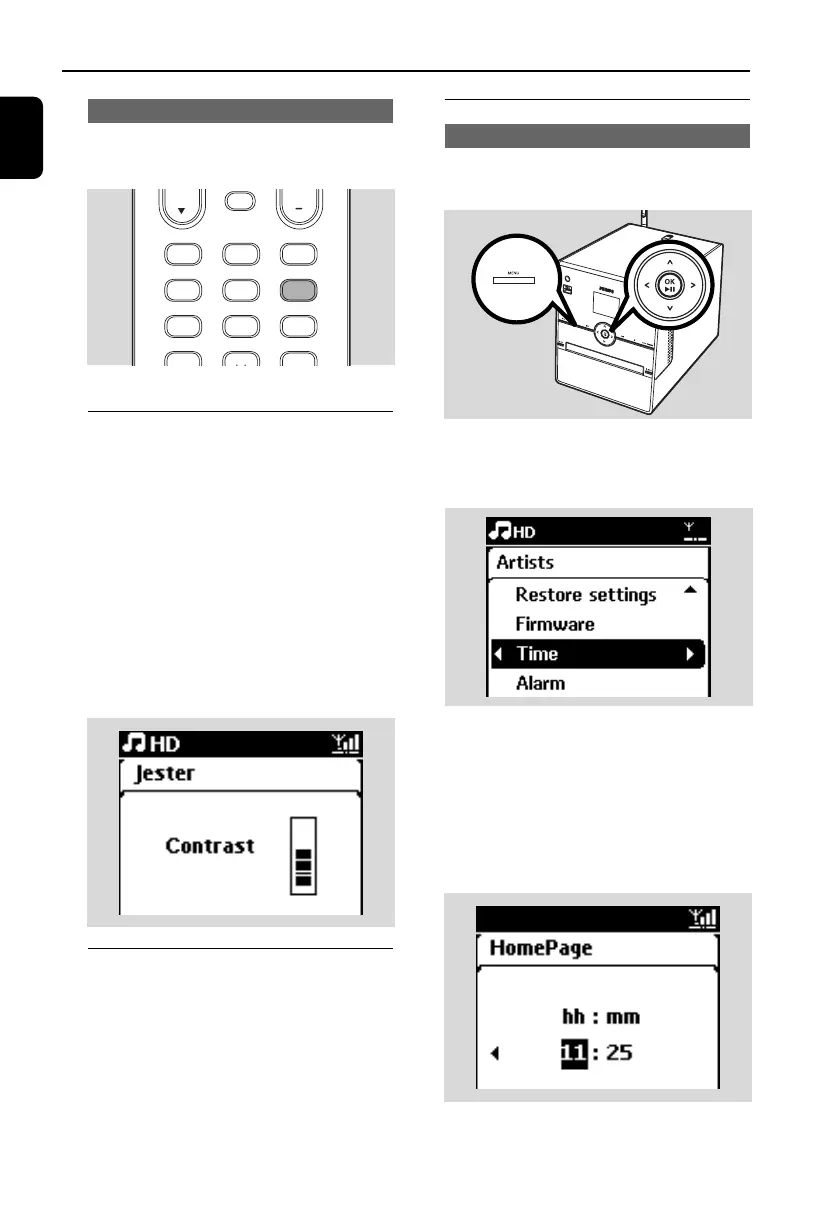
● Press INCR SURR on the remote control
once or more times to toggle the surround
sound effect on or off
➜ Display shows IS ON or IS OFF
5.7 Display adjustment
You can adjust the backlight and contrast
settings of the display.
1 Press MENU to enter the menu screen
2 Use the navigation controls 3 or 4 and 2 to
select Settings.
3 Press 3 or 4 and 2 to select Display
4 Press 1 / 2 / 3 / 4 to select your option:
Backlight
Press 3 or 4 and 2 to select On or Off
Contrast:
Press 3 or 4 to increase or reduce the
contrast
5.8 Selecting languages
1 Press MENU to enter the menu screen
2 Use the navigation controls 3 or 4 and 2 to
select Settings
3 Press 3 or 4 and 2 to select Language
4 Press 3 or 4 and 2 to select from:
English, Français, Español, Nederlands,
Italiano or Deutsch.
5.9 Clock
5.9.1 Setting clock
The time can be displayed in 24-hour or 12-
hour format.You can set up your clock on the
Center.
1 Press MENU to enter the menu screen.
2 Use the navigation controls 3 or 4 and 2 to
select Settings followed by Time
3 To set clock time,
a. Press the navigation controls 3, 4 and 2 to
select Set Time
➜ The display shows current clock setting
(00:00 by default)
b. Press the navigation controls 3, 4 or
Numeric Keypad (0-9) repeatedly to set the
hour followed by the minute.
c. Press OK/2; to confirm the clock setting.
MUSIC BROADCAST MUSIC FOLLOWS ME
MUTE
SLEEP
.,?!’@-_:;/
1
SMART EQ
ghi
4
DBB
jkl
5
INCR SURR
MNO
6
RDS/NEWS
wxyz
3
0
REPEAT
abc
2
SHUFLE
def
3
SAME ARTIST
pqrs
1
SAME GENRE
tuv
2
p1-67-wac3500_ifu_UK 2007.6.20 5:49 PM Page 26















 To Next Page