29
English
6. HD
6.1 Playing music from
Hard Disk (HD)
Music is centrally stored in the 80GB hard disk
on the WAC3500. All the stored music can be
streamed and played on the Station (sold
separately) via Wi-Fi.
1 Check that the set is switched on
(See 5.Basic functions)
2 Press HOME and use the navigation controls
3 or 4 and 2 select HD (or press HD on the
remote control)
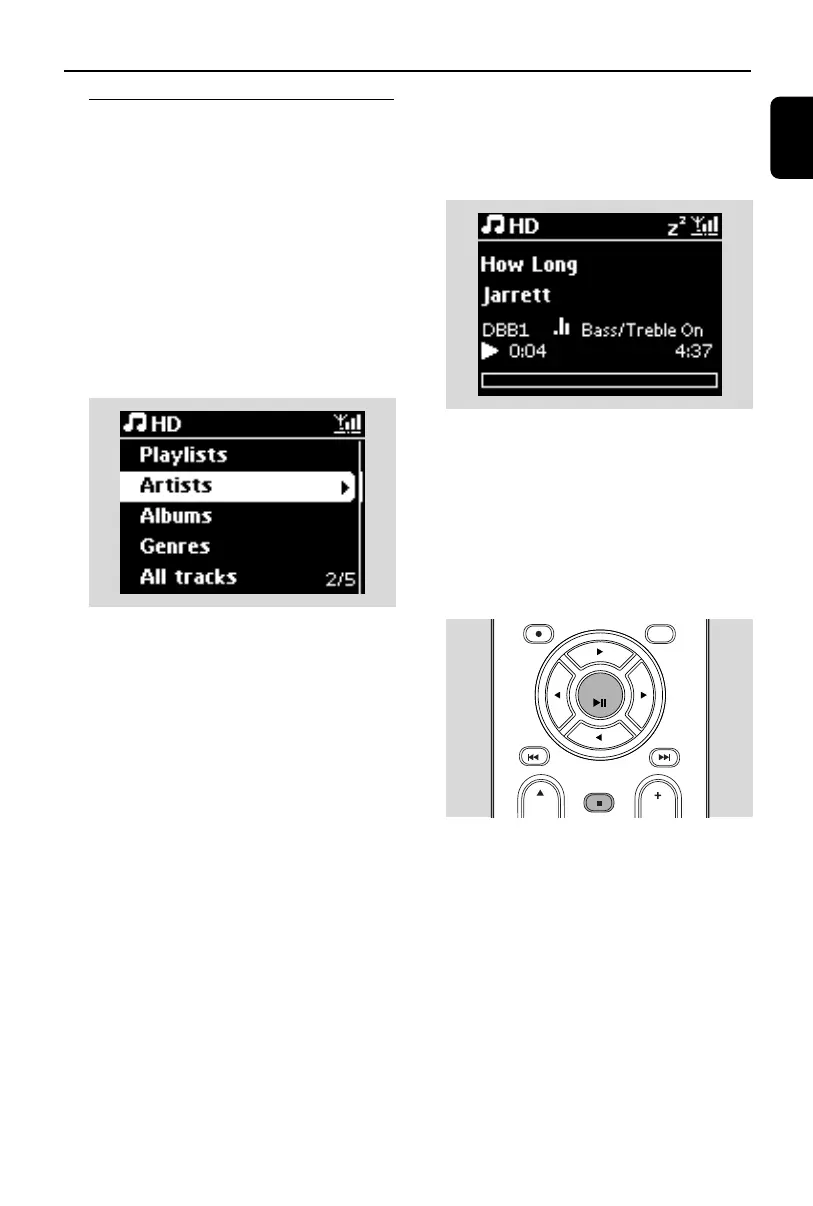
➜ Display shows HD and the categories of
your music library: Playlists, Artists,Albums,
Genres,All tracks.
Playlists: collection of your favorite tracks
sorted by the name of the playlists in
alphanumeric order
Artists: collection of albums sorted by artist
name in alphanumeric order
Albums: collection of albums sorted by album
name in alphanumeric order
Genres: collection of albums sorted according
to music style
All tracks: tracks sorted by track name in
alphanumeric order
3 Press the navigation controls 3 or 4 and 2 to
select your option
4 Press OK/2; to start playback
● Press OK/2; on a highlighted artist, genre or
album to start playback from the beginning of
the item
➜ The playback screen appears:
on the top: Status bar (Icons, playback mode
and playback settings, such as shuffle/repeat,
sleep/alarm, etc.)
in the middle: current track name and track
information
at the bottom: elapsed playing time and total
playing time
5 To pause playback, press OK/2;.To resume
playback, press the button again
6 To stop playback, press STOPÇ
CLEAR
OK
p1-67-wac3500_ifu_UK 2007.6.20 5:49 PM Page 29















 To Next Page