49
English
11. Network setting
Helpful hint:
– For WEP/WPA/WPA2 key setting, always refer to
the Access Point’s user manual.
Applicable cases:
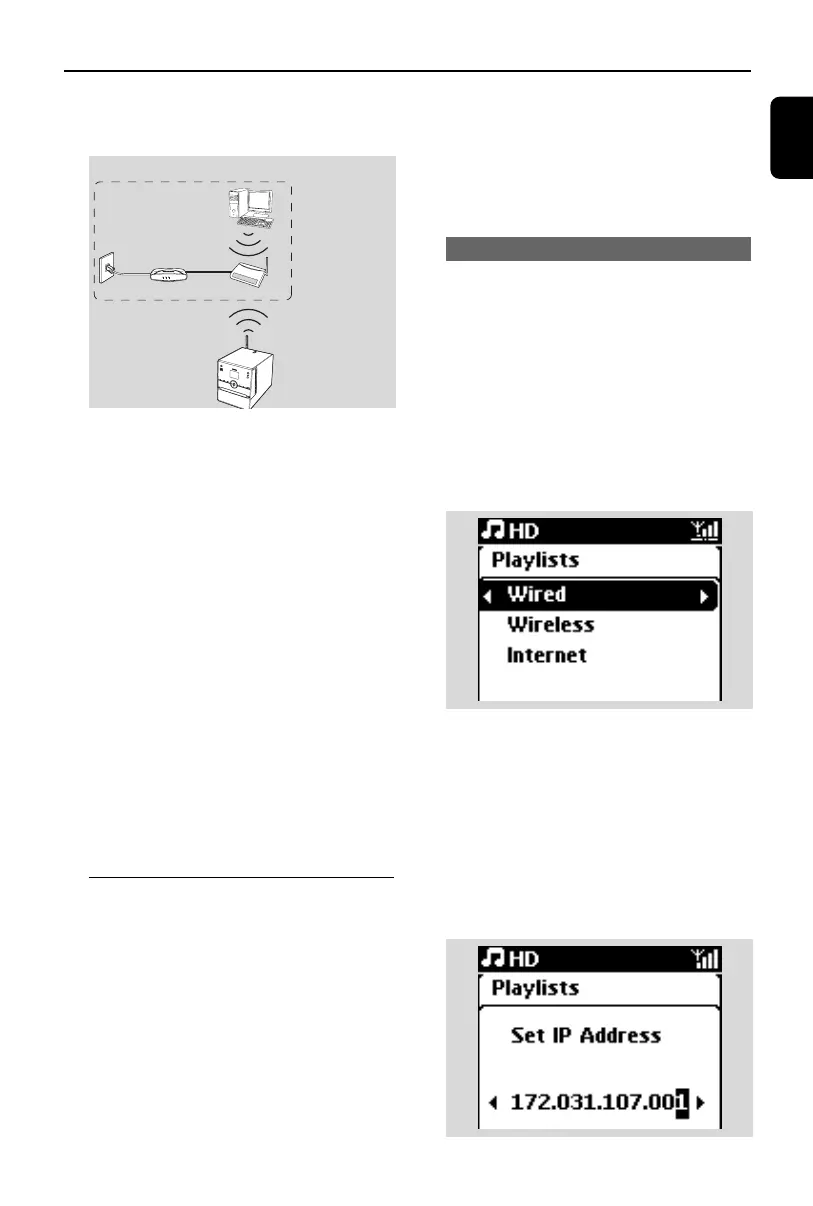
Has Wi-Fi network (AP/Wireless router) in home
already.
4 Select Automatic.
Helpful hint:
– You can also select Static and assign an IP
address as prompted using the alphanumeric
keys.
5 As prompted, select Ye s to apply the settings
➜ The Center is connected to the external
Wi-Fi network
Helpful hint:
– To add Stations to the Center’s Wi-Fi network,
follow the steps under Adding a Station to
the Center’s Wi-Fi network.
– If you change the WEP/WPA/WPA2 key on the
Access Point after you have added the
WAC3500 into your home network, the
connection between the WAC3500 and your
home network will be lost. In this case, you need
to re-configure Wi-Fi settings for WAC3500.
11.2 Connecting to external
wired network
The external wired network can be a single PC,
a PC network, another Center.
The Center can access the wired and wireless
network at the same time. Using the supplied
Ethernet cable, you can connect the Center
separately to a wired network while maintaining
its Wi-Fi connection (e.g. the Wi-Fi connection
between the Center and Stations or the Wi-Fi
connection with an external network). In this
way, you can play the wired network’s music
library only on the Center(UPnP playback). At
the same time, you can still enjoy all the music
playback features on the Wi-Fi network.
Helpful hint:
– For some wired routers, a "Cross Link" Ethernet
cable should be used instead of the normal
"Straight" Orange cable provided in the box.
11.2.1 Network setting on Center
1 Check that the network device is switched on
and the firewall (if applicable) is switched off.
2 Connect the supplied Ethernet cable to the
Ethernet ports on the network device and the
Center.
3 On the Center, search for networks
a. Press MENU to enter the menu screen
b. Press the navigation controls 3 or 4 and 2
to enter Settings,followed by Network
and Wired
c. Press 2 to continue
4 If you are using a DHCP*-enabled network
device, select Automatic
*DHCP stands for Dynamic Host Configuration
Protocol. It is a protocol for assigning dynamic
IP addresses to devices on a network.
If there is no DHCP
Select Static and assign an IP address and sub-
net mask as prompted using the alphanumeric
keys (see 4.3 Preparation: Using
Alphanumeric Keys).
Internet
Wireless Base Station 11g T
Wireless Base Station 11g T
rue T
urbo
Wireless
Modem PC
Power
External Wi-Fi network
DSL modem
Access point
PC (UPnP device)
for illustration only
p1-67-wac3500_ifu_UK 2007.6.20 5:49 PM Page 49















 To Next Page