53
English
12. Gracenote CD Information
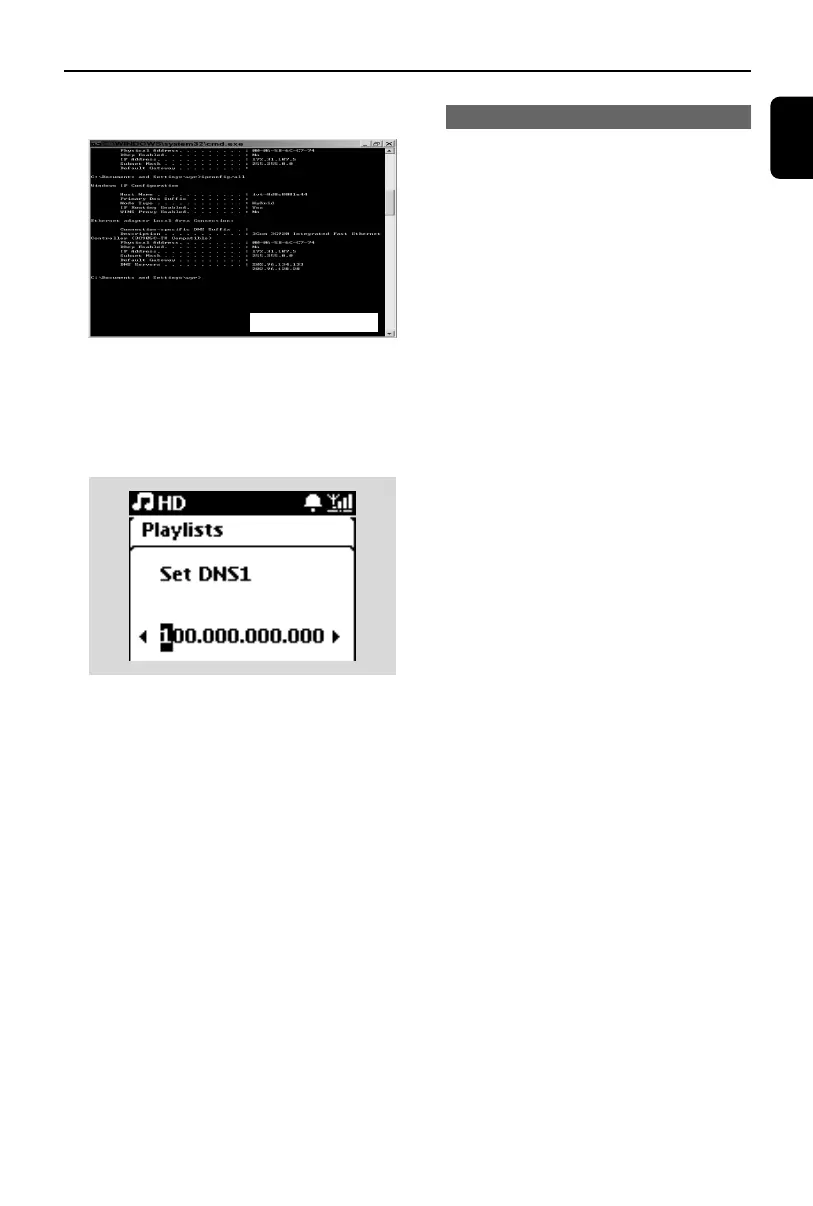
d.Write down the DNS and Gateway of the
current connection
On the Center
a. Press MENU to enter the menu screen
b. Press
3
or
4
and
2
to enter
Settings
>
Network
>
Internet
c. Press 2 to continue
d. Set DNS
1) Enter the DNS server you wrote down
2) Press OK/2; to confirm
3) Press OK/2; to skip Set DNS2
Helpful hint:
– If necessary, follow Steps 1) to 2) above to
set a secondary DNS server in Set DNS2
e. Set Gateway
1) Enter the Gateway you wrote down
2) Press OK/2; to confirm
f. Set proxy
If you are using a proxy server to visit websites,
enable Proxy and proceed with the proxy
setting as prompted, then press OK/2; to
confirm
Otherwise, press OK/2; to skip
3 Choose to apply the settings as prompted
➜ Settings will change. Connection to sta-
tion could be lost appears.
12.2.2 Looking up CD track information
When you listen to CD tracks, the Center will
search from the local Gracenote CD database
for information such as Track title, Artist, Genre,
etc. and show the searching results on the
display. If the information cannot be found and
the Center is connected to the Internet, it will
then search from online Gracenote CD
database.
Helpful hint:
If the internet query failed due to failure in
internet connection, the error message "Check the
internet setup for Gracenote online" will appear.
Check if your internet connection is correct (see
12.2.1 above)
for illustration only
p1-67-wac3500_ifu_UK 2007.6.20 5:49 PM Page 53















 To Next Page