40
English
8. Radio
8.1 FM Radio
8.1.1 Tuning to radio stations
1 Connect the supplied FM wire antenna to the
Center (see 3.Installation)
2 Check that the set is switched on or in standby
mode (see 5.Basic functions)
3 Press HOME and use the navigation controls
3 or 4 and 2 to select Radio > FM Tuner
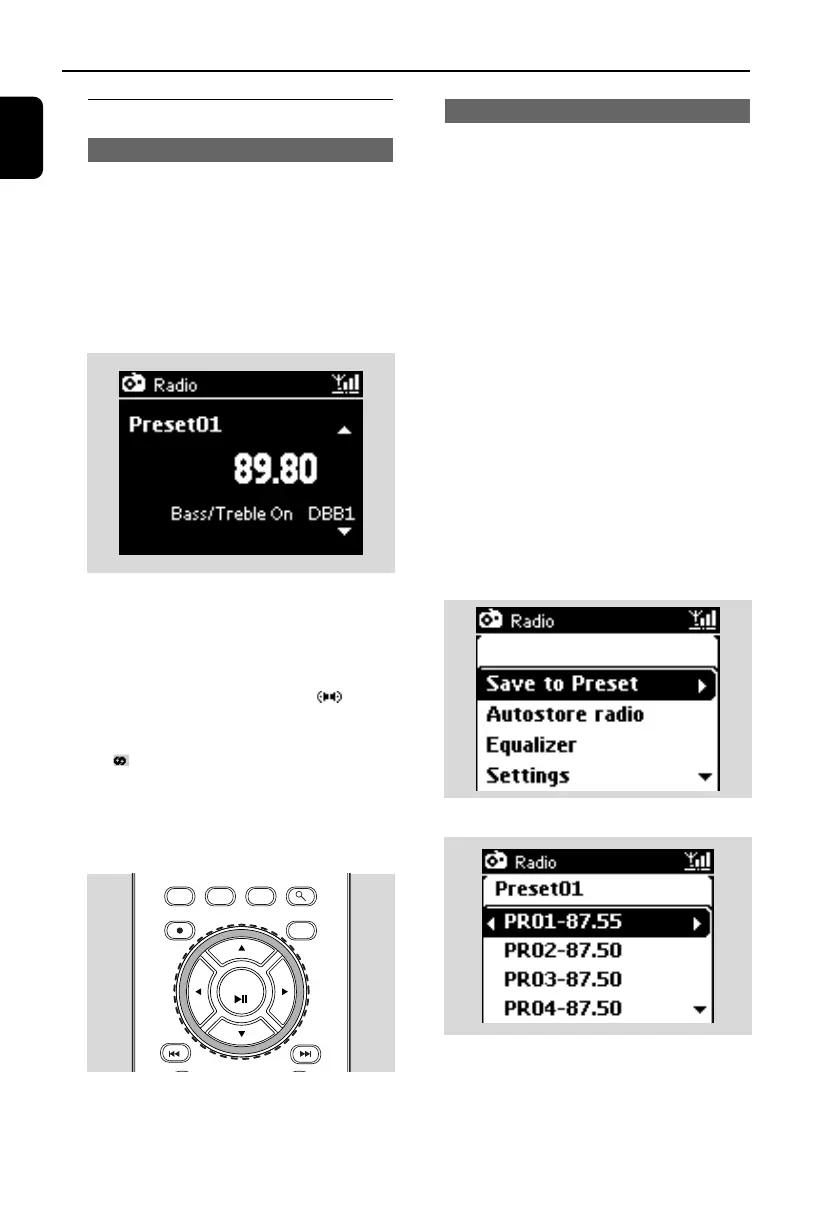
➜ Playback screen appears. Display shows:
Radio, the radio station frequency and a pre-
set number (if already programmed)
4 Press and hold 3 or 4 until the frequency in
the display starts running.
➜ The radio automatically tunes to a station of
sufficient reception. Display shows Searching
during automatic tuning
➜ If a station is received in stereo, is
shown
➜ When you are receiving an RDS station,
is shown
5 Repeat Step 4 if necessary until you find the
desired radio station
● To tune to a weak station, press 3 or 4 briefly
and repeatedly until optimal reception is
detected.
8.1.2 Storing preset radio stations
You can store up to 60 preset radio stations in
the memory.
Autostore: automatic programming
Autostore automatically starts programming
radio stations from Preset 1. Available stations
are programmed in the order of radio
frequencies: RDS stations followed by FM
stations. A maximum of 10 RDS stations will be
stored (from Preset 01 to Preset 10).
1 To select Autostore radio,
a. Press MENU
b. Use the navigation controls 3 or 4 and 2 to
select Autostore radio
➜ Display shows: Autostore Please wait...
➜ After all the stations are stored, the first
autostored preset station will then play
automatically.
Manual programming
1 Tune to your desired radio station (see 8.1
Tuning to radio stations).
2 Press MENU and use the navigation controls
3 or 4 and 2 to select Save to Preset.
➜ The display shows:
3 Press 3 or 4 to select your desired preset
number.
4 Press OK/2; or 2
➜ Current radio station is stored to that preset
location.
MENU
REC
MARK/UNMARK VIEW SEARCH
CLEAR
AUX
OK
p1-67-wac3500_ifu_UK 2007.6.20 5:49 PM Page 40















 To Next Page