28
English
5.11 Alarm
IMPORTANT!
Before setting the alarm, check that the
clock setting is correct.
5.11.1 Setting alarm time
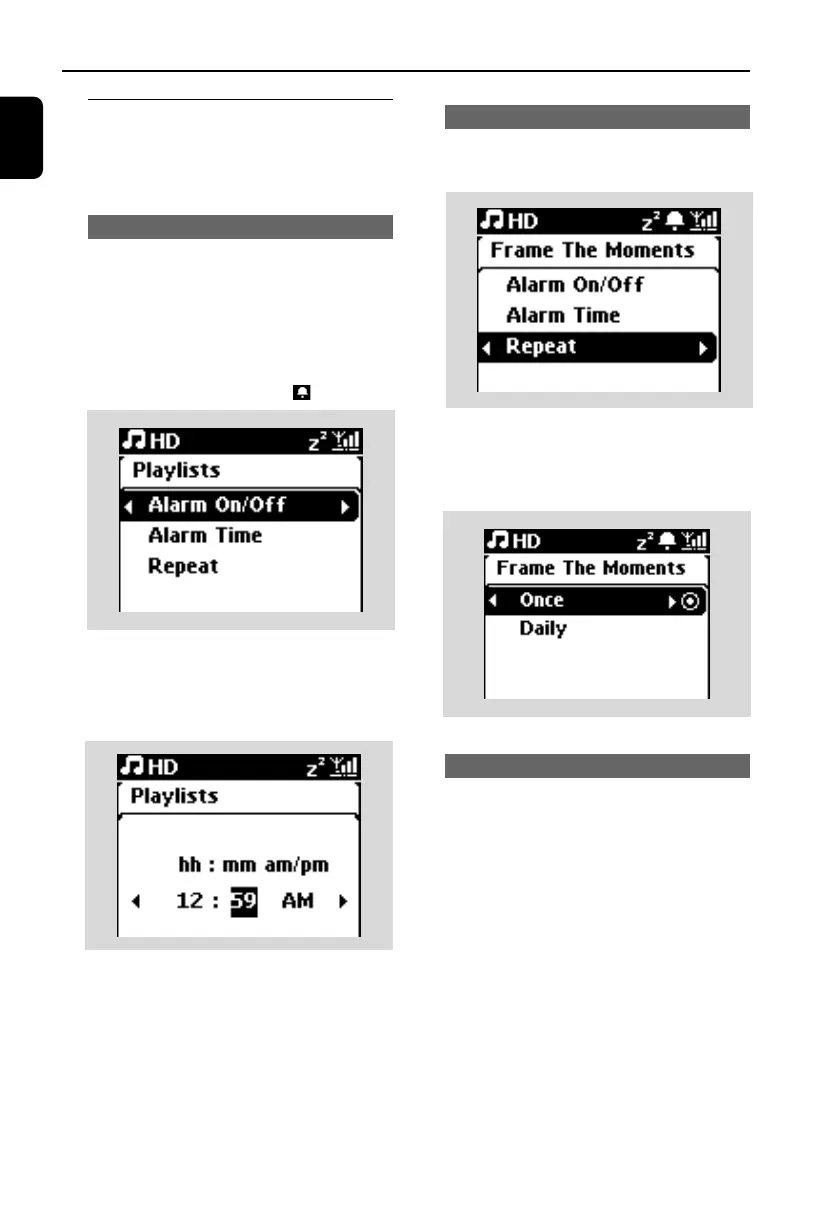
1 Enter the alarm setting menu
a. Press MENU
b. Use the navigation controls 3 or 4 and 2 to
select Settings followed by Alarm
2 To turn on the alarm
a. Press 3 or 4 and 2 to select Alarm On/Off
b. Press 3 or 4 and 2 to select On
➜ Alarm On appears.The icon appears.
3 In Alarm Time menu, set the alarm time
a. Press the navigation controls 3 or 4 repeat-
edly to set the hour followed by the minute
b. Press OK/2; to confirm
Setting repeat mode
5.11.2 Setting repeat mode
1 To set repeat mode for the alarm sound.
a. In the alarm setting menu, press 3 or 4 and
2 to select Repeat.
b. Press 3 or 4 and 2 to select the desired
repeat mode.
➜ Once: activates the alarm only once.
➜ Daily: repeats the alarm every day.
5.10.3 Activating/de-activating alarm
5.11.3 Activating/de-activating alarm
Stopping alarm tone
1 When the alarm tone is heard, press any button
➜ The alarm tone will be stopped
➜ Your alarm settings remain unchanged
Activating/de-activating alarm
1 Enter the alarm setting menu.
a. Press MENU
b. Use the navigation controls 3 or 4 and 2 to
select Settings followed by Alarm
2 To toggle the alarm on/off
a. Press 3 or 4 and 2 to select Alarm On/Off
b. Press 3 or 4 and 2 to select On or Off.
5. Basic functions
p1-67-wac3500_ifu_UK 2007.6.20 5:49 PM Page 28















 To Next Page