33
English
6. HD
– If it is an MP3/WMA/M4A CD, a list of file fold-
ers appears. Press 2 on a highlighted file folder
to enter the track list.
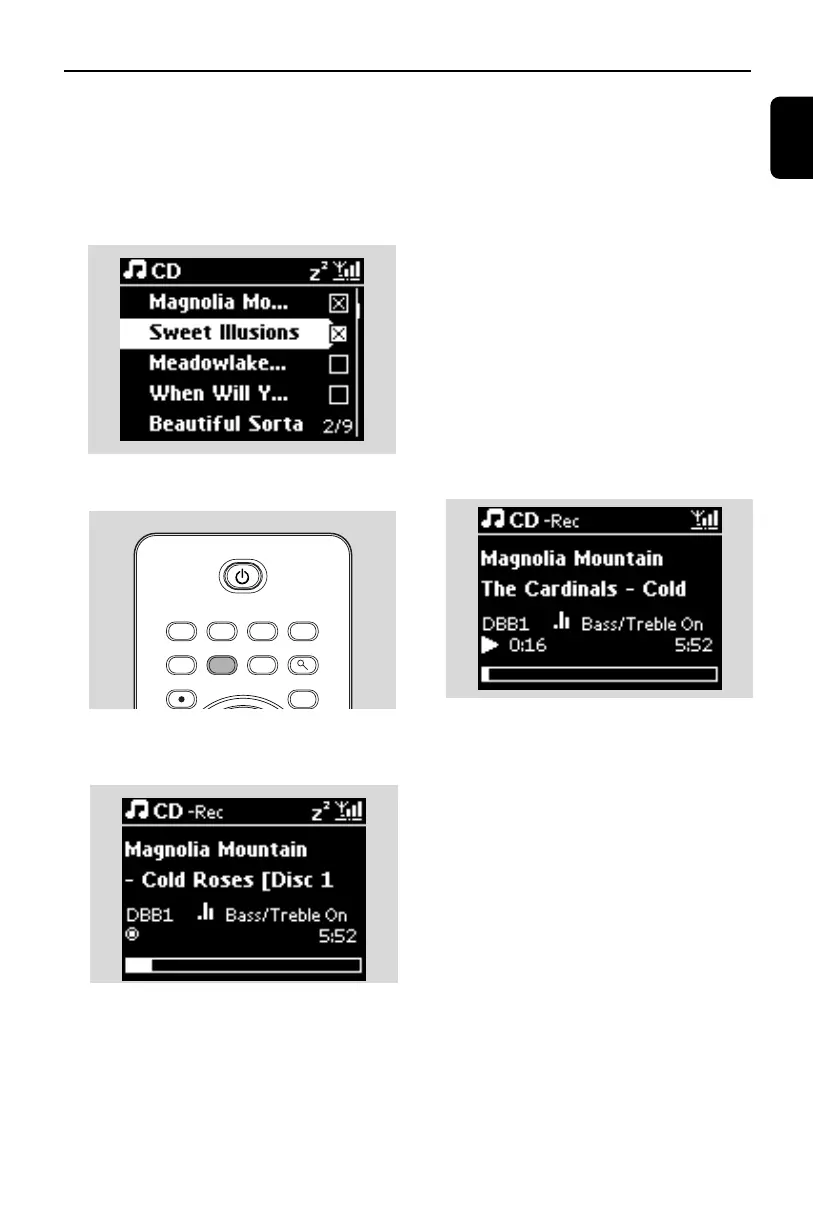
4 In the track list screen, press REC 0
➜ List of tracks with checkboxes appears
5 Press MARK•UNMARK to select or deselect
the tracks to be recorded
● To select/deselect all tracks, press and hold
MARK• UNMARK
6 Press REC 0 to start recording
➜ Display shows CD-Rec and the current
album name
(a default album name, e.g. Album_001, is
assigned if the CD track information cannot be
found in the Center’s Gracenote
®
music recog-
nition service database)
➜ The Center returns to CD mode when rip-
ping is complete
7 To r ip another CD, repeat Steps 1-6 again
8 To stop recording, press STOPÇ
Helpful hint:
– The recording is at fast speed by default.
– The WAC3500 allows you to look up the latest
CD information via the Internet from the online
Gracenote
®
music recognition service database
if you are unable to find it in the built-in
Gracenote
®
music recognition service database.
See 12.1.1 Gracenote CD Information:To
update Gracenote music recognition
database.
To r ecord from CD during playback
(for audio CDs only)
1 During playback, press REC 0
➜ Recording and playback start from the cur-
rent track
➜ Display shows CD-Rec and the current
album name
or
1 Follow Steps 1-5 under To r ecord from CD
at fast speed
2 Change the recording speed:
a. Press MENU
b. Use the navigation controls 3 or 4 and 2 to
enter Settings menu
c. Press 3 or 4 and 2 select Rec Speed
d. Press 3 or 4 and 2 select Normal Speed
3 Press REC 0 to start recording
Helpful hints:
– It takes some time to convert the recorded
tracks into MP3 files. Always switch the set to
power-saving mode before removing its power
plug to avoid losing tracks (see 5.Basic
functions).
MENU
REC
MARK/UNMARK VIEW SEARCH
MP3-CD/CD HD FM TUNER HOME
AUX
p1-67-wac3500_ifu_UK 2007.6.20 5:49 PM Page 33















 To Next Page