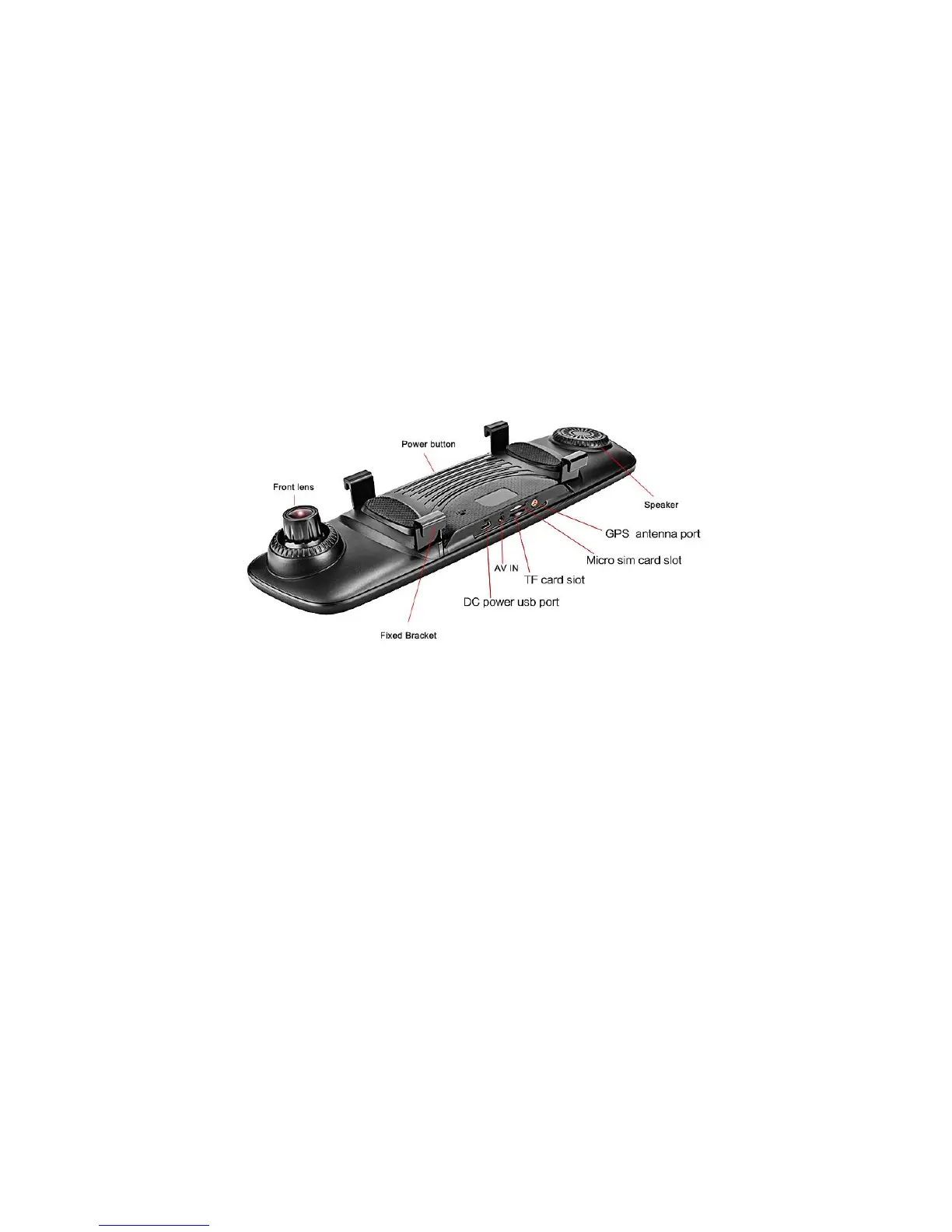
Image 2: car dvr interface and button
2. Power button
➢ Power ON/OFF
When car dvr at OFF status, keep pressing Power button for 2-3 seconds, will turn on the car dvr;
Remarks: when you power on the device, please connect with our standard car charger into cigar lighter to power supply this device, do not use other DC power
cable or test it at home (Home’s power is not enough power for this device)
When car dvr at ON status, press again it for 2-3 seconds, you could shutdown the car dvr.
Remarks: when you car engineer is off, this car dvr will automatically enter sleep mode after 5 seconds. If you also want the car dvr power off, please manually press



 To Next Page