www.phocos.com 23 | P a g e
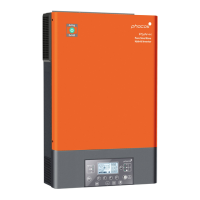
Indicator Description
LED Indicator Color Solid On / Flashing Description
Source LED 1 Green Solid On AC output powered by AC input
Source LED 2 Green Solid On AC output powered by PV
Source LED 3 Green Solid On AC output powered by battery
Status
indicators
Green
Solid On AC output powered by AC input (Grid mode)
Flashing AC output powered b y integratedinverter
(O ff-Grid mode)
Green
Solid On Battery is fully charged
Flashing Battery is charging
Red
Solid On Fault mode
Flashing Warning mode
Function Buttons
Function Button Description
Escape / c lose Exit s ettings without confirming
USB functionsetting Select USB-OTG functions
Timer se tting for AC output source priority Setup timer for priorit izing AC output source
Timer se tting for the battery charger source
priority
Setup timer for prioritizing battery charger source
Up To last selection
Dow n To next selection
Enter To confirm/enter the selection in setting mode
8.3 Display Symbols
Fig. 22: LCD screen symbols
Symbol Description



 To Next Page
 Loading...