EasyManua.ls Logo

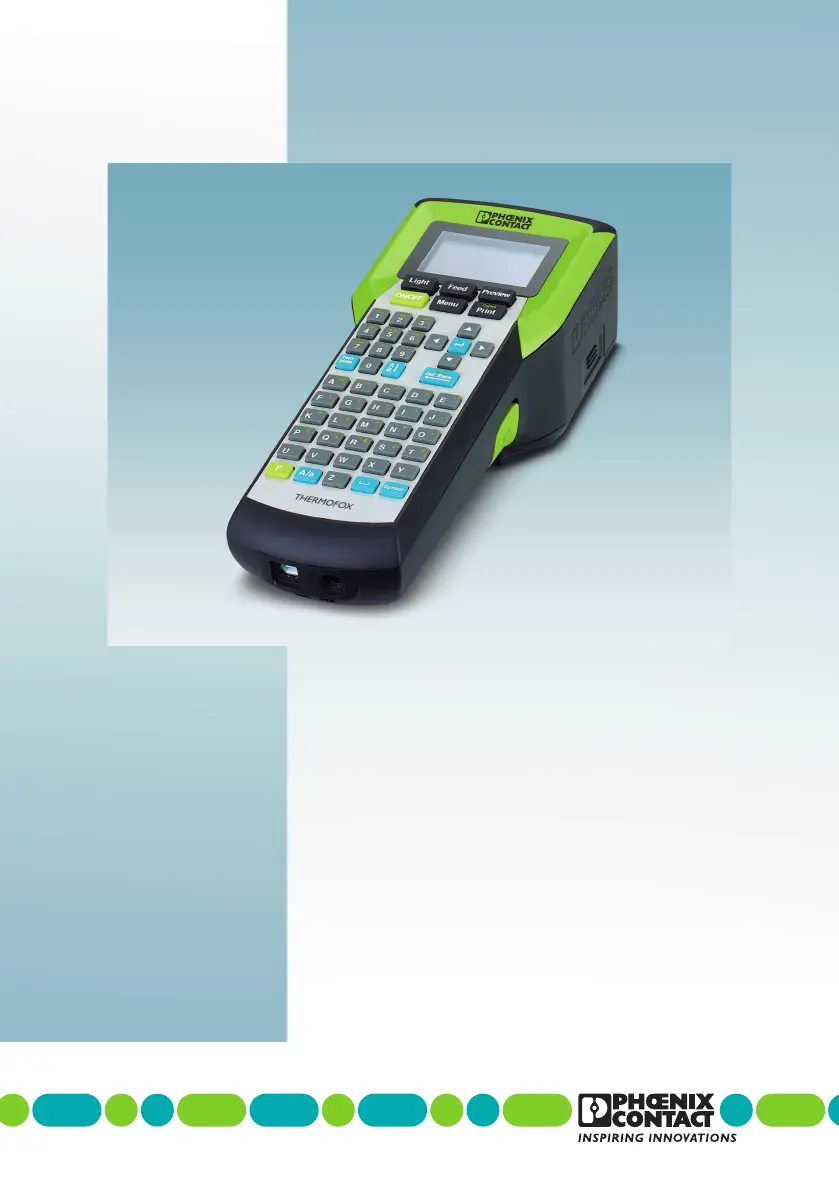
Phoenix Contact THERMOFOX - User Manual

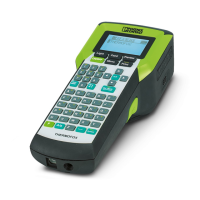
Phoenix Contact THERMOFOX
46 pages
Print Icon
To Next Page IconTo Next Page
Loading...
User manual
Operating the THERMOFOX
thermal transfer printer

Questions and Answers

  • L
    Logan HowardAug 17, 2025
    Why my Phoenix Contact Printer can't be switched on?
    • B
      Blake RiosAug 17, 2025
      If your Phoenix Contact printer won't switch on, there are several potential reasons: * The batteries might be empty, so you should change them. * The batteries might be inserted incorrectly; ensure they are correctly placed. * If using a rechargeable battery, it may be empty and needs recharging. * If using a rechargeable battery, ensure it is correctly inserted. * There may be no power supply; connect the power supply unit.
  • E
    Elizabeth MilesAug 19, 2025
    What to do if material is not supplied in Phoenix Contact THERMOFOX Printer?
    • E
      Erica RiddleAug 20, 2025
      If the material isn't being supplied by your Phoenix Contact printer, consider these possibilities: * The material might not be pulled out far enough from the material cartridge. Unwind the material approximately 5 mm from the cartridge. To increase the tension of the material, turn the ink ribbon coil. * The material might be stuck. Carefully remove the material, cut off any damaged sections, and unwind approximately 5 mm from the cartridge. To increase the tension of the material, turn the ink ribbon coil. * The material cartridge could be empty. Insert a new material cartridge. * The compartment for the material cartridge might be open. Close the compartment.
  • N
    Natasha WilkinsonAug 22, 2025
    How to fix blurred or missing print images on Phoenix Contact THERMOFOX?
    • F
      Frederick QuinnAug 22, 2025
      If the print image from your Phoenix Contact printer is blurred or missing in places, it could be due to a dirty print head or print roller. Clean the print head and print roller. Alternatively, the tension of the ink ribbon might be too low. To increase the tension of the material, turn the ink ribbon coil.
  • J
    James ParkerAug 26, 2025
    Why is my Phoenix Contact THERMOFOX so loud?
    • A
      Andrew FloresAug 26, 2025
      If your Phoenix Contact printer is too loud, it might be because the material cartridge isn't inserted correctly. Insert the material cartridge correctly. It's also possible that the material cartridge is defective; in this case, insert a new one. Finally, ensure that the compartment for the material cartridge is closed.
  • J
    Jacob SandovalAug 28, 2025
    Why is the battery not charging in my Phoenix Contact THERMOFOX Printer?
    • R
      Reginald WilliamsAug 28, 2025
      If your Phoenix Contact printer is not charging, ensure the battery is inserted correctly. Also, check that the power supply is connected. If you're still experiencing issues, the rechargeable battery may be defective, requiring you to dispose of it properly and insert a new one.
  • P
    Patricia DrakeAug 30, 2025
    What to do if Phoenix Contact THERMOFOX supplies material but not printing?
    • R
      rebecca21Aug 30, 2025
      If your Phoenix Contact printer supplies material but doesn't print, the ink ribbon might be torn. Insert a new material cartridge.
  • J
    Jesse SchwartzSep 2, 2025
    Why does my Phoenix Contact THERMOFOX switch off automatically?
    • D
      Dr. Darrell StricklandSep 2, 2025
      If your Phoenix Contact printer switches off automatically, the auto-off function may be activated. Check the menu entry to adjust this setting.
  • C
    Cynthia CarrilloSep 5, 2025
    Why does my Phoenix Contact THERMOFOX print slowly?
    • V
      victoria01Sep 5, 2025
      If your Phoenix Contact printer prints slowly, it could be because the printing speed is automatically set. When the battery charge is low, the printing speed is reduced to ensure a high-quality print.
  • C
    Christina StewartSep 8, 2025
    Why does the display lighting switch off automatically on my Phoenix Contact THERMOFOX?
    • N
      nealsamanthaSep 8, 2025
      If the display lighting on your Phoenix Contact printer switches off automatically, the auto-off function for the display lighting is likely activated. Check the menu entry to adjust this setting.
  • C
    Courtney TrujilloSep 12, 2025
    What to do if no input possible on Phoenix Contact THERMOFOX Printer?
    • V
      vdavisSep 12, 2025
      If you cannot provide any input to Phoenix Contact printer, it indicates a general system error. Switch the device off and on. Disconnect the device from the power supply, remove the batteries, and insert new ones.

Summary

1 For your safety

1.2 Safety notes

Crucial safety guidelines for device operation, focusing on battery hazards and general precautions.

2 Starting up the printer

2.3 Connecting the power supply

Explains methods for powering the printer using batteries or the AC adapter.

2.4 Inserting the material cartridge

Details the correct procedure for inserting and removing the printer's material cartridge.

3 Operating elements

3.2 Menu

Guides users through the printer's menu structure for configuration and language settings.

4 Creating the marking

4.1 Creating the marking on the display

Details how to enter and format text directly on the THERMOFOX display.

4.1.3 Inserting barcode

Explains how to create barcode labels, including settings for type, width, and display text.

5 Maintenance and troubleshooting

5.1.2 Cleaning the print head and print roller

Details the process for cleaning the print head and roller to ensure optimal print quality and longevity.

5.2 Troubleshooting

Offers solutions for common operational problems like blurred prints, material supply issues, and loud operation.

5.2.1 Error messages

Lists common error messages and their corresponding remedies for quick problem resolution.

Phoenix Contact THERMOFOX Specifications

General IconGeneral
BrandPhoenix Contact
ModelTHERMOFOX
CategoryPrinter
LanguageEnglish

Related product manuals