14 15
3.2 Switching Roger Select iN on
Press the button 1 second
until the microphone mode
indicator light up.
Battery status light after switching on
When your Roger microphone is switched on, the battery
status light around the on/o button will blink softly. A
green blinking light means that the battery is fully
charged. A fully charged device lasts for approximately 8
hours. An orange blinking light means the battery is half
full. If the indicator light starts to blink red, you should
charge your Roger microphone immediately.
Please charge your Roger microphone
4. Using your Roger Select iN to
hear better
Roger Select iN is a versatile, intelligent product. It detects
which situation you are in and adapts its microphone
settings automatically to provide you the best speech
understanding possible.
4.1. Hearing better at a table
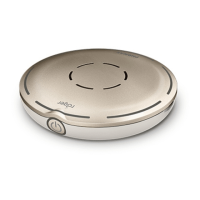
Place your Roger microphone in the middle of a table to
listen to a group of people.
For best speech understanding, always bring your
Roger microphone as close to the conversation
partner(s) as possible.


 To Next Page





