OPERATING AND INSTALLATION MANUAL HEAT PUMP COMBI UNIT PKOM4 PAGE 18
USER
GENERALSPECIALIST PERSONNEL
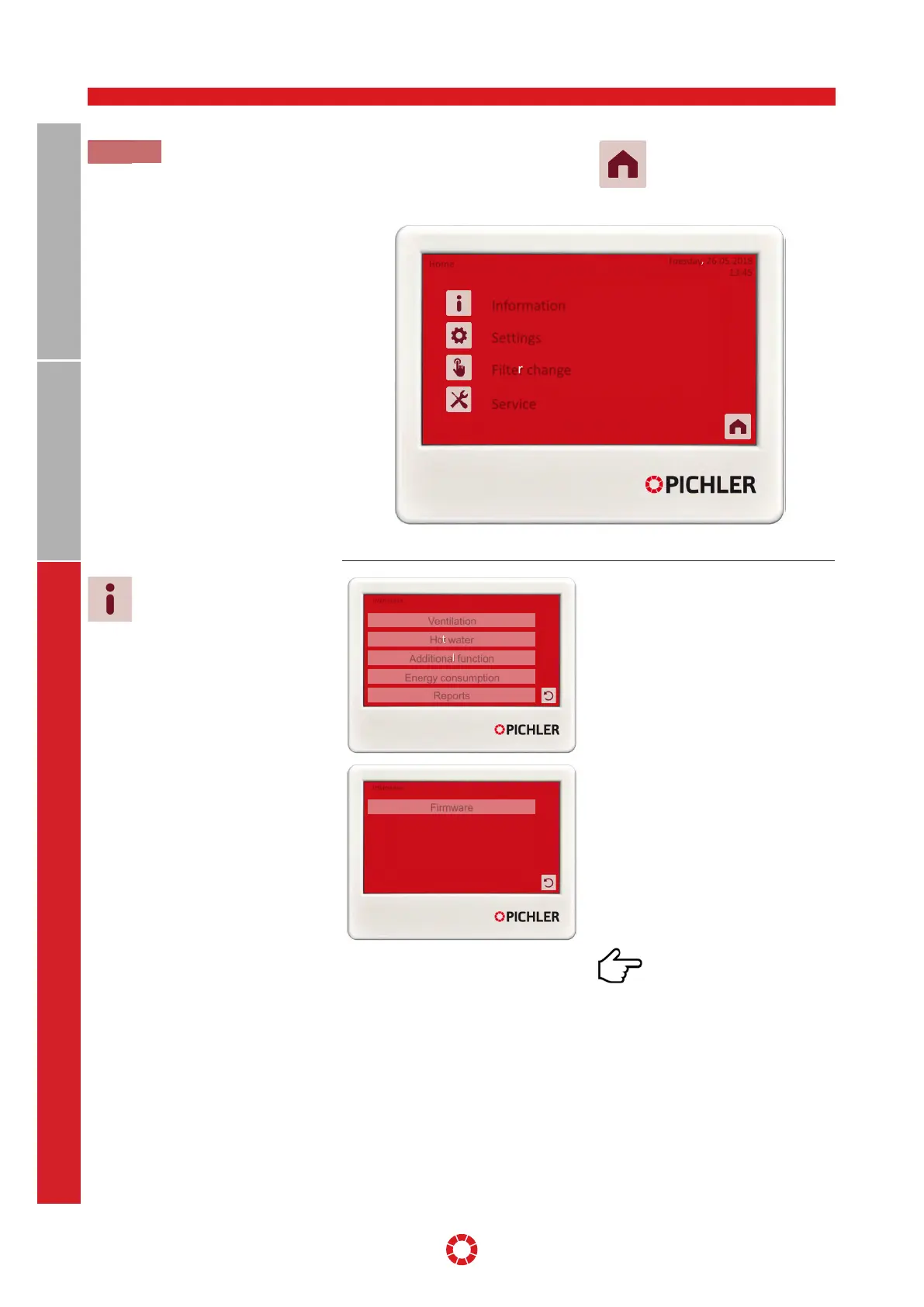
The main menu is opened by pressing the
[Menu] button. Information on the ventila-
tion unit is displayed here, and various set-
tings can be made and actions performed.
The user is returned to the Start
menu by pressing the [Home]
button.
Information
Settings
Filter change
Home
Tuesday, 26.05.2018
13:45
Service
Illustration: Control unit - main menu
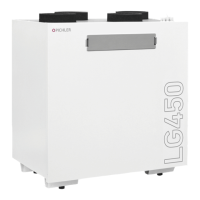
This submenu provides all relevant infor-
mation for the operation of the heat pump
unit.
Ventilation
Information regarding the ventilation unit
and the corresponding heat pump.
Hot water
Information regarding the hot water unit
and the corresponding heat pump.
Additional function
Information regarding an optionally activat-
ed solar, heating circuit or a duct heating
battery
Energy consumption
Information regarding the electrical energy
consumption over the period of the past 12
months.
Reports
Display of current and historical errors.
Firmware
Firmware versions used for the control and
control unit as well as the type of ventila-
tion unit are shown here.
The device ID displayed is
relevant for remote access via
the Internet (remote maintenance) or if the
Pichler app is used.
8.2.1 Information
8.2 MAIN MENU
Information
Hot water
Ventilation
Additional function
Energy consumption
Reports
Information
Firmware
Main menu


 To Next Page