PicoQuantGmbH MultiHarpSoftwareV.3.1.0.0
Inputs 9..16, 17..24, and so on
Thesetabpagesonlyappearwhenthedevicehasmorethan8inputchannels.
Theyhavethesamecontrolsasthepageforinputs1..8andfollowthesamelogicofoperation.
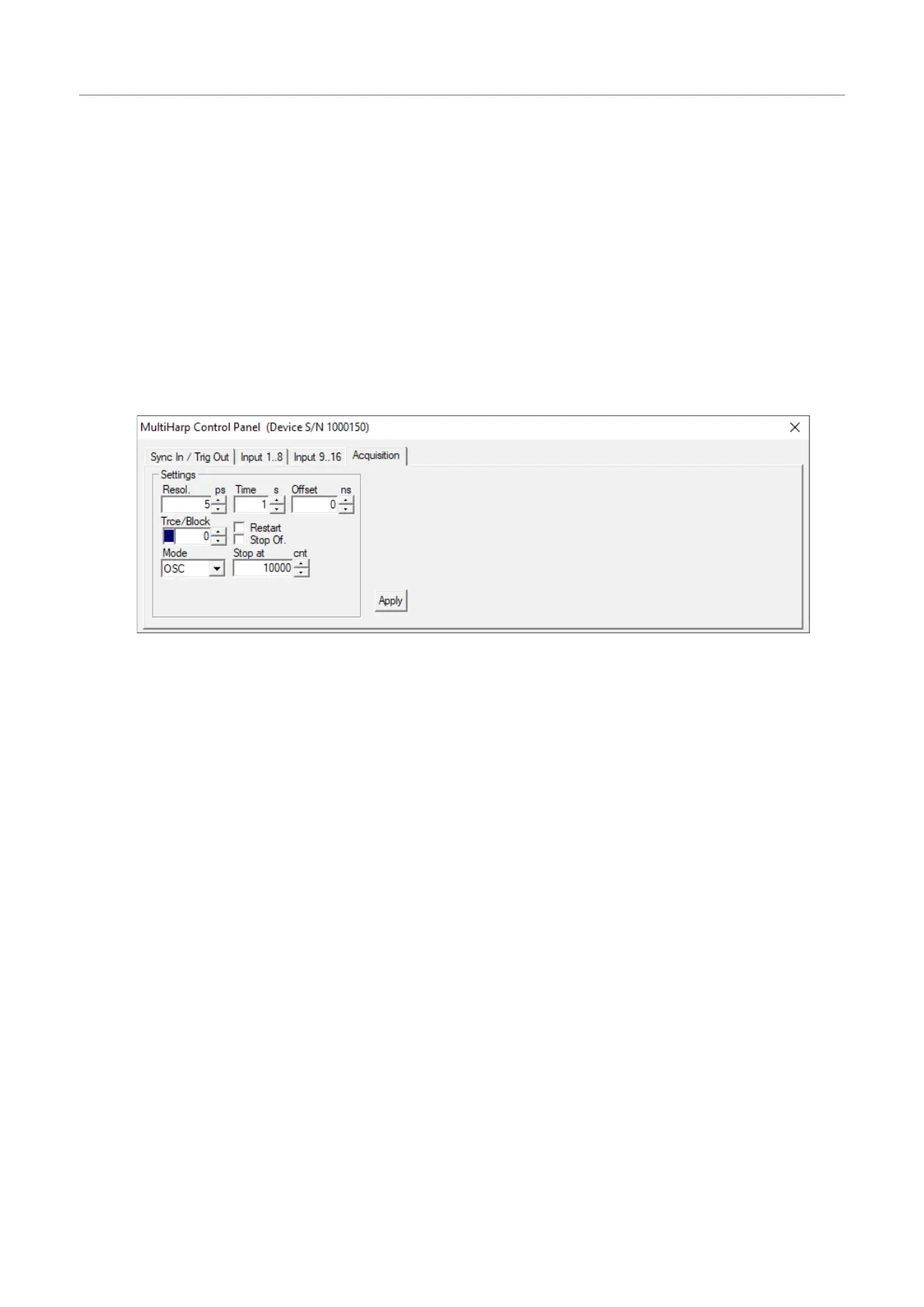
Acquisition
Resolution editboxandspincontrol
Time editboxandspincontrol
Offset editboxandspincontrol
Trc/Block tracecolorindicator,
editboxandspincontrol
Restart checkbox
StoponOverflow checkbox
Mode dropdownselectionbox
StopAt editboxandspincontrol
Editboxesareforkeyboardentry.Thevaluesmustbeconfirmedwitheitherthe<Enter>keyortheApplybut-
ton.Thespincontrolscanbeusedtoincrementordecrementthevalueintheeditbox.Inthiscasethechanges
takeeffectimmediatelywithoutneedforhitting<Enter>orclickingApply.Checkboxeshavetheirdenotedef-
fectwhenthetickisshown.Theycanbetoggledwithamouseclick.Groupsofradiobuttonsarelikecheck
boxesbutmutuallyexclusive.
Notethatthesettingsofthecontrolpanelaswellas thepositionsofcontrolpanelandmainwindowonthe
screenwillbestoredintheWindowsregistryandretrievedduringthenextprogramstart.Theregistrysettings
arestoredseparatelyperuser.WhenaMultiHarpdatafileisloaded,thecontrolpanelsettingswillchangetore-
flectthesettingsstoredinthatfile.
Theindividualcontrolpanelitemsareexplainedfurtherinsection6.4in the ControlsandCommandsRefer-
ence.
Page27



 To Next Page