PicoQuantGmbH MultiHarpSoftwareV.3.1.0.0
4.5. The Axis Panel
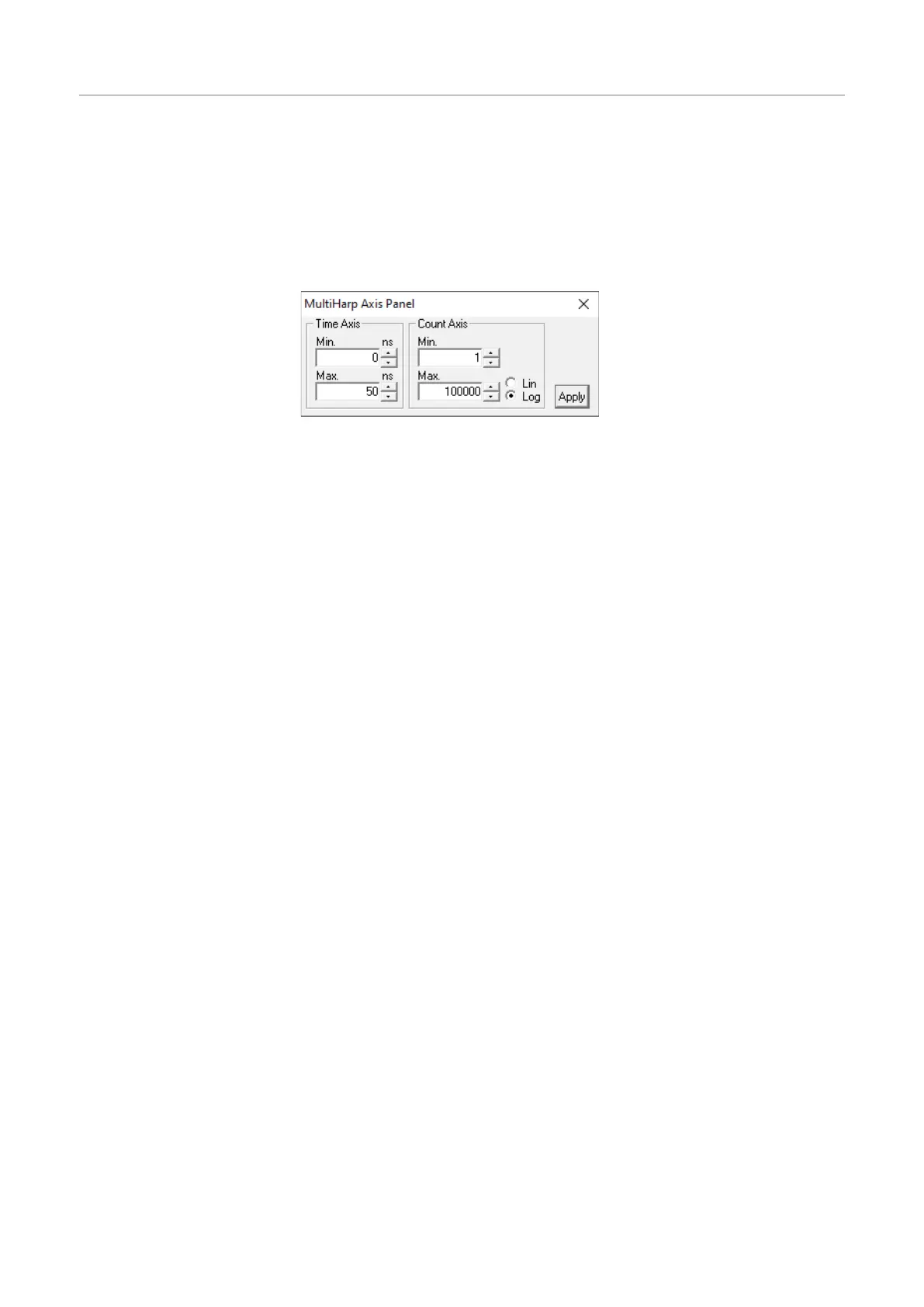
Theaxissettingspanelisadialogboxforsettingtheaxisrangeforthehistogramdisplayinthemainwindow.It
isimplementedasa‘non–modal’dialogbox,i.e.itdoesnothavetobeclosedbeforethemainwindowcancon-
tinueitsoperation.Thiswayyoucanmakechangesintheaxispanelandwatchtheireffectinthemainwindow
immediately.Nevertheless,youmayclosetheaxispanelandrestoreitatanytimebyclickingtheaxispanel
buttononthetoolbarorpressing<Alt>+A.Thepanelwillalsoopenifyoudouble–clicktheaxesinthemain
window.
Theaxispanelconsistsoftwogroupscontainingeditboxesandothercontrolsforrelatedparameters.These
groupsandtheirrespectivecontrolsare:
Time Axis
Minimum editboxandspincontrol
Maximum editboxandspincontrol
Count Axis
Minimum editboxandspincontrol
Maximum editboxandspincontrol
Linear radiobutton
Logarithmic radiobutton
Theeditboxesareforkeyboardentry.Thevaluesmustbeconfirmedwitheitherthe<Enter>–keyortheAp-
ply–button.Thespincontrolscanbeusedtoincrementordecrementthevaluesintheeditbox.Inthiscasethe
changestakeeffectimmediatelywithoutneedforhitting<Enter>orclickingApply.Themousewheelcanbe
usedforfastspinsaslongasthecursorisinthecorrespondingeditbox.Checkboxeshavetheirdenotedeffect
whenthetickisshown.Theycanbetoggledwithamouseclick.Groupsofradiobuttonsarelikecheckboxes
butmutuallyexclusive.
Notethatthesettingsoftheaxispanelaswellasthepositionsofthepanelonthescreenwillbestoredinthe
Windowsregistryandretrievedduringthenextprogramstart.Theregistrysettingsarestoredonaperuserba-
sis.
Theindividualaxispanelitemsarediscussedinsection6.5.“AxisPanel“ intheControlsandCommandsRefer-
ence.
Hint:tobegin,uselogarithmicdisplaytomakesureevenweaksignalscanbeseen.
Page28



 To Next Page