PicoQuantGmbH MultiHarpSoftwareV.3.1.0.0
Restore command
Usethiscommandtoreturnfromamaximizedorminimizedwindowtotheprevioussize.
Note: Thecommandisonlyavailableforalreadymaximizedorminimizedwindows.
Shortcut
Mouse: Clickthemaximizebutton onthetitlebar;
ordouble–clickthetitlebaroftheenlargedwindow.
Keys: <Alt>+<Space>R
Close command
Usethiscommandtoclosetheactivewindowordialogbox.
Double–clickingasystemmenuboxisthesameaschoosingtheClosecommand.
Shortcuts
Mouse: Clicktheclosebutton onthetitlebar.
Keys: <Alt>+<F4>
<Alt>+<Space>C
Panel Meters
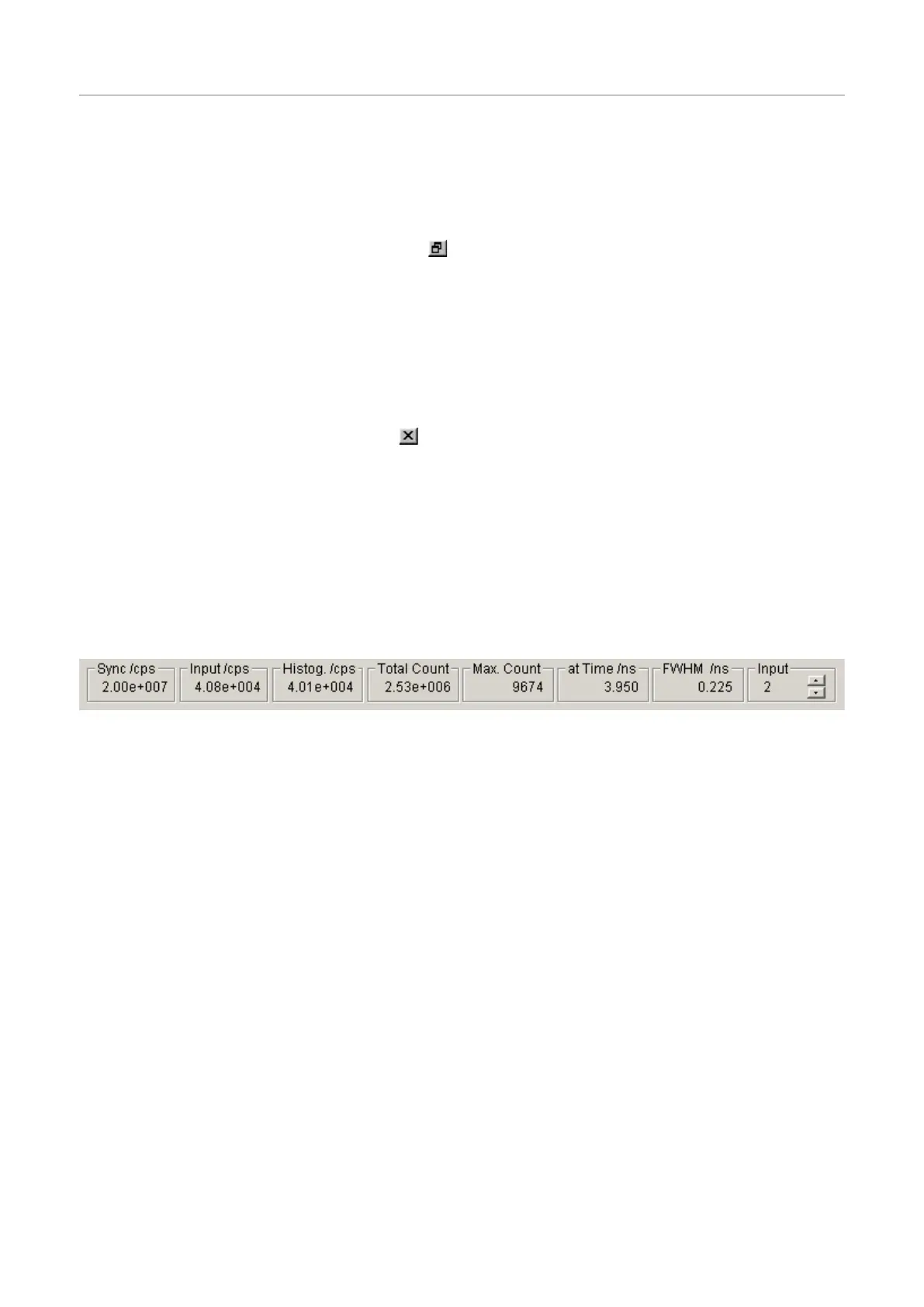
Atthebottomofthemainwindowthereisasetofpanelmeters.Themetersshowingunitsofcps(countsper
second)intheirtitleareratemeters.Theleftmostratemetershowsthesyncinputrate.Thenextmetershows
thechannelinputrate.Notetheselectorontherightofthepanelmeters.Thisselectsthechanneltherateme-
ters(exceptSync)arereferringto.Theothermetersshowthehistogrammingrate,thetotalcountinthehis-
togram,themaximum(peak)count,andthepositionofthemaximum.Theyalldependontheinputselector.
NotethattheInputselectoralsohasaselectionoptioncalledSum.Inthiscasethemetersarefedfromthesum
ofallinputchannels.Thisisthedefaultsetting.
Alsonotethattheratemetershaveafixedgatetimeof100msandlimitedaccuracy,notablyatlowrates.They
areonlyameansofquickdiagnosticsandshouldnotbetakenforactualmeasurements.
Page59



 To Next Page