Installation
Installation Manual PNOZmulti Installation Manual
1002265-EN-02
20
4.3.2 Connect the base unit and expansion modules
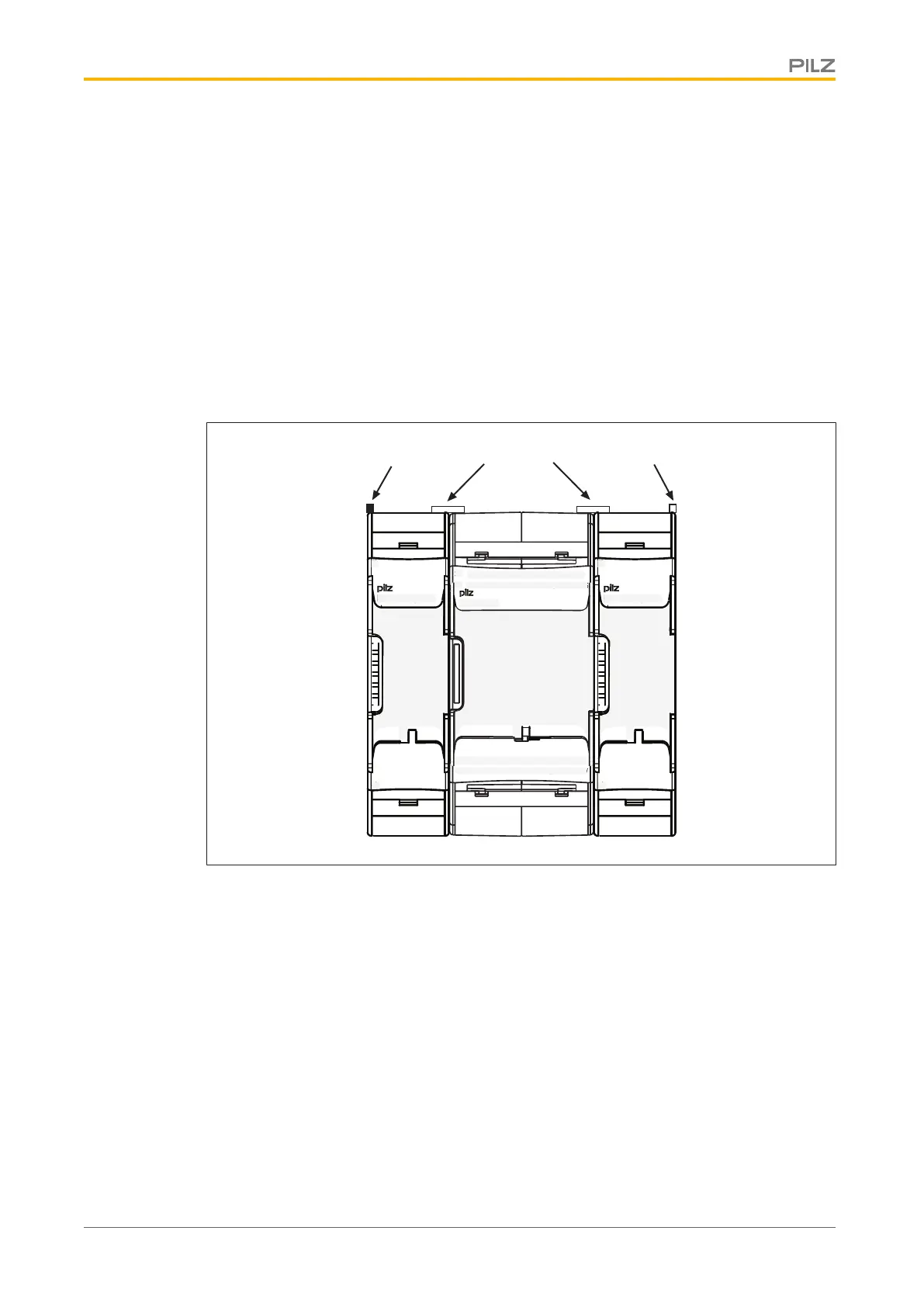
The modules are linked via jumpers.
} Remove the terminator on the side of the base unit and on the expansion module.
} Before installing the units on the mounting rail, connect the base unit to the expansion
module using the jumper supplied .
} Fit the appropriate terminator to the unconnected interfaces on the base unit and ex-
pansion module.
– Left-hand side on the base unit and expansion modules to the left of the base unit:
Black/yellow terminator
– Right-hand side on the base unit and expansion modules to the right of the base
unit: Yellow terminator
Left terminator Right terminator
Jumper


 To Next Page