Wiring
Operating Manual PSEN sc B 5 Series
1004508-EN-02
37
7 Wiring
7.1 General guidelines
} Information given in the Technical details [ 66] must be followed.
} Do not lay the connecting cable near or in contact with cables that carry high or highly
volatile currents.
} Use separate cables to connect the wires to the OSSDs of different safety laser scan-
ners or safety switches.
} For supply voltage, use only PELV/SELV power supplies that have a voltage buffer in
accordance with EN60204-1.
} The protection type (see Technical details [ 66]) can only be achieved by using the
Pilz connection leads available as an accessory.
} Connection to evaluation devices
– Use the cables listed in the order reference (see Order references for accessories)
– The clamps for connection to the evaluation device must be kept in a locked control
cabinet. This prevents unauthorised modifications.
} Ensure compliance with permissible cable bending radii (see Technical
details [ 66]).
7.2 Connector pin assignment
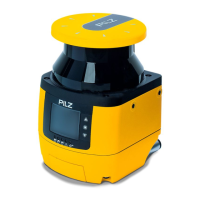
The safety laser scanner PSEN sc B 5 Series has configurable inputs and outputs. In
PSENscan Configurator these can be configured for the specific application.
} M12 8-pin socket for connection to an evaluation device and the voltage supply
– An OSSD pair
– Two configurable inputs
– One configurable input/output
– Supply voltage
– Functional earth
} M12, 12-pin socket
not used
} M12 4-pin socket, hinged
Connection of the safety laser scanner to the configuration PC
} M12 8-pin socket, hinged
not used
The configurable inputs can be used for all input signals.
} Restart and reset
} Switching the monitoring of zone sets
The configurable inputs and outputs can be used for both input signals and output signals.


 To Next Page
 Loading...