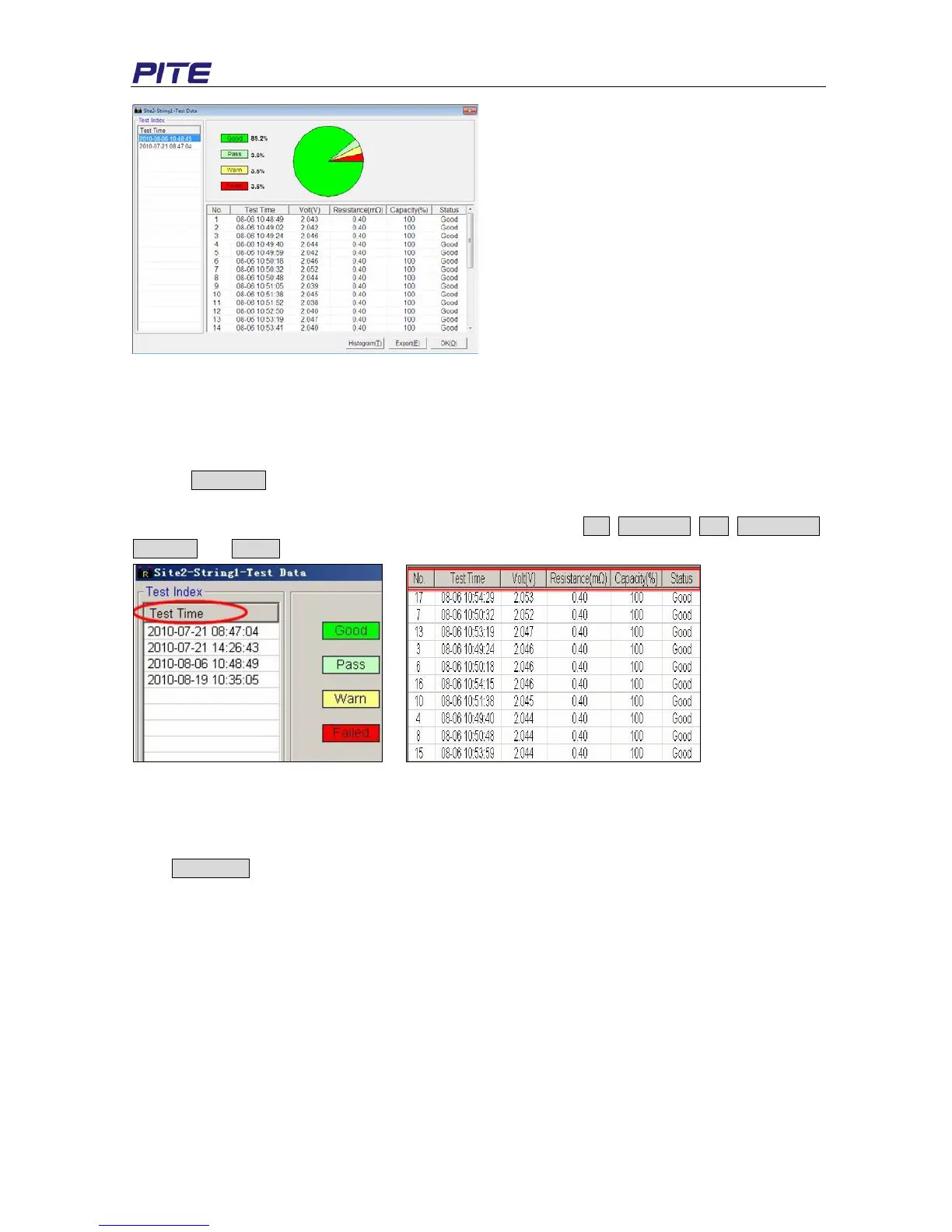
Fig 4.2.2.1.a
Double click relevant Test Time (if the same string is tested for several times) on the left to view testing
data of each cell in the string.
NOTE: For convenient data view, you could sort out data in sequences like below:
1. Click Test Time on the left, the following items in the box will be sorted automatically. See Fig
4.2.2.1.b
2. You could sort out testing parameters of each string by clicking No., Test Time, Volt, Resistance,
Capacity and Status. See Fig 4.2.2.1.c
Fig 4.2.2.1.b Fig 4.2.2.1.c
2) View Histogram
Histogram visually displays string performance in all aspects including voltage, resistance and
capacity.
Click Histogram button (in Fig 4.2.2.1.a) to view the histogram of the current string data. See Fig
4.2.2.1.d for example.


 To Next Page