EasyManua.ls Logo

Pitney Bowes J693 - Page 61

Pitney Bowes J693
109 pages
Print Icon
To Next Page IconTo Next Page
To Previous Page IconTo Previous Page
Loading...
J693 51
Step Operator Action Displayed Message Comment
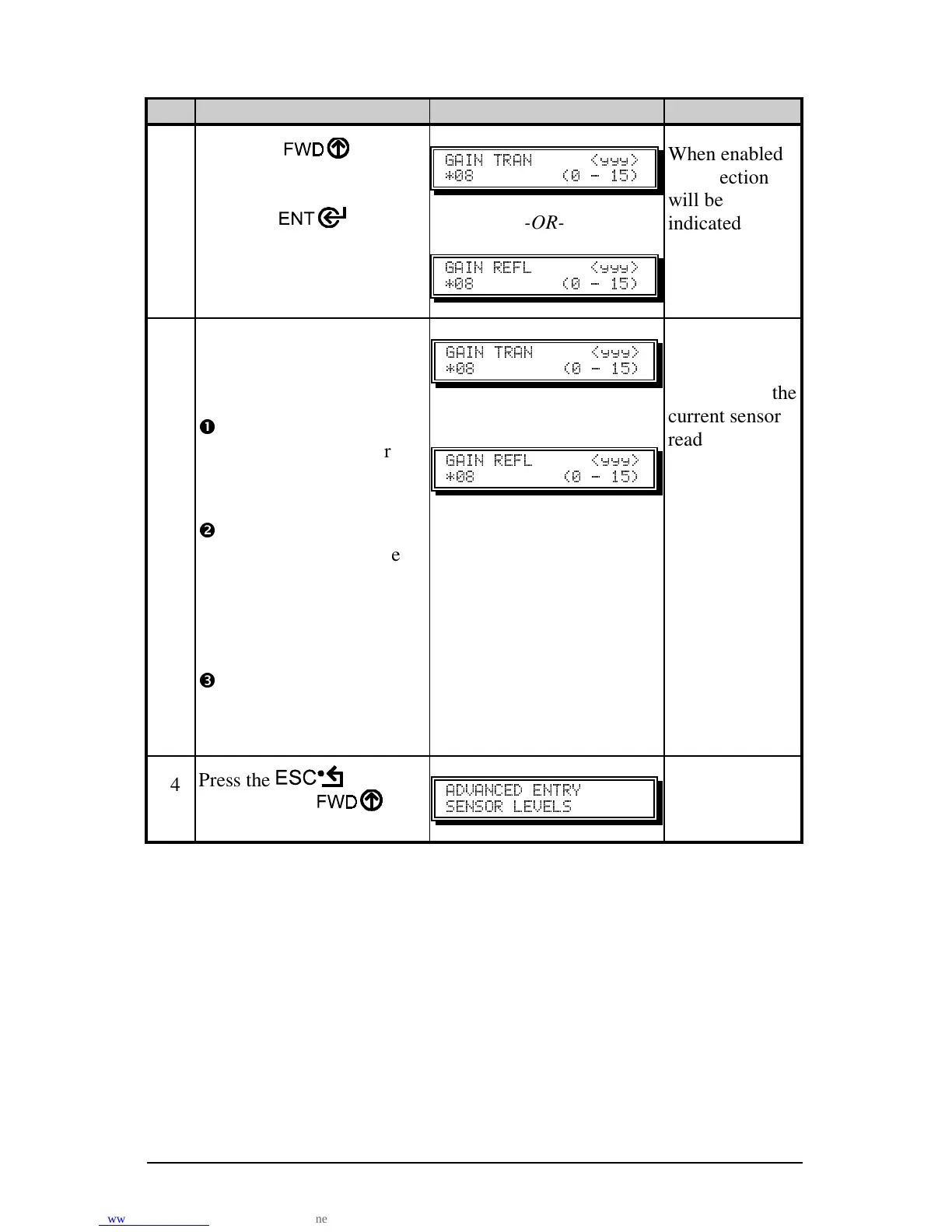
12
Using the
key,
select the Gain Number as
determined in Step 11.
Press the
key to
enable the entry.
" " ]<<<_
JQY HQ L RVI
-OR-
"  ]<<<_
JQY HQ L RVI
When enabled,
the selection
will be
indicated with
an *.
13
Using the ‘Gain Number’
set in Step 12, complete the
following steps:
n
Place the label under the
Media Sensor. Record
the sensor reading and
label it “P” (paper).
o
Place the backing, mark,
or notch under the Media
Sensor. Record the
sensor reading and label
it “G” or “M” (gap or
mark respectively).
p
Remove all media.
Record the sensor
reading and label it “E”.
" " ]<<<_
JQY HQ L RVI
-OR-
"  ]<<<_
JQY HQ L RVI
‘yyy’ is a
numerical value
representing the
current sensor
reading.
14
Press the key. And
then press the
key.
"" 
 
(Continued next page)

Table of Contents