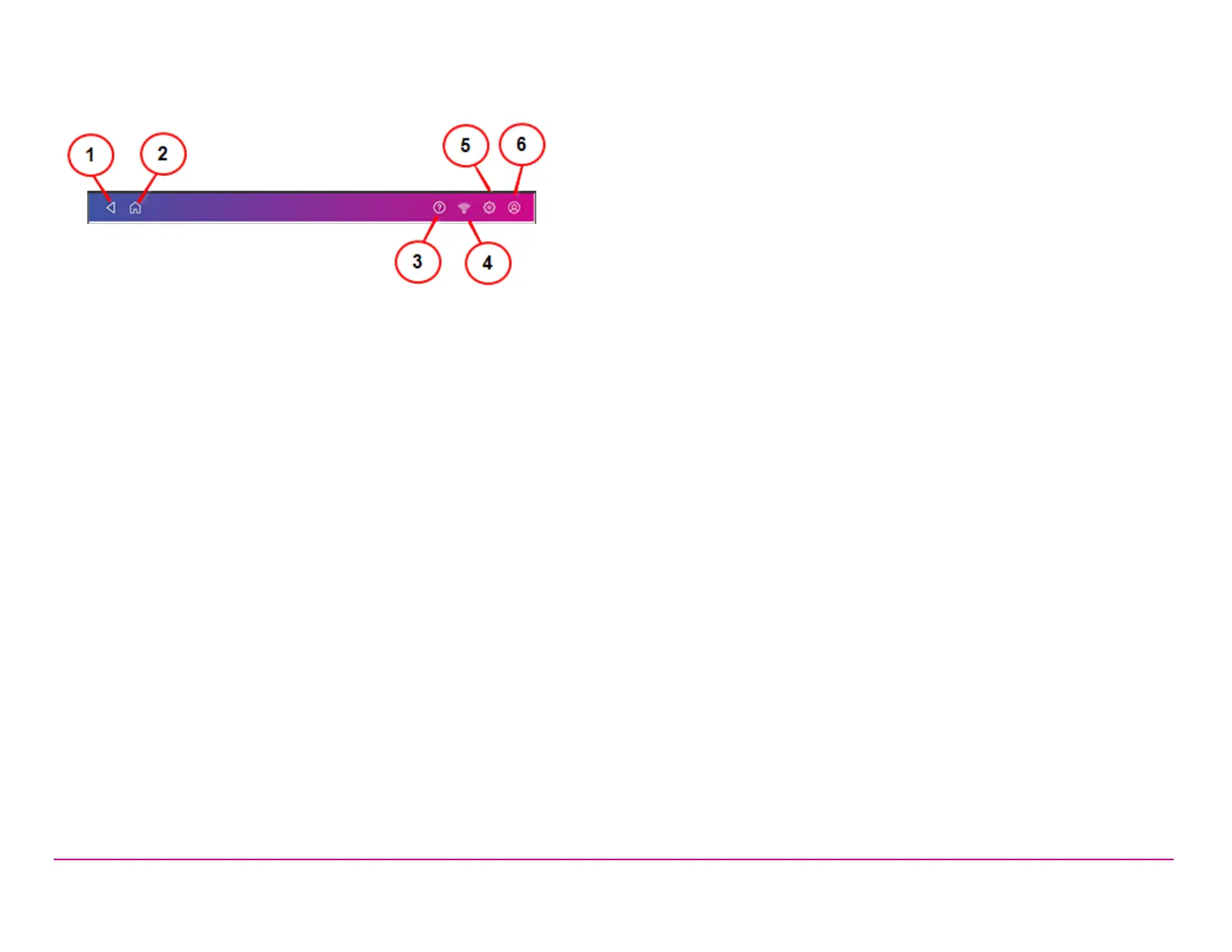
This toolbar allows you to view and change settings and defaults values for your machine and the Trackable Labels or Shipping Labels and
Envelope Printing or Print on Envelopes applications.
(1) Back - Return to the previous screen.
(2) Home - Return to the Home screen from anywhere in Trackable Labels or Shipping Labels or Envelope Printing or Print on Envelopes.
(3) You can also open the SendPro Care app by tapping on the question mark in the toolbar.
(4) Network - View the current network type (wireless or Ethernet) and status and strength (for wireless connection). Allows you to turn wireless
connection on or off. The icon here represents a wireless connection.
(5) Settings - View or change your machine and application settings. For your device, this includes adjusting the screen brightness, setting sound
notification levels, and viewing wireless or Ethernet connection information. For the Envelope Printing or Print on Envelopes this includes setting
the default postage refill amount, installing external scales and performing maintenance on the mail postage printer. For the Trackable Labels or
Shipping Labels this includes managing your carrier accounts and setting up your shipping label printer default values.
(6) Profile - View your profile (name and email for shipping label account), log out, or lock your SendPro C, SendPro+ device.
Pitney Bowes Quick ReferenceGuide December 08,2020 Page 4 of 18












 To Next Page