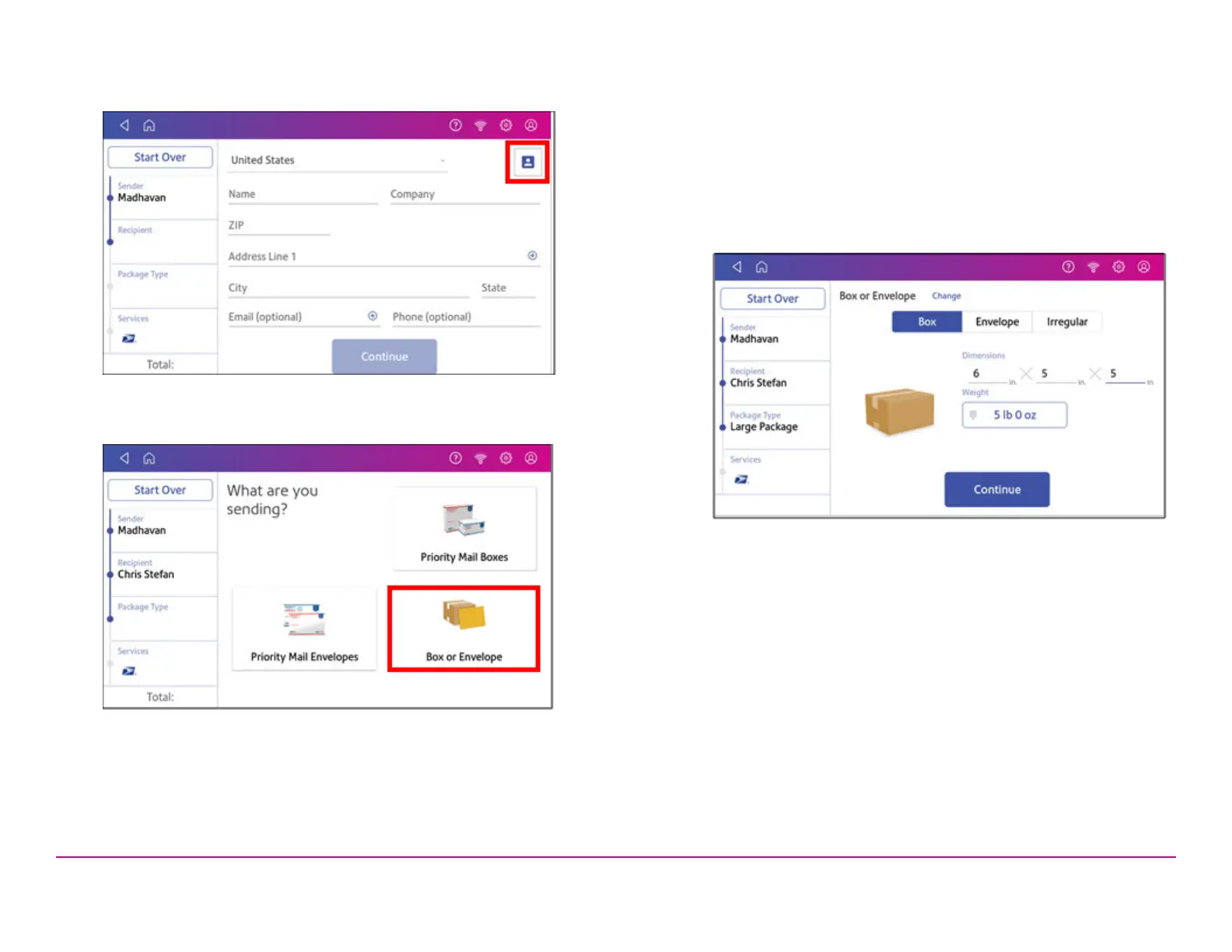
6. Enter the recipient address manually, or tap the Address book icon
to select one from the address book.
7. Tap Continue.
8. Tap a package type.
9. Enter the dimensions and weight of the package:
l Tap each dimension and enter a value. Tap the green check
mark when done.
l If you have an attached scale, place the package on the scale
and tap the Weight button. Tap Scale and the weight appears.
Tap Apply.
l If you do not have a scale, tap on the Weight button and enter
the weight, then tap Apply.
10. Tap Continue.
Pitney Bowes Quick ReferenceGuide December 08,2020 Page 6 of 18












 To Next Page